Key takeaways
- We set a password on a small internal page, deployed, and the correct password stopped working. A wrong password got exactly the same error.
- The value had been piped into the hosting tool from a Windows shell, and the shell added an invisible line ending. The tool stored it, line ending and all, and said nothing.
- Local testing and the first deploy both worked, because both fell back to a default in the code. Setting the secret properly is what broke it.
- Two weeks later the same thing hit a CRM access token, and the error pointed at a revoked token instead of a stray character.
- The fix is to trim every secret when the code reads it, and to set secrets through a path that sends the exact bytes. The fastest diagnostic is checking a credential's length before its value.
On August 12 we built a one page link library for our sales team. Every deck, demo site and booking link worth sending a prospect, on one page, with a copy button next to each. It is internal, so it sits behind a short access code.
The site runs on Cloudflare Pages, a static host with small functions that run in front of the pages. One of those functions is the gate. It compares what you type against a secret stored on the hosting project, and lets you in if they match.
We tested it locally. It worked. We deployed it. It worked. Then we did the responsible thing and set the real code as a proper secret on the project, instead of relying on the default written into the function. From that moment on, the correct code was refused.
The same error for right and wrong
The first thing you do when a password fails is type it again, slowly. Same result. Then you type something deliberately wrong, to see if the error changes. It did not. The right code and a wrong code both got the same unauthorized response, and nothing in the logs told them apart.
That is what makes this bug expensive. Every signal says the value is wrong. You check the value, and the value is right.
The value we had set was not quite the value we meant. We had piped it into the hosting tool's secret command from PowerShell. When PowerShell pipes a string into a native program, it adds a line ending to the end. The tool takes whatever arrives and stores it as is. So the stored secret was the code plus an invisible carriage return and newline. The deploy succeeded, the secret showed as present, and no warning appeared anywhere.
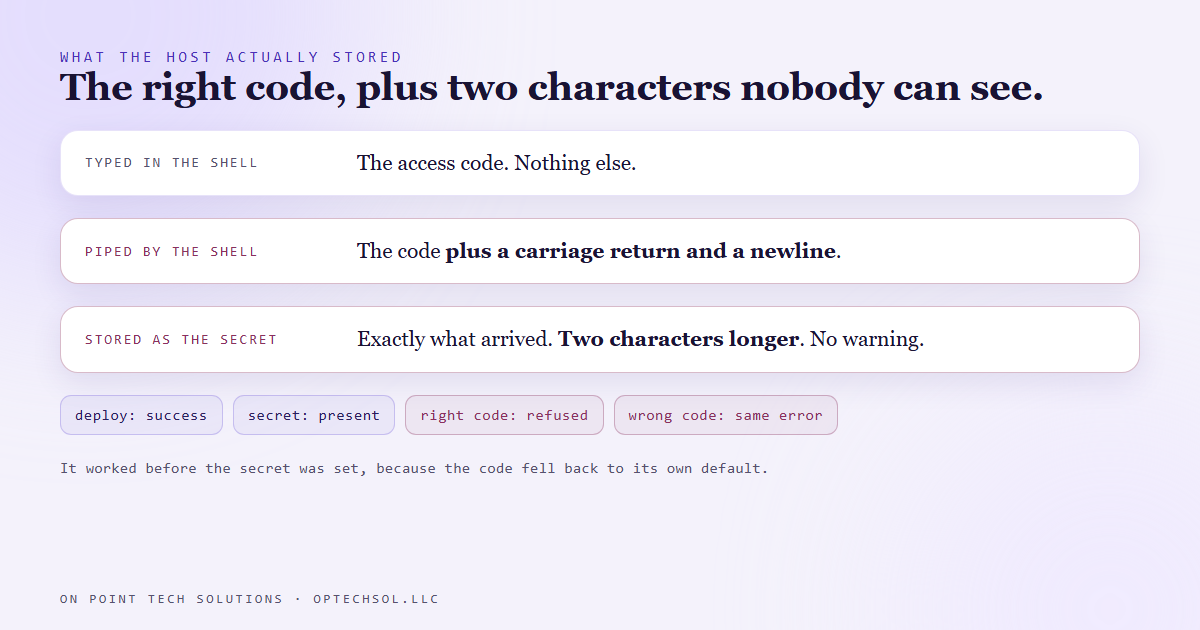
It also explains the strangest part, which is that it worked before we set it. Local testing and the first deploy had no secret at all, so the function fell back to its default, and the default had no line ending. The symptom read as "setting the secret correctly broke the gate". That sentence makes no sense until you know about the invisible characters.
The fix that day was one line in the function: trim the secret when it is read, and trim what the person typed. Whitespace at either end stops mattering.
It came back wearing a different error
On August 25 it happened again, on a different tool, with higher stakes. This time the secret was an access token for our CRM, stored on another project so that project's functions could call the CRM on our behalf.
We had learned the lesson, or thought we had. The token was written to a file carefully, with no trailing newline, and then piped from that file into the secret command. PowerShell added the line ending anyway, because it adds one on the pipe, not in the file.
The deploy succeeded. The secret list showed the token was there. Every call to the CRM came back unauthorized with a message saying the token was invalid.
That message sends you in exactly the wrong direction. It reads like a revoked or expired token, so you go and check the token. The token was fine. We lost about an hour before looking at what was actually being sent. The token was going out inside the authorization header with a newline on the end, and the CRM, reasonably, refused it.
What we changed so it cannot happen a third way
Two changes, and they cover different people.
The first protects against whoever sets the secret next. Our functions trim a secret when they read it. It does not matter how carefully this secret was written today. Somebody will rotate it in six months, from a different shell, and write it a different way. Code that trims cannot be broken by that.
The second protects against us. Our deploy script no longer pipes secrets into the hosting tool at all. It reads the value from a local settings file, trims it, and sends it straight to the host's own API, which stores exactly the bytes it receives. The value never appears on a command line. And when it finishes, it prints the number of characters it stored, which is the one number that would have saved that hour.
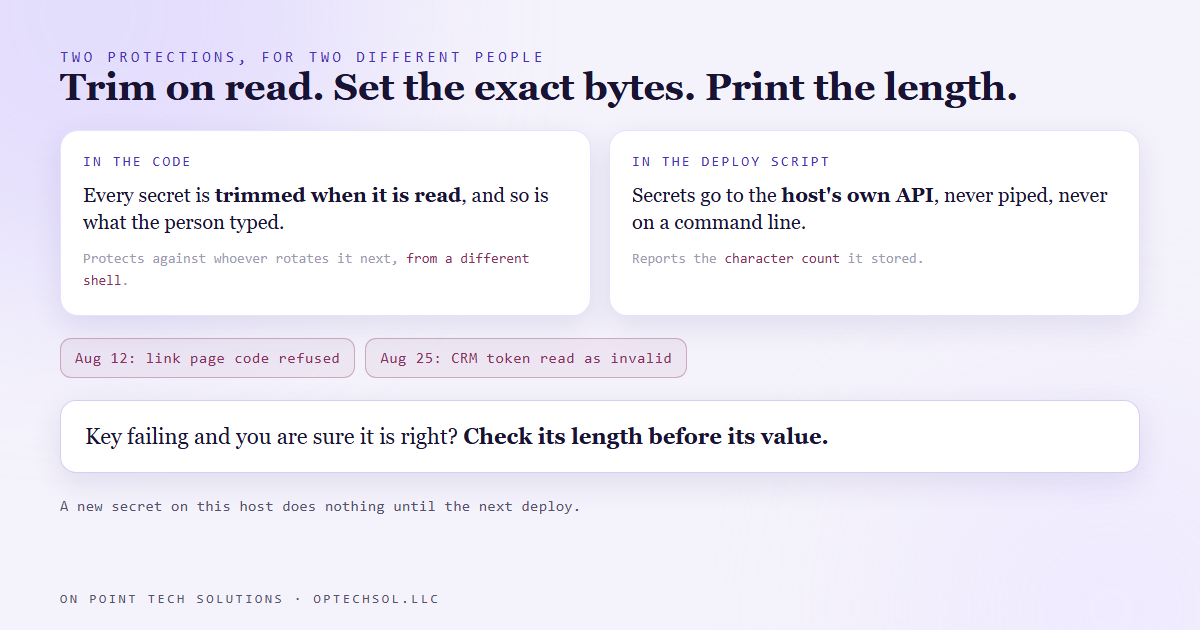
One more thing that caught us in between: on this host, a new secret does nothing until the next deploy. Set the value, then redeploy, then test. Testing between the first two steps tests the old value.
What this means for your business
You may never paste a secret into a hosting tool. You probably do paste credentials into integration settings, website plugins and automation tools, often copied out of an email or a password manager. A trailing space or a line break comes along for the ride more often than you would think, and most tools will not tell you.
When a connection fails with a key you are sure is correct, do not start by generating a new one. Check the length first. If your key is supposed to be 40 characters and the field holds 42, you have found the problem without touching the key.
For a Go High Level San Jose business connecting its CRM to other tools, ask whoever does that work one question: do your integrations trim credentials when they read them? A yes means a stray space during a key rotation stays a non event instead of an afternoon of outages.
Want this built for you
We build websites, gated tools and CRM integrations, and we build them to survive the next person who touches the settings. Want to build this yourself? Join the On Point Tech Academy. It's free, and we build live every Thursday.
The On Point Tech Academy costs nothing and never asks for a card. We build live every Thursday, 12:30 to 1:30 PT, with whatever AI you use.
Join the Academy free ← Back to all Field Notes