
Key takeaways
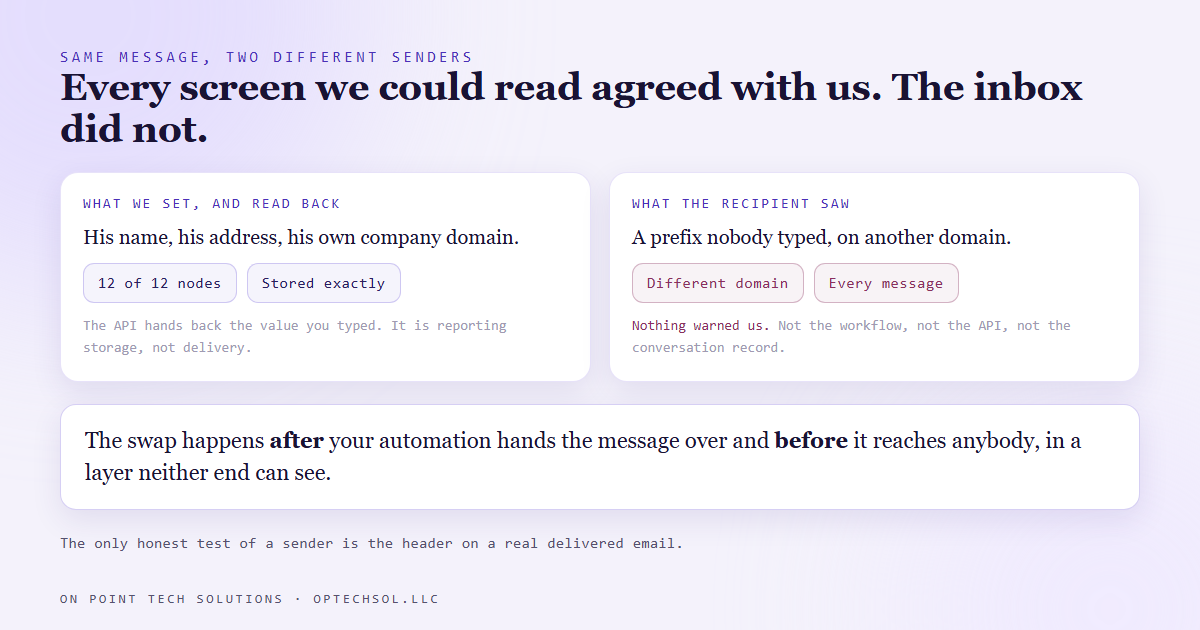
- We set an automated email lane to send from a business owner's own address at his own domain. The platform accepted it and every screen we could read showed exactly what we had typed.
- Recipients got the mail from a completely different address, at a completely different domain, because the platform will only put a domain it has verified in the From line and silently swaps in one of its own when you hand it anything else.
- Nothing in the workflow, the API read-back, or the conversation record says it did this. The only place the substitution is visible is a delivered message.
- The reason is spam policy, not a bug. A sending domain that ends its record in a hard fail will have any spoofed address rejected outright, so the platform refuses to try.
- Before you promise a client which address their mail comes from, check their domain records. That is a five minute job and the alternative is finding out from their customers.
A training lane we built for a client sends a run of automated emails. Welcome, next steps, a payment link, a staff alert. The owner's name is on all of them and his customers reply to them, so the sender had to be him at his own company domain, not a generic mailbox.
We set that. Twelve sending nodes across eight automations, every one carrying his display name and his address. Then we verified it the way you are supposed to: read every workflow back from the API and confirm the stored value. All twelve came back correct.
Then a live test landed in a real inbox, and the sender line read as an address at a different domain entirely, with a prefix nobody on our team had ever typed.
The platform had swapped it on the way out
Not rejected it. Not warned about it. Accepted the value, stored the value, handed the value back on every read, and then sent the message as something else.
The address it substituted was the sub-account's own verified sending domain, the one the platform sets up for itself when an account is first provisioned. That domain works, it is properly authenticated, and mail from it lands. It just is not the client's.
We confirmed it three ways, and none of them was the settings page. That screen renders blank under automation and we lost time on it before giving up.
The first proof was the inbox. Every message that reached our two test addresses that night, including the payment links and the internal alert, showed the same substituted sender.
The second was the domain records on the account's own verified domain, which carried exactly the authorisation entries that platform installs plus its mail exchange records. That is what a verified domain looks like from the outside.
The third was the client's domain, and it had none of them. His record lists only his own mail provider and a filtering service. No entry for the platform anywhere, no signing keys, no mail subdomain. As far as the sending system was concerned, that domain had never heard of it.
Why it substitutes instead of failing
Once you see this, the behaviour stops being mysterious and starts being obviously correct.
A domain's sending record lists who is allowed to send on its behalf, and it ends with an instruction about everybody else. The client's ended with the strictest one available: anyone not on this list is forged, reject the message.
So if the platform had done what we asked, the mail would have gone out from an address the receiving server was under instruction to throw away. Not filtered to spam. Rejected.
Faced with that, a sending platform has two options. Fail the send and tell you why, or send it from an address it knows will be accepted. It picks the second, because the alternative is a customer whose emails silently stop going out.
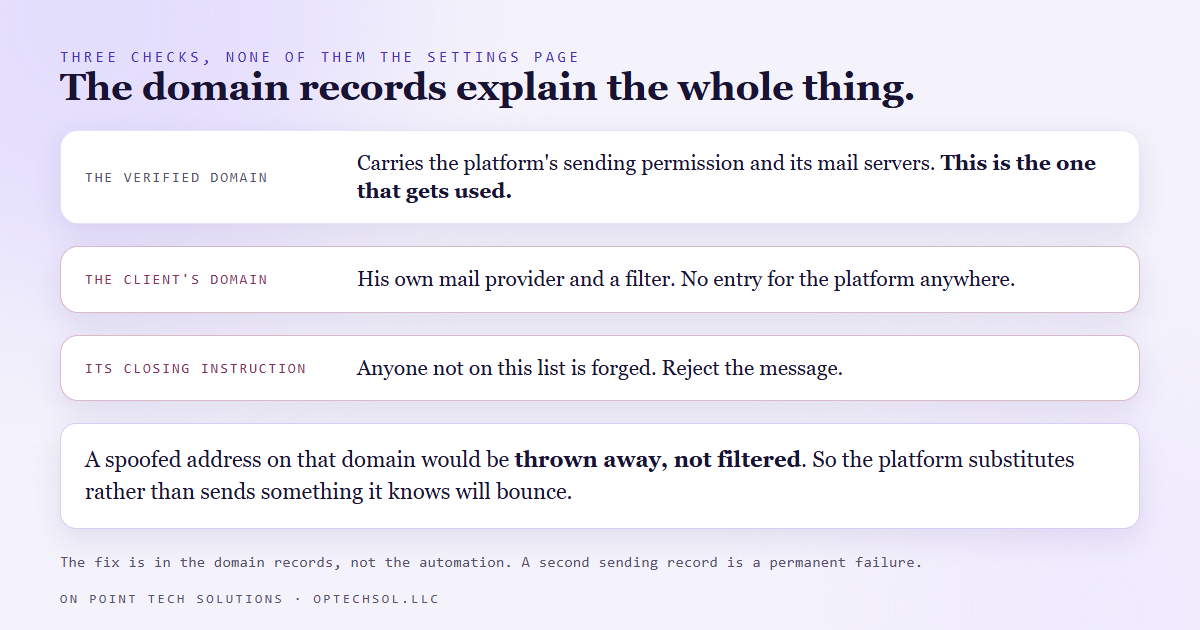
The cost of that choice is that the correction is invisible. It happens after your automation hands the message over and before it reaches anybody, in a layer neither of you can see.
What the fix actually is
It is not in the automation. Every node was already correct. The moment the domain is verified, those values start being honoured exactly as written.
The work is in the domain records, and there are two versions of it.
Verify the root domain, and the owner's real address becomes legal. That is the right answer when the emails carry his signature and people reply to them. The platform hands back a signing key, a sending entry and a tracking alias.
The sending entry is the one to be careful with. It must be merged into the record that already exists, not added as a second one. Two of those records on one domain is a permanent failure state, and it breaks the mail that was working before you touched it. Append the new permissions in front of the final instruction, in the same line.
The other version is to verify a subdomain instead. That carries no risk to an existing mailbox, which is why platforms suggest it by default. The trade is that the visible address becomes something at that subdomain rather than the person's real one, so replies need routing back deliberately.
What this means for your business
If you run any automated email, someone has decided what address it comes from. Almost nobody has checked what address it arrives as.
Those are different questions and only one matters to the person reading it. A customer who gets a payment link from an address that does not match the company they hired is going to hesitate, and that is the expensive kind of hesitation.
Any GHL consultant Bay Area business works with should be doing this before the first send, not after a complaint. Send one real message to a mailbox you control. Open it and look at the sender line, not the display name. If it is not what you promised, the problem is in the domain records and no amount of editing the automation will move it.
The general shape is worth carrying beyond email. Some settings are accepted and then quietly overridden, and every screen you own will keep showing you the value you typed. The only honest test of those is the thing that actually shipped.
Want this built for you
We build automated email that arrives as the business that sent it, plus the websites and funnels feeding it. Start at optechsol.llc.