Key takeaways
- We believed a whole category of work in our CRM had to be done by hand. It did not. The belief survived for months on one badly chosen error code.
- Every feature in a modern platform ships its own front end, and that front end contains the platform's own list of endpoints. It is public and it needs no login to read.
- Reading that list took about ten minutes and replaced an afternoon of guessing at URLs.
- Getting the address right was only half of it. Three separate credential types exist on the same platform and they are not interchangeable.
- The rule that came out of it: a read returning nothing is not evidence that your write failed. Verify like the platform is lying to you.
For months, our notes said a particular part of our CRM could only be built by clicking through the interface. Every build that needed it carried hours of manual setup, and we quoted it that way. It turned out to be fully buildable in a script, and the whole thing came apart in an afternoon once somebody stopped guessing and started reading.
This is the story of why the wrong belief lasted so long, because that part generalises well past our CRM.
The error code that cost us months
Somebody, and it was me, guessed at the web address the feature probably used. The platform answered with a bare 400 and no explanation.
A 400 reads like almost working. It suggests the door exists and you knocked wrong. So the natural next move is to try another body shape, then another, then conclude the whole thing is closed to scripts and move on. A 404 would have said there is no door here in one word, and we would have gone looking for the real one that same day.
Error codes turn out to carry far more signal than they look like they do, once you decide to read them as evidence rather than as noise. A 404 means the route does not exist, so stop guessing that path. A 400 with no field detail usually means a route that exists but is not the one you want, and it is also exactly what an invented path returns, which is what makes it dangerous. A response that names a specific property it did not expect is good news, because it means your credentials passed and you are now merely arguing about the shape of the request. A permissions error means the route is real, your login is real, and only your access level is wrong.
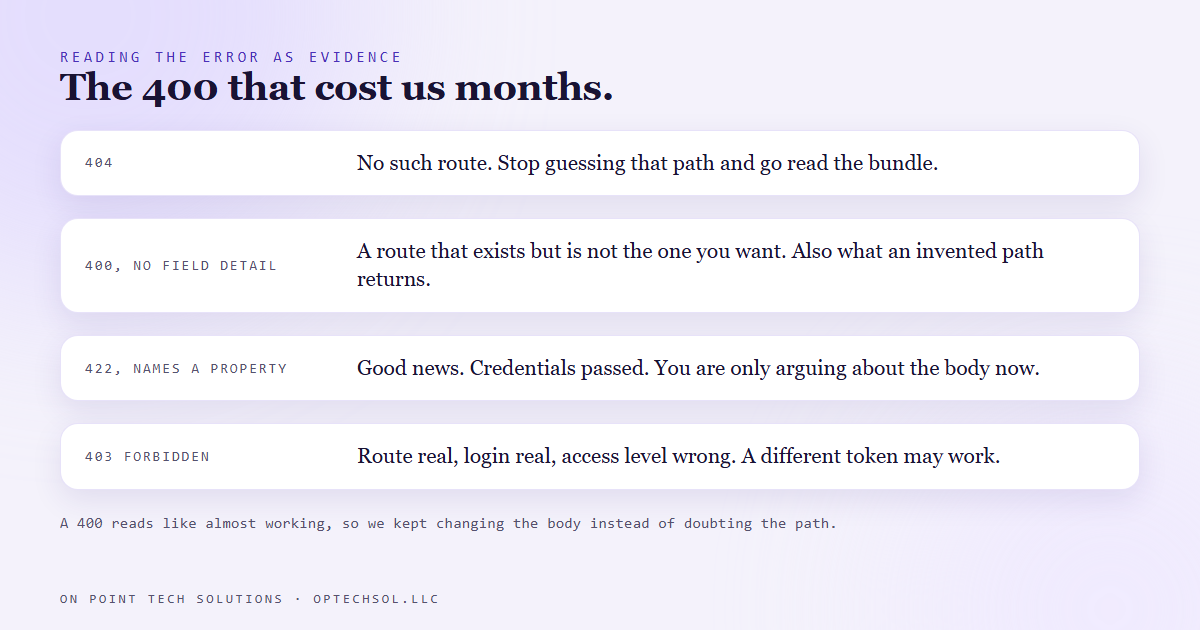
We spent months treating one of those as another.
The platform tells you its own endpoints
Here is the technique, and it works on almost anything built recently.
Modern platforms are assembled out of small independent front ends. Open the feature in the interface and it is very often running inside a frame loaded from its own address. That address serves a JavaScript bundle, and the bundle contains the application's own client for talking to the back end. Every path, every method, every base address, spelled out, because the browser needs them to work.
None of it requires a login to read. Your browser downloads it before you sign in to anything.
So the sequence is: find the frame's address, fetch the page it serves, read the script tag for the bundle name, download the bundle, search it for the paths you want, then read the surrounding text for the method and the variable holding the base address. That variable is defined as plain text further down the same file.
You are not guessing. You are reading the software's own instructions for talking to itself.
Finding the door was the easy half
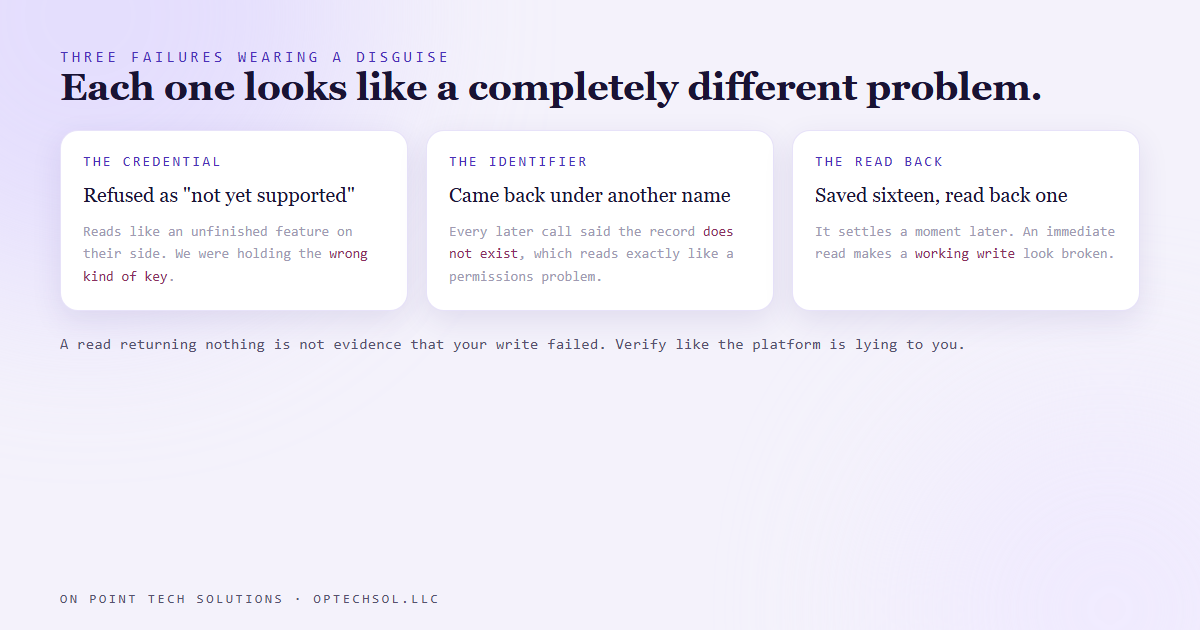
Having the right address did not make it work. Three separate things had to be right at once, and each one failed in a way that looked like something else.
The first was the credential. The same platform runs several kinds of token, and the one that works everywhere else was refused here with a message suggesting the feature was unfinished on their side. It was not unfinished. We were holding the wrong sort of key.
The second was the response shape. The identifier of the thing we had just created came back under a slightly different name than every other part of the same platform uses. Reading the usual name gave us nothing, and every call after that failed with a message saying the record did not exist, which reads exactly like a permissions problem and is not one.
The third is the one worth carrying everywhere. We saved sixteen fields, read them straight back, and got one. Then we assumed the save had failed. It had not. That part of the system settles a moment later, and reading it immediately makes a working write look broken.
Then the quietest one of all. Sixteen fields stored correctly, and only four of them appeared on the page a human sees. Every check we had was passing. The part that draws the form switches on a key that the stored record does not carry, so a field could be perfectly saved and simply never drawn. The only honest test was loading the real page and counting the boxes.
What this means for your business
You are probably paying for at least one manual process because somebody decided it was manual. A vendor said so, or your own team tried once and got a confusing error. That belief then sits in your cost structure forever, priced into every quote, and nobody revisits it because it feels settled.
Three things worth doing. When a tool says something cannot be automated, treat that as a claim rather than a fact, and ask what the interface itself does when a person performs the same action. When a check tells you a change did not work, confirm the check is looking at the right thing before you believe it. And keep count of the manual steps in your own delivery, because those are exactly where an afternoon of work removes an hour from every job you ever do again.
That is a real part of what a Go High Level San Jose business gets from us. Not just building the automation, but refusing to accept that the boring half has to stay manual.
Want this built for you
We build CRM systems, websites and automation for small businesses, and we go looking for the manual steps that do not need to be there. Want to build this yourself? Join the On Point Tech Academy. It's free, and we build live every Tuesday and Thursday.
The On Point Tech Academy costs nothing and never asks for a card. We build live every Tuesday and Thursday, 12:30 to 1:30 PT.
Join the Academy free ← Back to all Field Notes