Key takeaways
- We built a careers page that takes a resume upload, and the obvious place to put the file was the media library that holds every image on this blog.
- That library serves files with no login on a guessable address, with somebody's home address and employment history sitting behind it.
- We caught it before a single application arrived, which is the only reason this is a build log rather than an apology.
- The fix was a private store only an authenticated reader can open, plus a size ceiling we found by testing rather than by reading documentation.
- The rule that came out of it: where a file goes is decided by who may read it, never by what is convenient.
We put a careers page on our own site this summer. It takes a name, a phone number, a few answers about sales experience, and a resume. The kind of form a thousand small businesses already have.
The upload nearly went wrong, in the most boring way possible. By using the default.
The convenient place is almost never the right one
Every image on this blog lives in our CRM's media library. It is where files go, it is already wired up, and the upload takes one line of code. So when the application form needed somewhere to put a resume, that library was the answer nobody had to think about.
It is also the wrong answer, for a reason that has nothing to do with the CRM being bad at its job. A media library serves images to browsers quickly, which means the addresses it hands out are public by design. There is no login in front of them and there does not need to be, because a blog picture is meant to be seen by anybody who visits. Worse, on most of these systems the address keeps working after you delete the file from the interface, because removing the record and purging a file from a global network are two different operations.
Now think about what a resume contains. Full legal name, phone number, frequently a home address, every employer for the last decade with dates, sometimes a photograph. That is a small identity kit, and we were about to publish one per applicant at an address that never expires.
What we built instead
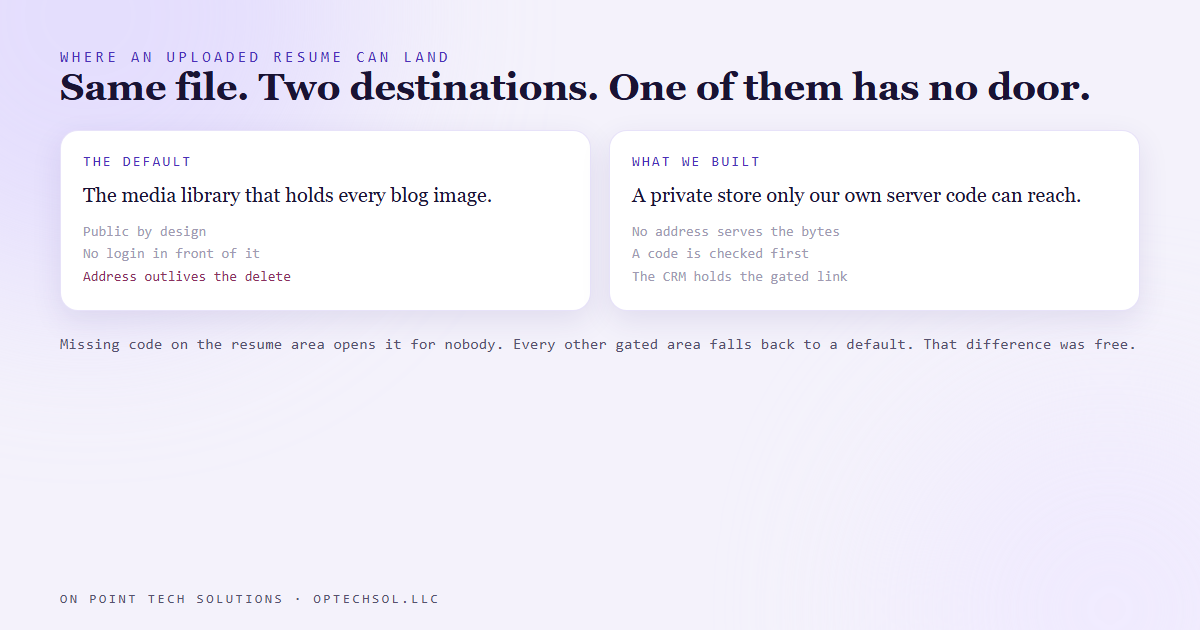
The replacement has three parts and none of them are clever. The bytes go into a private database only our own server code can reach, so no address serves them directly. To read a file you go through a route we wrote, which checks a code before returning a single byte. The record stored on the applicant in the CRM holds a link to that gated route, never a file address.
One detail in there is load bearing, and it is the one most people get backwards. Our site has several gated areas, and each falls back to a shared default code if its own has not been set yet. That is a sensible trade for a pricing page.
The resume area does not get that fallback. If its code is missing, it opens for nobody, and it says so before it does any work at all. That decision was free to make and it is the difference between a gate and a door with a sign on it. The same thinking applies one level down: a missing value has a shape, and somebody can type that shape, so handle the unset case before any comparison happens rather than inside it.
The limits you find by testing
Two ceilings shaped this build and we found both by trying rather than reading. The CRM upload we had originally planned to use refused files over about twenty five megabytes, which is under a typical phone video, so a candidate recording a two minute introduction would simply fail at the end of a form they had spent ten minutes filling in.
Then we pushed test files into the new private store until it broke. Three megabytes stored fine, five came back with a hard failure. So the resume ceiling is three megabytes, which is generous for a document and nowhere near enough for video. Video is therefore a link first, with a small upload as the fallback. Neither number took more than ten minutes to establish.
Storing it is half the job. Deleting it is the other half
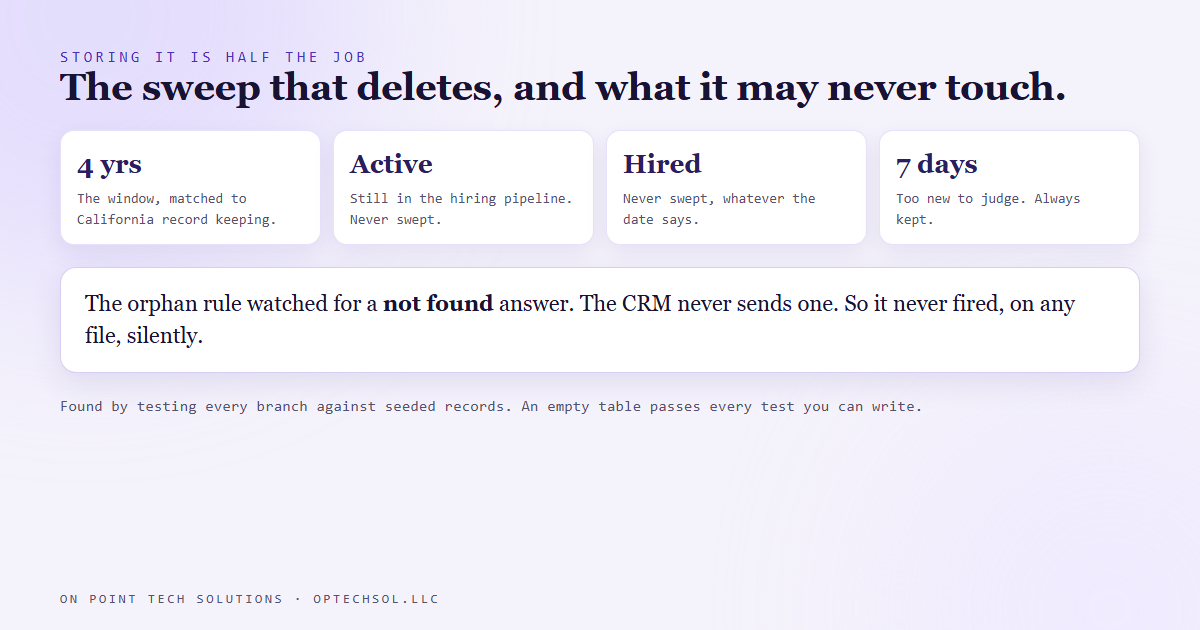
A private store that keeps everything forever is only a slower leak. So a weekly sweep runs against the file table with a four year window, chosen to match California's record keeping rules so the policy does not need revisiting the first time we hire somebody. Three guards stop it eating something it should not: anyone still active in the pipeline is never swept, anyone hired is never swept, and anything uploaded in the last seven days is always kept, which stops the rule catching a file whose owner record has not finished being linked.
That sweep also carried the best bug of the build. Part of its job is finding files whose applicant was deleted, and it looked for the CRM answering "not found" when asked about a missing contact. The CRM does not answer that. It answers a different error, with the explanation buried in the message text. So the rule for orphaned files never fired once, and nothing reported a problem.
We only found it because the sweep was tested against seeded records covering every branch, rather than against the empty table it would have run on in production. An empty table passes every test you can write.
What this means for your business
You almost certainly have a form that accepts a file. An application, an insurance document, a signed agreement. Find where those files land and try opening one from a browser you are not logged into. If it opens, that is your answer. Ask who is allowed to read each kind of file before you ask where it is easiest to put it, because those two questions have different answers and only one of them matters. And set a deletion window now, while the folder is small.
Handling this properly is a normal part of what a Go High Level Bay Area business should expect from whoever builds their systems. It is not extra credit and it is not expensive. About a day of work, done once.
Want this built for you
We build CRM systems, websites and automation for small businesses, and we think about where the files go before the first one arrives. Want to build this yourself? Join the On Point Tech Academy. It's free, and we build live every Tuesday and Thursday.
The On Point Tech Academy costs nothing and never asks for a card. We build live every Tuesday and Thursday, 12:30 to 1:30 PT.
Join the Academy free ← Back to all Field Notes