
Key takeaways
- Our member spotlight videos draw the name card and captions in a headless browser, one image at a time, and then encode them over the footage.
- On the fourth build in a row, the browser exited successfully without writing a new image. The previous build's file was still sitting there under the same name.
- So a finished video came out carrying the previous member's name, business and first two captions. Exit code, file present, file size and duration all looked fine.
- Only pulling a frame and looking at it caught it.
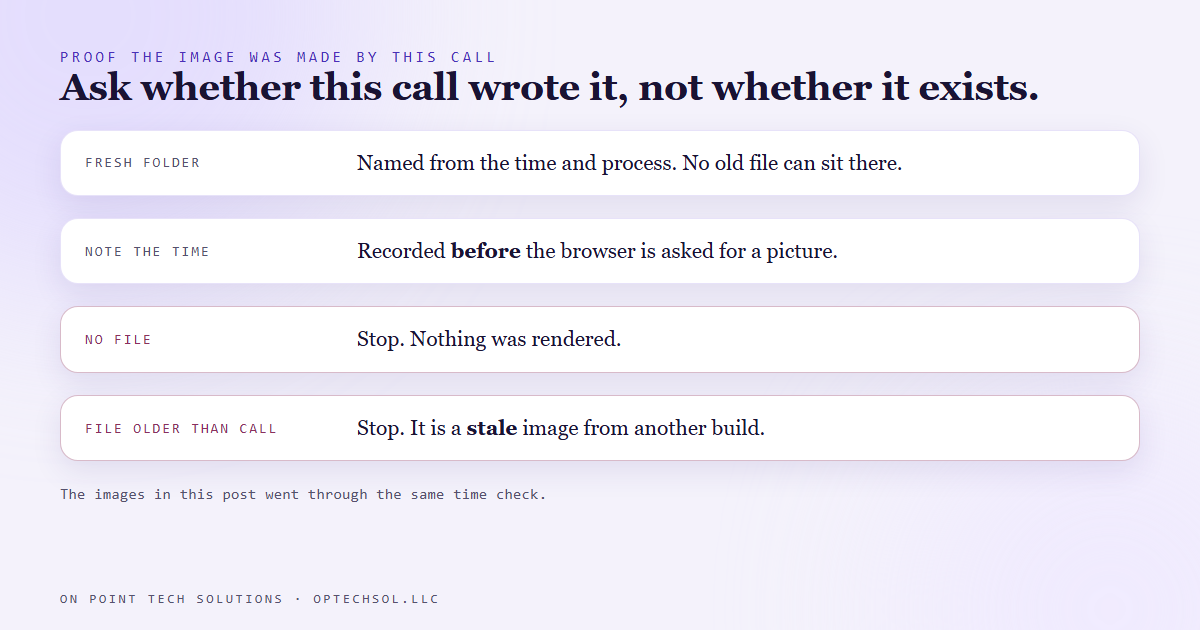
- Two fixes, and both are needed: a fresh folder for every run, and proof that each image was written by this call, checked against the time the call started.
Our networking chapter gets a short spotlight video for members. Each one is the member talking, with their name and business on a card in the lower corner and a few captions that pop up as they speak. It is a small thing, and it has someone's name on it, so it has to be right. A video that puts your name on somebody else is worse than no video.
The build is automated. A script writes each overlay as a tiny web page, asks a browser running with no window to take a picture of it, then hands those pictures and the footage to the video encoder. Name card, caption one, caption two, and so on. Each picture gets a fixed file name in a shared working folder, and each new build overwrites the last one's files.
That had worked build after build. On September 4 we ran four in a row.
Everything said it worked
The fourth video came out looking finished. Right length, right footage, clean encode. The person on screen was the right member. The name card underneath them belonged to the member from the build before, along with that member's business and the first two captions.
Here is what had happened. The web page for the name card on disk had the right name in it. The picture of that page, sitting next to it, was eleven seconds old. It came from the previous build. The browser had been asked to take a new picture, and it exited with a success code without writing one. The old picture was still there under the expected name, so the encoder used it.
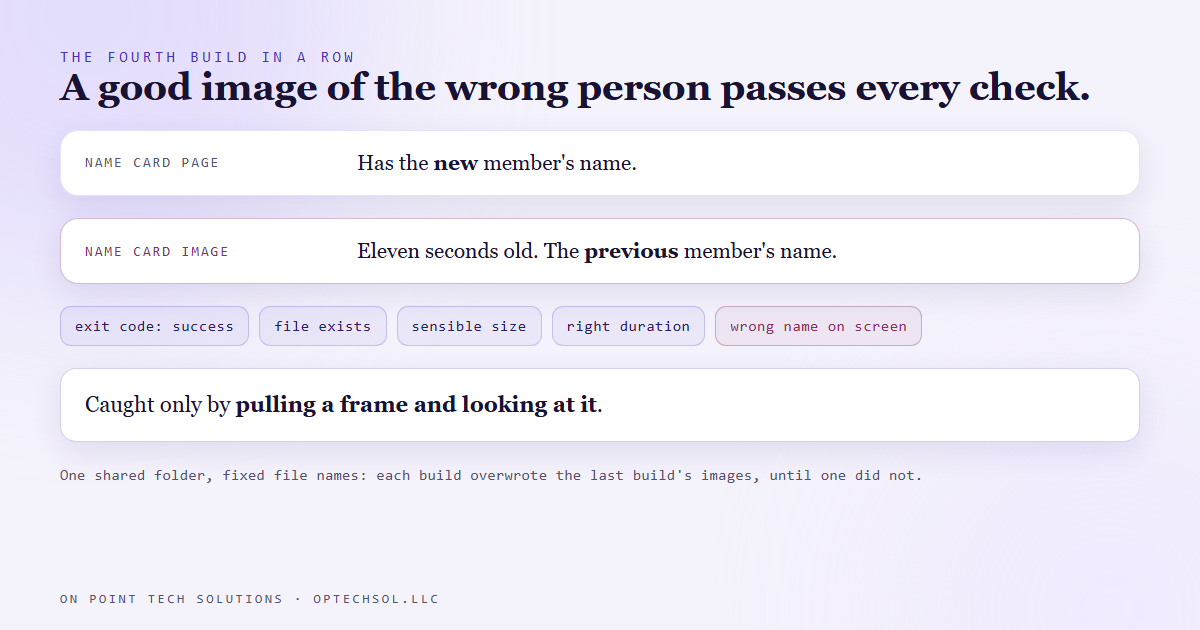
Now look at what the build checked. The browser's exit code said success. The file existed. It was a sensible size, because it was a perfectly good image of the wrong person. The encoder was happy, and the video was the right duration. Every one of those checks passed on a wrong video.
Nothing in the toolchain caught it. Somebody pulling a frame out of the video and looking at it did.
Why checking the file exists is the wrong check
The instinct after a bug like this is to add a check that the image was created. That check already passes. A stale file is still a file. Any check that asks whether something is there will say yes, because the thing you are afraid of is precisely that an old one is there.
So the real question is not whether the image exists. It is whether this call made it.
That needed two changes, and either one alone leaves a gap.
The first is a fresh working folder for every run, named from the time and the process. A file from another build can no longer sit at the name this build expects, because this build's folder did not exist a moment ago.
The second is proof of authorship. Before asking the browser for a picture, the script records the time. After the browser exits, it requires the file to exist and to have been modified after that moment. If the file is missing, it stops and says nothing was rendered. If the file is older than the call, it stops and says, in plain words, that this is the bug that puts one member's name on another member's video.
The same bug was waiting in our other builds
That render pattern is not special to spotlight videos. Our blog header images, the diagrams inside these posts, thumbnails and slide captures all go through the same kind of headless browser under file names we choose.
The render scripts behind this blog had been checking that each image existed and was over a minimum size. That is the exact check a stale file passes. On a re-render after an edit, they could have uploaded the unedited image and reported success. They now carry the same time check, and the images in this post went through it.
The general rule we took from it: an exit code tells you a process ended. It does not tell you the process did the work. Check the thing the process was supposed to produce, and check it in a way that an old copy cannot pass.
What this means for your business
Most businesses are not rendering video. Plenty are running something that writes a file and then trusts it: a report that exports to the same filename every week, a feed that a website picks up each night, a spreadsheet an automation overwrites. If the step that writes it fails quietly, last week's file looks exactly like this week's.
Put a date inside the output wherever you can, and look at it. When something personal goes out under your name, look at a real finished copy before trusting any green light.
If you are talking to a GHL consultant Bay Area teams recommend about automating content, ask how their build proves each piece was made fresh. A good answer names a check a stale file would fail.
Want this built for you
We build content pipelines and automations that check their own output before anything leaves the building. Want to build this yourself? Join the On Point Tech Academy. It's free, and we build live every Thursday.
The On Point Tech Academy costs nothing and never asks for a card. We build live every Thursday, 12:30 to 1:30 PT, with whatever AI you use.
Join the Academy free ← Back to all Field Notes