Key takeaways
- In August we checked a CRM account's audit log to see whether anyone had been reading its data. The log had nothing that answered the question.
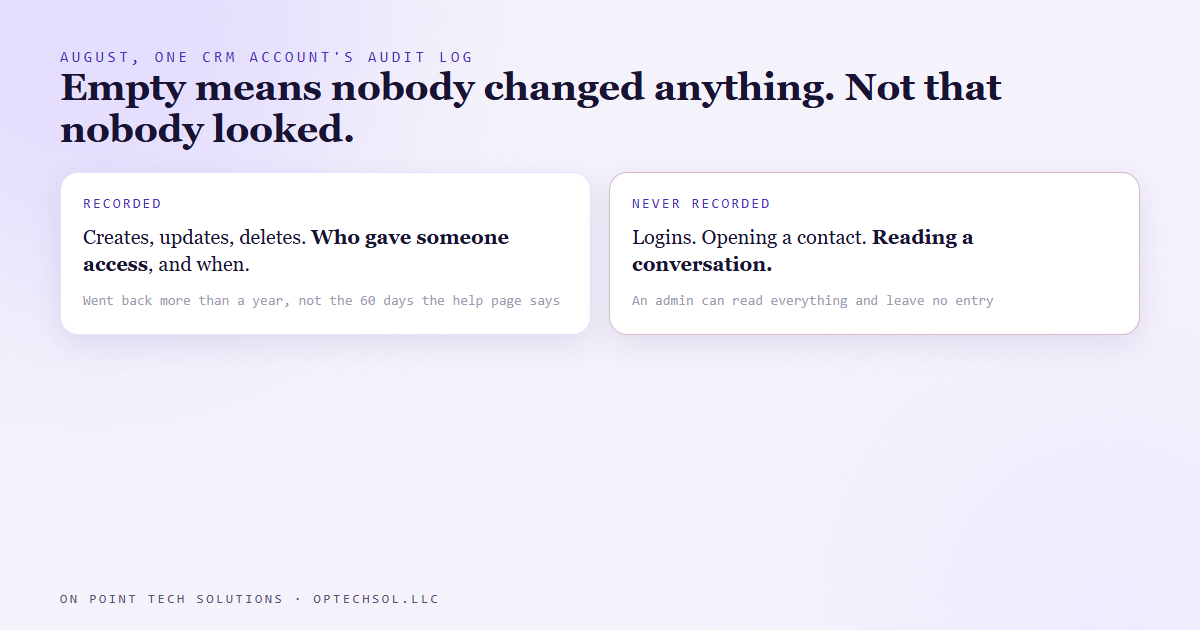
- That wasn't because nobody looked. The log records creates, updates and deletes. It doesn't record logins, and it doesn't record anyone viewing anything.
- Someone with admin access could open the account, read every conversation and leave without a single entry.
- The help page said the log keeps 60 days. A live pull went back more than a year. Both halves of the obvious reading were wrong.
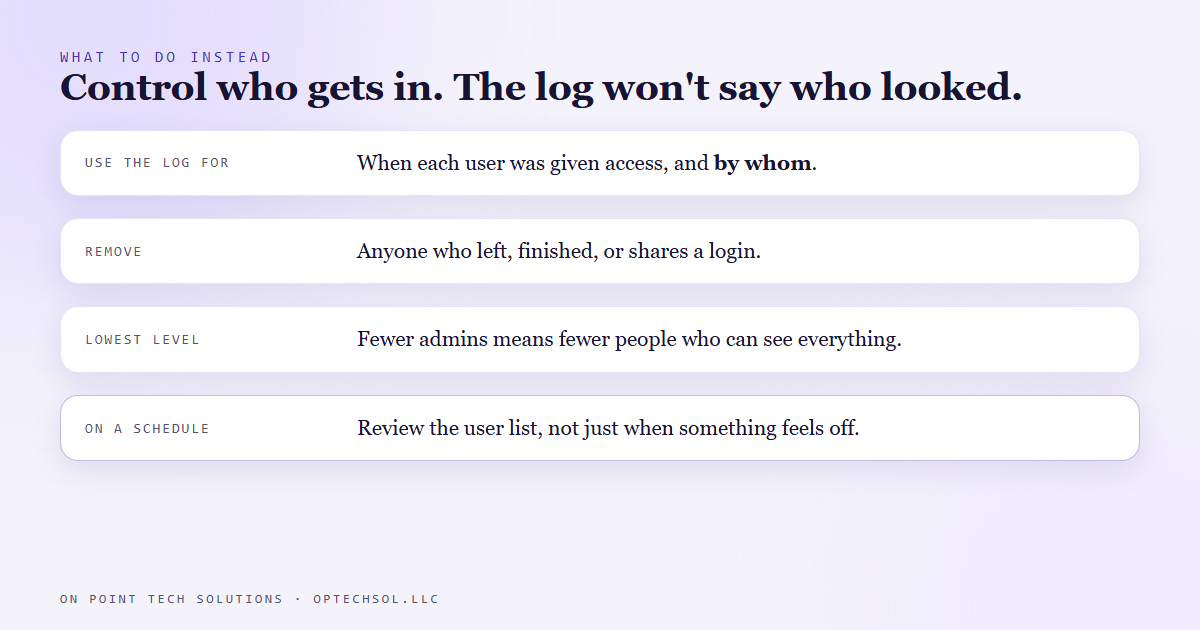
- What the log is good for: seeing when a user was given access, and by whom.
Most of what we set up as a Go High Level San Jose shop ends up holding sensitive stuff. Customer phone numbers. Text conversations. Notes from sales calls. Payment history. So when an owner asks "who can see all this," that's a fair question, and it deserves a real answer.
In August we needed that answer for one account, and the first place we looked gave us a very confident wrong one.
The obvious place to look
The CRM we build on has an audit log. It's in the settings, it has filters for user, module, action and time range, and it lists what happened in the account and who did it. If you want to know whether someone has been in your data, that's where you'd go.
So we pulled it for the window we cared about and went looking for any sign that someone had been in the data.
Nothing that answered the question. No entries showing anyone reading conversations or opening contacts.
It would have been easy to stop there and say nobody looked. That reading is wrong.
What the log actually records
We went back and read the documentation properly. The audit log records changes. Something created, something updated, something deleted. That's the whole list.
It doesn't record logins. It doesn't record someone opening a contact. It doesn't record someone scrolling through a text conversation, reading call notes, or looking at payment records. Someone with admin access could sign in, read everything in the account and sign out, and the log would look exactly like a quiet day.
So an empty log isn't evidence that nobody looked. It's evidence that nobody changed anything. Those are very different claims, and only one of them was the question.
The retention number was wrong too
The help page for the audit log says it keeps 60 days of history. If you believed that, you'd assume anything older was gone and stop digging.
Our live pull returned entries going back more than a year. So the record covered a lot more time than the documentation said, and a lot less activity than people assume. Both were the opposite of what you'd guess from the settings screen.
We now treat what the documentation says a log keeps as a starting guess and check it with a real pull.
What it's actually good for
The log isn't useless. It answers a different question really well.
Filter it to the users module and you can see when a person was given access to the account, and who gave it to them. That's often the question that matters most. Not "did they look," which you can't prove either way from here, but "should they have been able to look at all, and who let them in."
From there the fix is boring and effective. Take access away from anyone who shouldn't have it, give everyone else the lowest level they need, and check the user list on a schedule instead of only when something feels off.
The lesson we are keeping
An empty record feels like an all clear. Before you trust it, find out what the record was ever able to show. A camera pointed at the front door doesn't tell you nobody used the back door.
What this means for Go High Level San Jose businesses
Your customer data probably lives in more places than you think. Your CRM. Your website host. A shared drive with old quotes and invoices. An email account an employee who left still knows the password to.
For most of those, if someone quietly read everything, nothing would show it. That's normal for most tools you use. The only control that really works is deciding who can get in at all.
Three things worth doing this week:
- Open the user list in your CRM and read every name. Anyone who has left, any contractor who finished, any login shared by more than one person, fix it today.
- Check who has admin. Most people who use your CRM don't need it. Fewer admins means fewer people who can see everything.
- Ask each tool you pay for one question: if someone read everything in here, would anything show it? Write down the answer so you know what you're relying on.
Go High Level San Jose owners trust their CRM with every customer they have. Know who has the keys, because the log won't tell you who looked.
Want this built for you
We set up CRMs with access you can explain, user by user, and you own the account outright. Start at optechsol.llc.