
Key takeaways
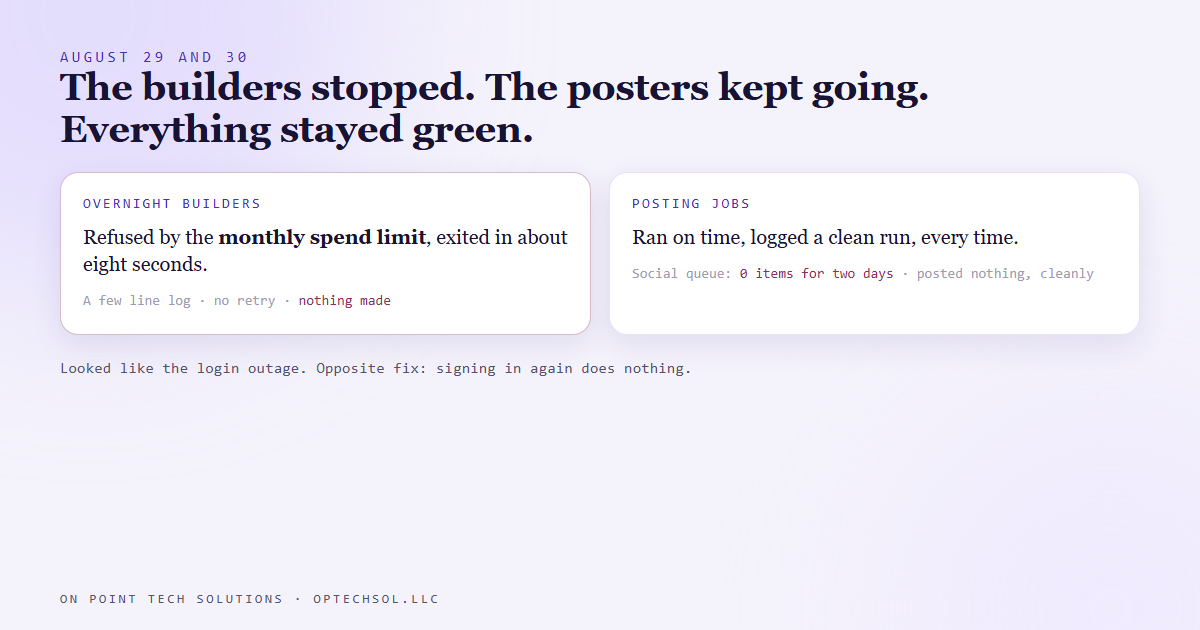
- On August 29 and 30 the AI account behind our overnight builders hit its monthly spend limit.
- Every scheduled build that needed it exited in about eight seconds with a short note saying so, and made nothing.
- The jobs that only post already approved work kept running perfectly, against a social queue that held zero items for two days. Every health light stayed green.
- From outside it looked exactly like a login expiry we'd already been through. The fix is the opposite: signing in again does nothing. You raise the cap or wait for the reset.
- One queue survived untouched because it's built several days ahead. Queue depth, not exit codes, was the real insurance.
Most of our content gets made overnight. When we build marketing automation San Jose businesses rely on, the pattern is the same one we run for ourselves: a builder job makes tomorrow's posts while everyone's asleep, each one goes to an approval inbox, and a separate posting job sends whatever is approved and due. Building and posting are two different jobs on purpose.
That split is usually a strength. At the end of August it hid a two day outage in plain sight.
Two quiet days
On August 29 the AI account our overnight builders run on hit its monthly spend limit. It hit it again on the 30th.
Every builder that needed that account started on schedule, got refused, and exited in about eight seconds. Each one left a log a few lines long, basically saying you've hit your limit. Then nothing. It didn't retry, didn't alert anyone, and didn't leave a half built post. Our daily social builder, the nightly build for another account we run, and a daily answer builder all went down the same way.
Meanwhile the posting jobs kept doing exactly their job. They don't need the AI at all. They check the queue, post what's approved and due, and log a clean run. The queue for our own social posts held zero items for two days, so they posted nothing, cleanly, every fifteen minutes.
Every dashboard said healthy, because every job that ran, ran fine.
Same symptom, opposite fix
This looked familiar, and that was the trap. We'd already written about an outage where the login behind these same builders expired. Instant exit, tiny log, no error anywhere. From the outside the spend limit looks identical.
The fix is not identical. For an expired login you sign in again. For a spend limit, signing in again does nothing at all. You raise the cap or you wait for the reset. If you reach for the fix you already know, you lose another day and walk away thinking it's handled.
The only place the two differ is the first line of that tiny log. One says your login expired. The other says you've hit your limit. So the log is the tell.
What actually protected us
Not everything went empty, though, and that's the part I care about most.
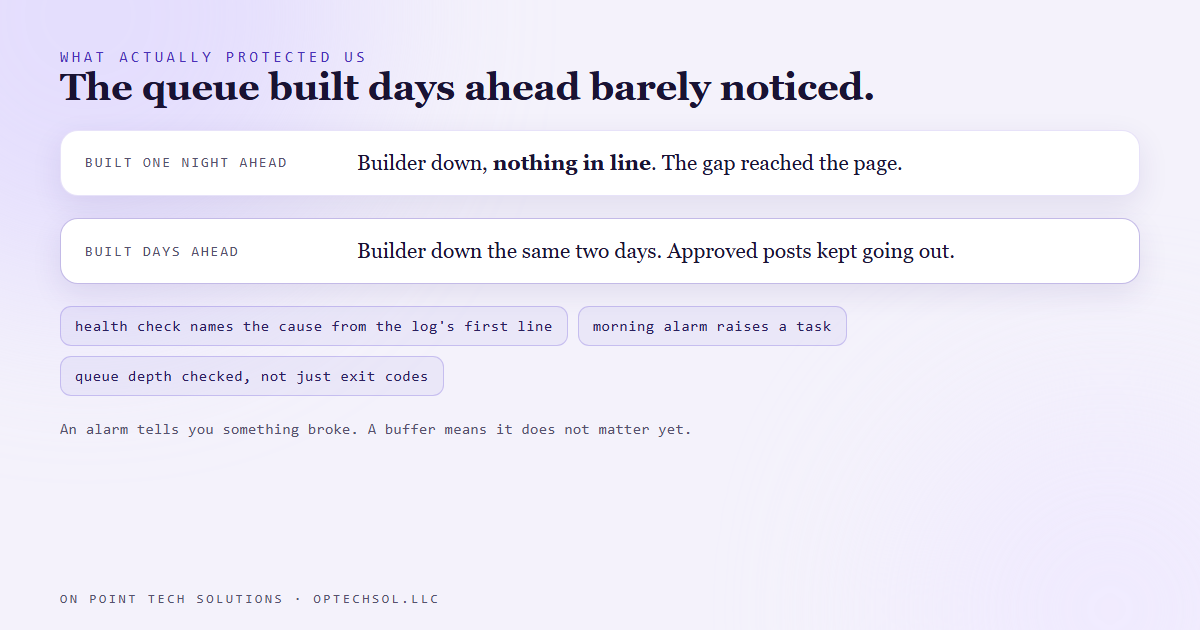
One of our queues, the one for a daily answer series, was built several days ahead instead of one day at a time. Its builder went down for the same two days. It didn't matter. There were already finished, approved posts sitting in line, so the posting job kept sending real work while the builder was out.
The queues built one night ahead had nothing to fall back on. The one built days ahead barely noticed.
So the real insurance wasn't a faster alarm. It was a buffer of finished work. An alarm tells you something broke. A buffer means it doesn't matter yet.
What we changed
Our health check now reads the first line of each builder's log and names the cause. Spend limit reads as spend limit, not as a generic failure or a login problem. A separate morning alarm, built with no AI anywhere in it so it can't go down with the thing it watches, turns that into a task on our board.
That same alarm checks queue depth, not just whether jobs exited cleanly. How many days of finished, approved work are actually sitting in each queue. A green run against an empty queue is still an empty queue. And since early September one of our video series has kept about a month of finished episodes built ahead, on purpose.
The lesson we are keeping
Measure the damage, not the symptom. The symptom was a job that exited early. The damage was an empty queue, and nothing was measuring that.
And when a failure looks like one you've seen before, read the first line anyway. Same silence can have two causes with opposite fixes.
What this means for marketing automation in San Jose
You might not run overnight builders. But you probably have a pipeline of finished work somewhere. Scheduled social posts. Queued email campaigns. Drafted follow up texts. And you probably have a dashboard somewhere saying things are fine.
Most of those dashboards tell you whether a job ran. Very few tell you how much finished work is left.
Three things worth doing this week:
- Count how many days of scheduled posts and emails you have ready right now. If the answer is one or zero, a single bad day means a gap your customers see.
- Try to get a few days ahead, even just three. That buffer covers a sick day, a vacation, or a tool that stops working over a weekend.
- For every paid tool your marketing runs on, find out what happens when you hit its limit. Does it email you, or does it just stop?
Good marketing automation San Jose owners can trust isn't the kind that never breaks. It's the kind with enough finished work in line that a break doesn't reach the customer.
Want this built for you
We build content systems with a buffer, and alarms that watch the queue, not just the job. Start at optechsol.llc.