
Key takeaways
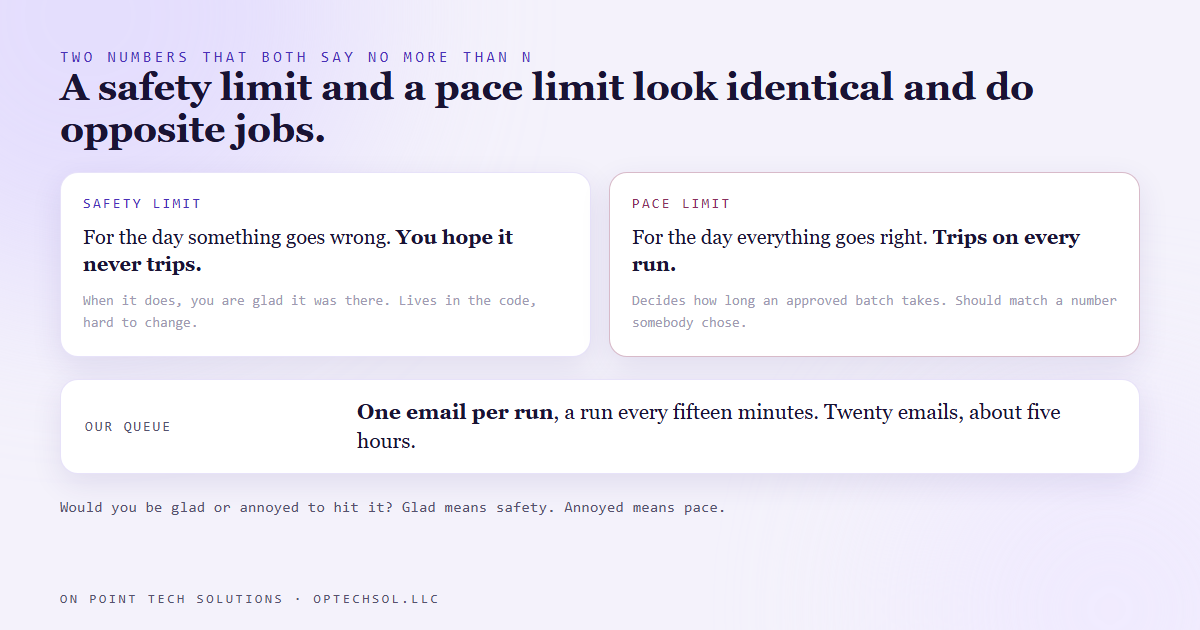
- Our email queue sends one message per run, and the run fires every fifteen minutes. A batch of twenty takes about five hours to leave.
- That one looks like a safety cap. It is not. It is a pace setting, and the two want different homes and different rules.
- A safety cap stops a runaway. A pace setting decides how long an approved batch takes to go out. Mix them up and you get either a cap nobody trusts or a pace nobody chose.
- The pace setting has a partner you cannot see from outside: a staleness rule that marks anything four hours late as missed and never sends it.
- The test for telling them apart is simple. A safety cap should make you glad it exists. A pace setting should match a number somebody said out loud.
We already wrote about the rule that nothing we build is allowed to oversend. The ceiling on a sender lives in the code, as a constant, in the one function every message has to pass through, and it counts attempts rather than successes. That post was about the limit you want to hit never.
This one is about a limit that looks exactly the same and does a completely different job.
One per run
Our cold email queue works like most schedulers. Every approved message has a slot time. A scheduled task wakes up every fifteen minutes, finds whatever is due and approved, and sends it through the CRM.
Inside that task there is a setting that says how many messages a single run may send. It is set to one.
Read cold, that one looks like a safety feature, which is precisely why nobody questioned it.
Then a batch was approved in the afternoon that needed to go out the same day. Twenty emails, one per run, a run every fifteen minutes. The last one would have landed about five hours after the first, well into the evening, which is a bad time to be sending a first email to a business owner and nowhere near what anybody expected when they clicked approve.
Nothing was broken. The batch was simply going to take five hours because a number said one.
Two limits that look identical
A safety limit exists for the day something goes wrong. A loop that never stops, a queue rebuilt with everything due at once. You hope it never trips. If it does trip, you are glad it was there, and you go and find out why.
A pace limit exists for the day everything goes right. It decides how fast a perfectly healthy, fully approved batch leaves the building. It trips on every single run, by design. It protects you from nothing. It spreads the sends out so they look like a person writing rather than a machine blasting.
Both are a number sitting in the sending code. Both say something like "no more than N". From the outside you cannot tell which one you are looking at, and the consequences of mixing them up run in both directions.
Treat a pace limit as a safety cap and nobody dares touch it, so a same day batch takes five hours. Treat a safety cap as a pace limit and somebody raises it the first afternoon they are in a hurry, removing the one thing between a bad loop and a burned sending address.
The partner you cannot see
The pace setting was not working alone, and this is where slow turns into lost.
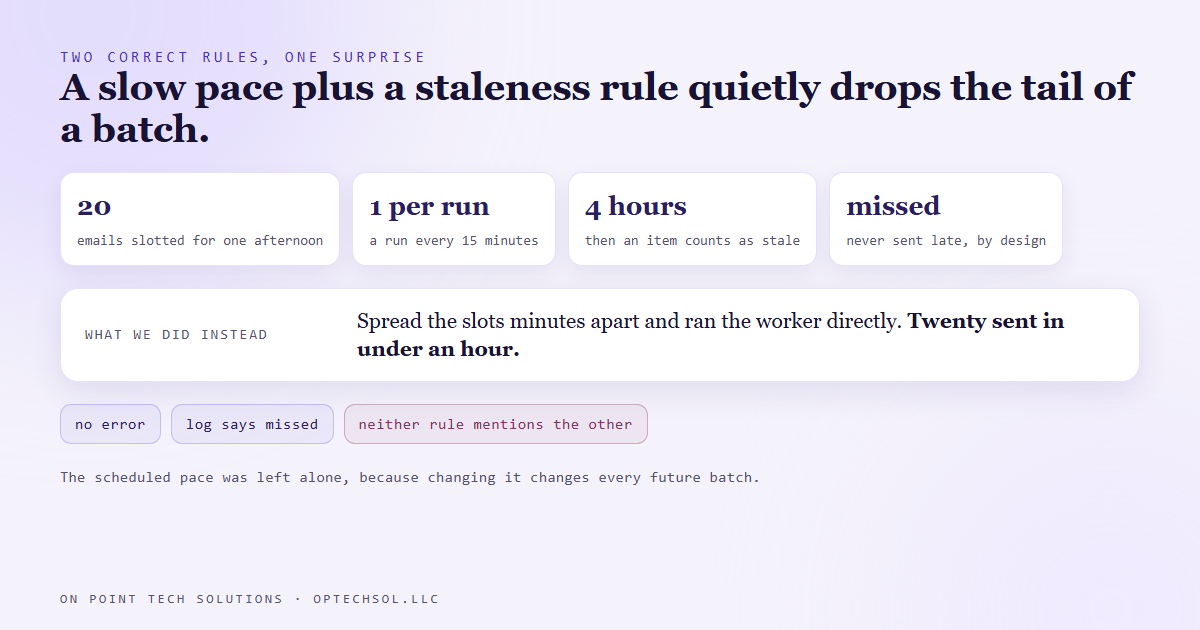
The same sender has a staleness rule. If an item's slot passed more than four hours ago, it is marked missed and never sent late. That rule is right: a Tuesday morning email should not go out Wednesday night.
Put the two together, though. Twenty emails slotted for the same afternoon, one leaving every fifteen minutes. Somewhere past the four hour mark the items still waiting become stale, and they are not sent slowly, they are not sent at all. The tail of an approved batch quietly disappears, and the log calls it missed, which does not sound like a fault.
Neither rule is wrong. The pairing is what produces the surprise, and neither rule mentions the other.
What we did that afternoon was spread the slots a couple of minutes apart and run the worker directly, which has its own larger per run setting for exactly this. Twenty emails, done in under an hour. We did not change the scheduled task, because that would have changed the pace for every future batch without anybody deciding it should.
Where each one lives now
The safety ceilings stay where the earlier post put them: constants in the sending code, clamping whatever a caller asks for, counting attempts, per run and per day. They are meant to be annoying to change.
The pace is a separate, named setting on the dispatcher, with a comment saying what it is for. The worker underneath counts its limit per queue, so two active batches would quietly send two a run and double the pace. The dispatcher now holds one budget across every queue, because a pace is a promise about the whole outbox, not one list.
One honest footnote. The comment above that setting describes a five minute schedule. The task actually runs every fifteen. The number somebody chose out loud and the number the machine uses had quietly come apart, and the only way to see it was to read both.
What this means for your business
You have both kinds of limit in your tools already, rarely labelled. A daily sending limit on your email platform is usually safety. A drip that waits two days between messages is pace. A texting tool that caps messages per hour might be either, depending on whether it exists to protect your number or to space out a campaign.
Three things worth doing this week. List every "no more than" number in your sending tools and label each one safety or pace. For each pace number, find out who chose it and whether it still matches how you want to sound. And look for anything that marks messages as missed or expired after a delay, because a slow pace plus an expiry rule is how an approved campaign loses its last few sends without anybody noticing.
For a Go High Level Bay Area business running campaigns, the question to ask of any limit is whether you would be glad or annoyed to hit it. Glad means leave it alone. Annoyed means somebody should be able to say why it is that number.
Want this built for you
We build sending systems with hard safety ceilings in the code and a pace you choose on purpose. Start at optechsol.llc.
Want to build this yourself? Join the On Point Tech Academy. It's free, and we build live every Thursday.
The On Point Tech Academy costs nothing and never asks for a card. We build live every Thursday, 12:30 to 1:30 PT, with whatever AI you use.
Join the Academy free ← Back to all Field Notes