
Key takeaways
- A small program whose only job was to keep one of our dashboards running wrote its notes to a log file. It also started the dashboard with that dashboard's output pointed into the same file.
- The way that output was pointed there locked the file for as long as the dashboard ran. Every note the watcher tried to write after that failed, and the watcher died.
- The dashboard kept running with nothing watching it, and the scheduled task looked healthy because something was still answering.
- The same task also ran in a visible window on the desktop. Closing that window killed the watcher silently, with no line in any log.
- The rules we took from it: one log per writer, a logger that can never crash the thing it serves, and anything always on runs where nobody can close it by accident.
We run a lot of small, always on pieces on one Windows machine. One of them is a scoreboard dashboard we are building for sales teams, running locally while we work on it. It runs as a little web server, and like most of our always on pieces, it has a watcher.
The watcher is a short script started by a scheduled task. Every fifteen seconds it asks the dashboard for a health check. Two misses in a row and it restarts the server. It writes a line to a log file each time it does something, so later we can see what happened and when.
On September 2 the dashboard was running, the scheduled task said everything was fine, and the watcher was dead.
Two writers, one file
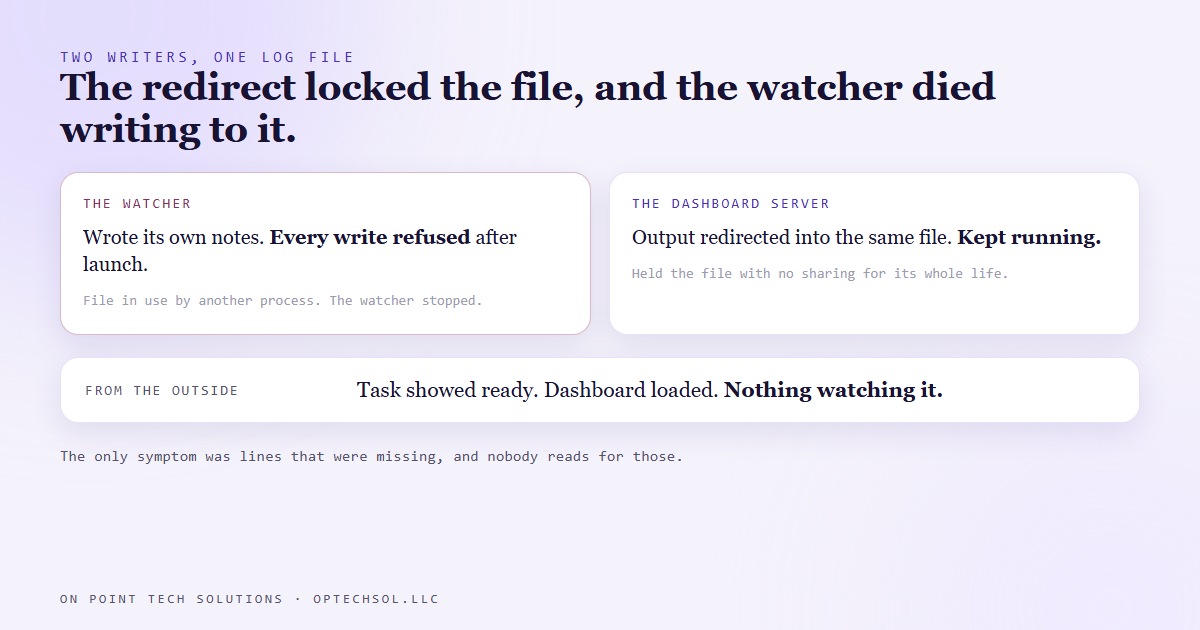
When the watcher started the dashboard server, it sent all of the server's output into the same log file the watcher itself was writing to.
The command that redirected the output holds the file open for writing the whole time the server runs, and it does not let anyone else write to it while it does. Even an open that politely asks to share the file gets refused.
So the first time the watcher tried to add a line after launching the server, Windows answered that the file was being used by another process. The watcher's logging treated that as fatal. The watcher stopped.
The server carried on and kept answering requests. Nothing was watching it anymore, which meant the next time it crashed, nothing would restart it. And from the outside nothing looked wrong. The task showed ready. The dashboard loaded. The only symptom was the absence of new lines from the watcher, and nobody reads a log for lines that are missing.
The window somebody could close
The second cause was on the same task, and it was the one that actually got noticed.
The task was set up to run as the logged in user, and the way it launched opened a visible console window on the desktop. Red error text showed up in that window, which was the watcher's own complaints about the locked file. It looked exactly like something crashing.
The natural thing to do with a window full of red text is close it. Closing it killed the watcher instantly. No exit line, no error, no record at all. From the log's point of view the watcher simply stopped talking.
A thing meant to run forever was living somewhere a person could end it with one click, and the most reasonable response to its error messages was that exact click.
We had met this shape before
This was not new to us. Back in August the task that rebuilds our blog's backup feed failed a run with the exact same message about a file in use. Its work had finished correctly. Its own logger and a cleanup step at the end were fighting over one log file, and the run reported failure anyway.
Different script, same mechanism: two writers on one file without agreeing how to share it.
What we changed
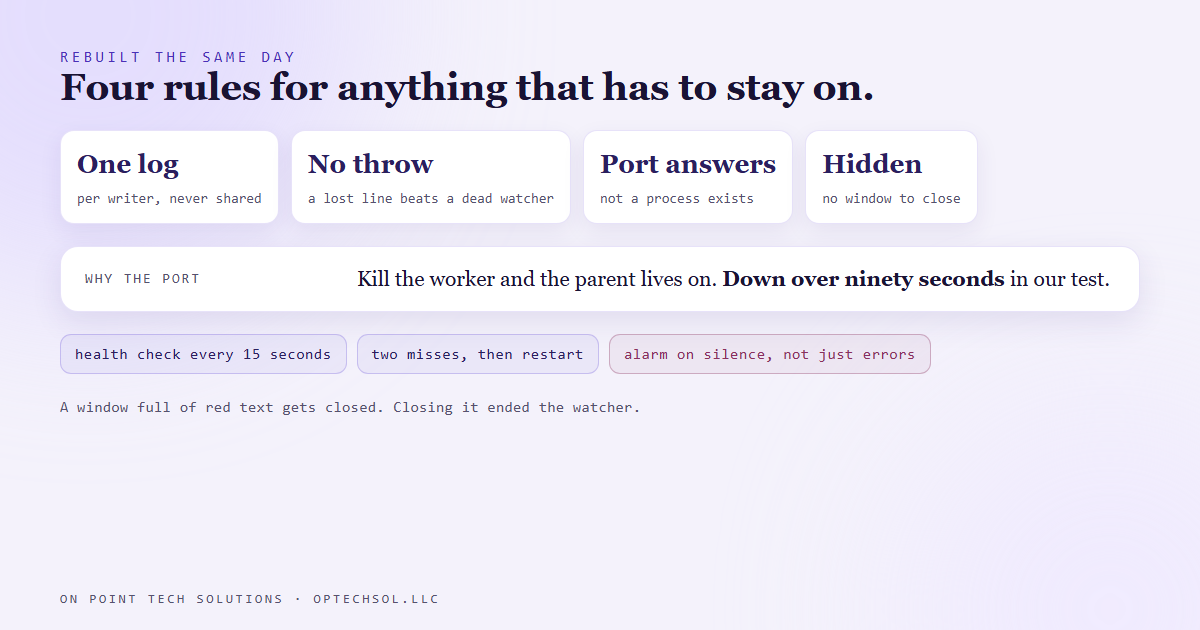
The same day, the watcher got rebuilt on four rules.
One log per writer. The watcher writes its own file. The server's output goes to a second file. They never share a path, so there is nothing to fight over.
A logger that cannot crash its owner. The watcher's log function opens the file in a way that allows others to read and write at the same time, retries briefly if it is busy, and if it still cannot write, it gives up on that one line and carries on. Losing a log line is annoying. Losing the watcher is an outage.
Health means the port answers, never that a process exists. The server runs as a parent process plus worker processes, and when the worker holding the port dies the parent stays alive. We tested it: kill the worker and the dashboard stayed down for over ninety seconds while a process-based check would have called it healthy.
Always on means hidden. The task now launches through the same hidden launcher the rest of our automation fleet uses, so there is no window to close. Logs now roll over at five megabytes.
What this means for your business
You probably do not write log files. You almost certainly have two writers on one thing. Two automations that both update a lead's status. A spreadsheet that a form fills in while someone on your team edits it. A CRM field that your booking tool writes and your follow-up workflow also writes. When they collide, the loser rarely announces it. One of them just stops doing its job, and the other keeps going, so everything looks fine.
The second lesson is even more common in small offices. The laptop under the front desk that has to stay on for the texting tool to work. The browser tab nobody is allowed to close. Those are always on systems living where a person can end them with one reasonable click.
Three things worth doing this week. Pick your most important CRM field and list everything that writes to it. If it is more than one thing, decide which one wins. Find anything in your business that only works while a window stays open, and move it somewhere nobody can close it. And check that your alerts go off when something stops talking, not only when it reports an error.
For a marketing automation San Jose business, the collision to look for first is two workflows fighting over one pipeline stage. The lead bounces between them, or quietly sits in the wrong one.
Want this built for you
We build automations with one owner per job and alarms for silence. Start at optechsol.llc.