Key takeaways
- Our AI assistant answers new leads and never answers paying clients. A tag is what decides which one you are.
- Two workflows do the work: one switches the assistant on when a lead arrives, the other switches it off when they become a customer.
- Muting alone was not enough. The mute is permanent, so a former client returning as a fresh lead would have stayed silent forever.
- The client fence checks contact type rather than the tag, because a paying client filling in a web form would otherwise switch their own assistant back on.
- The switch is not readable on any API surface we could find across sixteen probed endpoints, so it gets verified by behaviour.
We run an AI assistant on text and email. It answers new leads fast, at any hour, which is most of the value. It must never answer an existing client, because a client asking about their invoice deserves a person.
The whole thing turns on a tag. Somebody fills in a form on our site, or we add them by hand after a networking event, and a tag lands on their record. That tag is what tells the system a human has not spoken to this person yet.
One workflow was not enough
We started with the obvious half. When a contact becomes a paying client, mute the assistant. That is the dangerous direction, so it got built first.
It left two holes, and both are the kind you only see once you go looking.
The first is that the mute is permanent. The assistant switch is durable, stored per contact, and nothing expires it. So a client who finished a project two years ago, drifted off, and came back through the website as a brand new lead would land in our pipeline silent. The system would treat them as a fresh lead in every other respect and never say a word to them.
The second hole is subtler. Leads were getting the assistant only because the assistant happens to be switched on across the whole account by default. No workflow anywhere asserted that a lead should have it. Flip that account setting off some afternoon while testing something unrelated and every lead silently loses their assistant, with nothing in the system claiming they should have had one.
That is the worst kind of dependency, because everything keeps working right up until it does not, and nothing points at the cause.
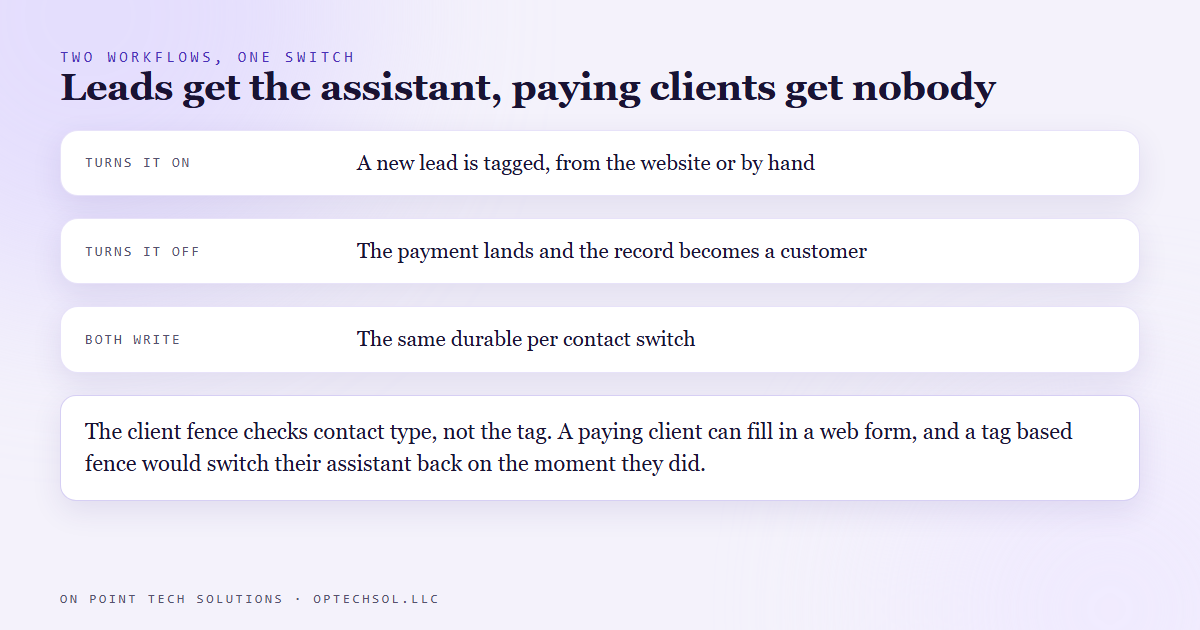
So we built the other half. A lead arriving now triggers a workflow that explicitly turns the assistant on. Both directions are stated, both are visible in the automation list, and neither depends on a default staying where somebody left it.
Why the client fence is not the obvious one
The lead workflow has one branch in it: is this person already a client. If yes, stop, do nothing, leave the mute exactly where it is.
The interesting part is what it checks. Not the client tag. The contact type field, which our payment workflow sets when money actually arrives.
The reason is a scenario that is going to happen. A current client fills in a form on our website, because they wanted a quote for a second thing, or they clicked a link in a newsletter. That form does what it does for everyone and applies the new lead tag. If the fence were checking tags, the workflow would look at them, see a lead, and switch their assistant back on. A client with an open project would start getting AI replies.
Contact type only changes when a payment lands, so it is the harder thing to accidentally acquire. We checked before publishing: every contact carrying the client tag also had the client type set, so there was no gap between the two at the time.
The part you cannot see
Here is the honest limitation, and it is the reason this post exists.
The per contact assistant switch is not readable. We went looking for it properly, across sixteen different endpoints in two sessions: the contact record, its custom fields, the conversation record, the agent list, the agent detail, the whole family of contact scoped agent routes. Some returned nothing useful. Most did not exist at all.
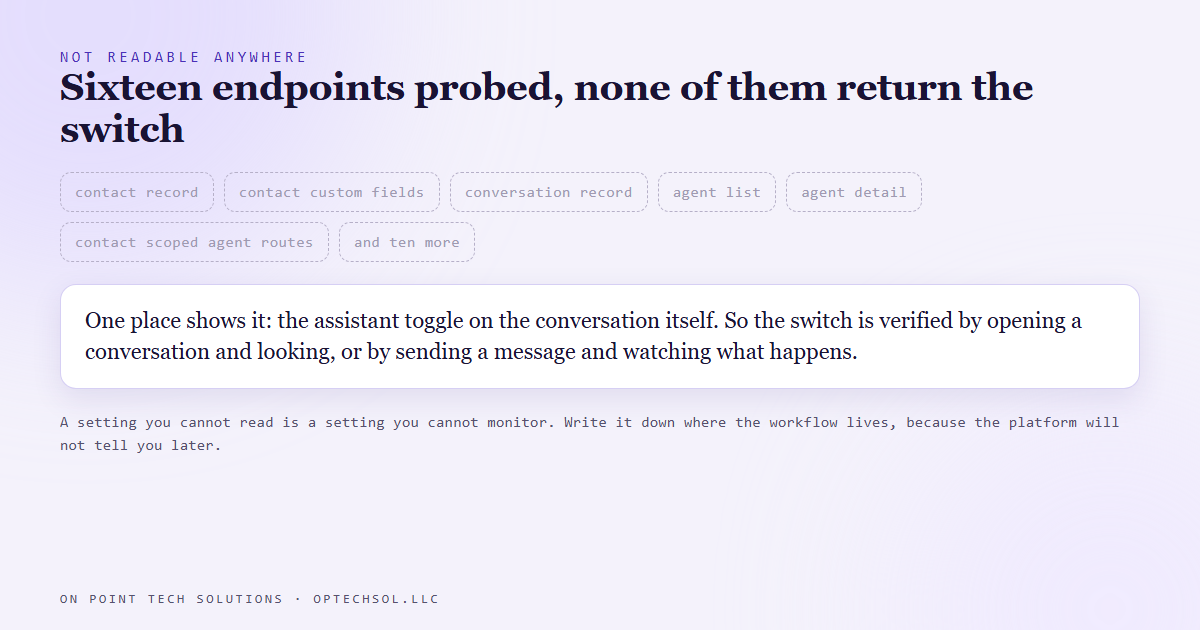
One place shows it: the toggle on the conversation itself, in the interface. So the only honest verification is to open a conversation and look, or send a message and watch what the system does.
We can prove the workflow fired, because trigger logs exist and we tested a live one. We cannot prove from the outside what it wrote. Those are different claims and it is worth keeping them apart.
That changes how you build around it. A setting nobody can read is a setting nobody can monitor, alert on, or audit later. So it gets written down next to the workflow that sets it, and the workflow stays the single thing allowed to touch it. If two different automations could both write that switch, you would have no way of telling which one won.
One trap worth naming
Testing this is where you can do real damage. Our website tag is also the trigger for a ninety day nurture sequence, which is dozens of emails and texts. Adding it to a real contact to see whether the assistant wakes up would enroll that person in three months of marketing they did not ask for.
So testing runs on the manual entry tag instead, which triggers the same workflow and nothing else. Before you test any automation, check what else listens to the thing you are about to change.
What this means for your business
If you are running an AI responder on your texts, ask one question: what stops it from replying to an existing customer. If the answer is that it just does not usually, that is not an answer.
State both directions. Something switches it on, something switches it off, and both are visible. Then find out which of your settings you cannot read back, because those are the ones that will drift without telling you.
Want this built properly
We build and audit AI automation for Bay Area businesses, and a fair share of that work is unwinding automations that only half work. Want to build this yourself? Join the On Point Tech Academy. It's free, and we build live every Tuesday and Thursday.
The On Point Tech Academy costs nothing and never asks for a card. We build live every Tuesday and Thursday, 12:30 to 1:30 PT.
Join the Academy free ← Back to all Field Notes