Key takeaways
- A nightly build for one of the social accounts we run picks photo carousels from a library of photos that were screened first.
- It groups photos by consecutive camera roll numbers, since shots taken back to back are almost always the same outing, and it filters out every photo already used. It never hands back the same photo twice.
- On August 26 it picked five photos from a restaurant dinner. The night before had already staged five different photos from the same dinner for the next day's slot.
- Two near identical carousels would have gone out a day apart. And because the first pick had taken the frames with no other diners in them, every leftover had strangers in the background.
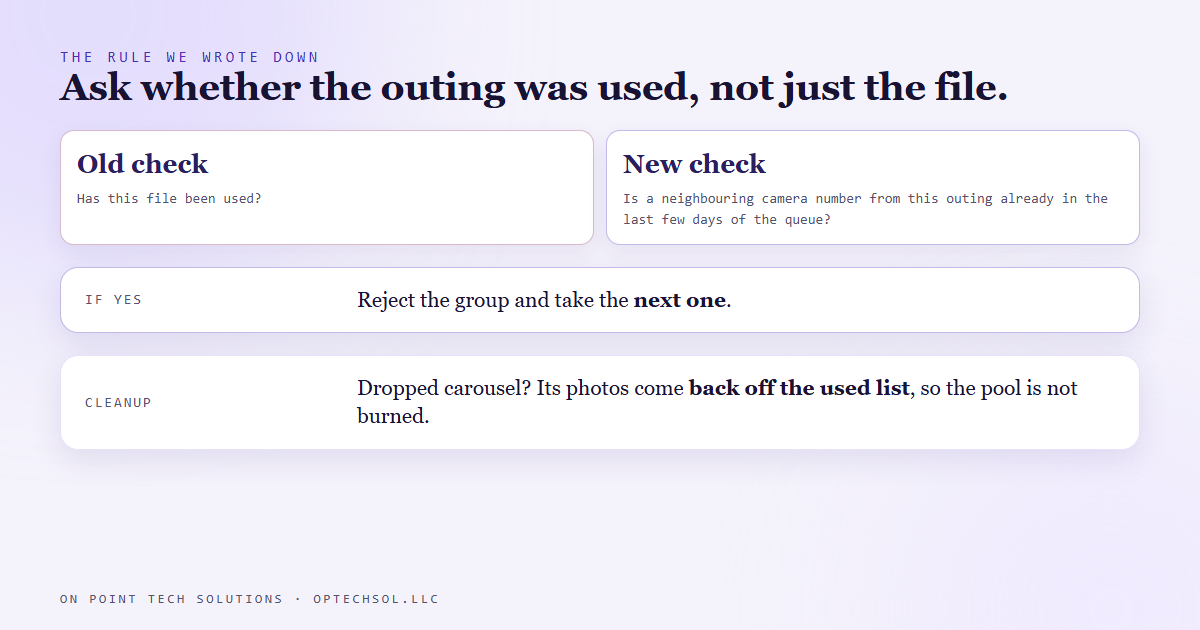
- The rule now: before committing to a group, look at the last few days of the queue and reject the group if any neighbouring photo from the same outing is already there.
Two different photos from the same job, posted on back to back days. Your followers do not notice the files are different. They notice they saw this yesterday. We do marketing automation in San Jose, and in August one of our own builds came within a day of doing exactly that, while following every rule we had given it.
What the nightly build does
One of the social accounts we run is a family photo account. Every night a build fills the next day's slots: a reel, a story, sometimes a carousel. Carousels come from a library of photos that were screened before anything could be picked, and a small script suggests which group to use.
The grouping is simple. Every photo has a camera roll number. Numbers right next to each other were shot back to back, which in practice means one outing: one pumpkin patch, one dinner, one afternoon. The file dates are no help here, because every file got the same date the day the library was imported, so the numbers are the best clock we have.
The script also checks a running list of every photo already used and leaves those out. It can never hand back the same photo twice. That was our duplicate check, and it worked.
August 26
That night the script offered five photos from a restaurant dinner. All five were unused. All five were fine on their own.
The night before, the build had already staged five other photos from the same dinner for the next day's slot. Same outfit, same high chair, same joke in the caption. So two carousels from one dinner were set to go out a day apart, and they did not share a single file. The duplicate check had nothing to catch.
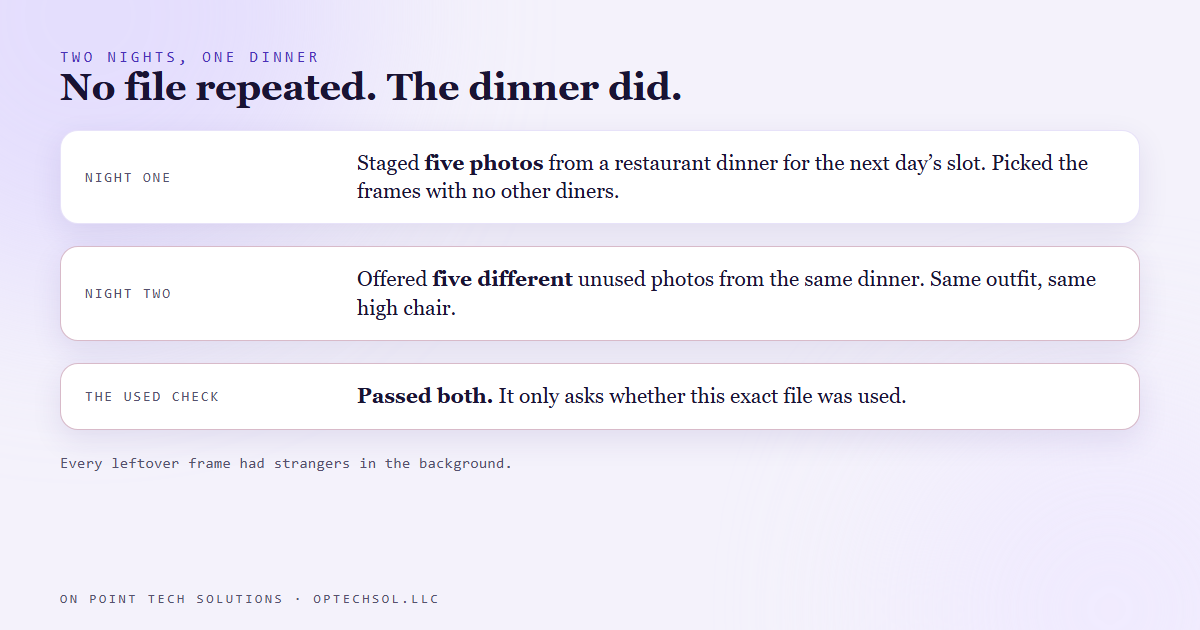
There was a second problem underneath. The first night's pick had taken the five frames with no other diners in the shot. Every frame left over had strangers' faces in the background. The second carousel would have been the same dinner, with worse photos.
Why the check missed it
Our check asked one question: has this file been used? The question that mattered was different: has this moment been used? A reader never sees a file name. They see an outfit, a table and a joke they already laughed at.
We had built the check around the thing that was easy to compare, and it did that job perfectly.
What we changed
The rule we wrote down for the build: before committing to a group, look at the photos staged over the last few days of the queue. If any neighbouring camera number from the same outing is already there, reject the group and take the next one. Numbers sitting next to each other are the check, not an exact file match.
There is a cleanup rule with it. If a carousel gets dropped after its photos were marked used, those photos come back off the used list, so the library is not quietly burned through.
The grouping script still cannot see this on its own. The neighbour check is a written rule for the build, not a feature of the script.
The honest lesson
A duplicate check is only as good as its idea of what counts as the same. Ours compared files, while the people scrolling compare moments, and once we wrote the rule around what they would notice, the fix was obvious.
What this means for San Jose businesses posting their own work
If you post photos of your work, a scheduling tool or an automation will happily stop you posting the same photo twice. It will not stop you posting the same job twice.
- Sort your photo library by job or event, not just by date or file.
- Before you schedule a post, scroll the last week of what went out, not just whether this exact picture was used.
- Give each job one strong post, then move on. Two angles of one kitchen remodel two days apart reads as one job.
- The same goes for stories. One customer testimonial told twice in a month reads like you only have one.
Marketing automation in San Jose can take the posting off your plate, but somebody still has to tell it what counts as the same job.
Want to build this yourself?
Join the On Point Tech Academy at optechsol.llc/academy. It's free, and we build live every Tuesday and Thursday.
The On Point Tech Academy costs nothing and never asks for a card. We build live every Tuesday and Thursday, 12:30 to 1:30 PT.
Join the Academy free ← Back to all Field Notes