Key takeaways
- We run a self hosted project board for our internal build work, one project per paying client, so a contractor only sees the client they are helping.
- The script that creates those projects asked for each one to be private, and its own notes said it was.
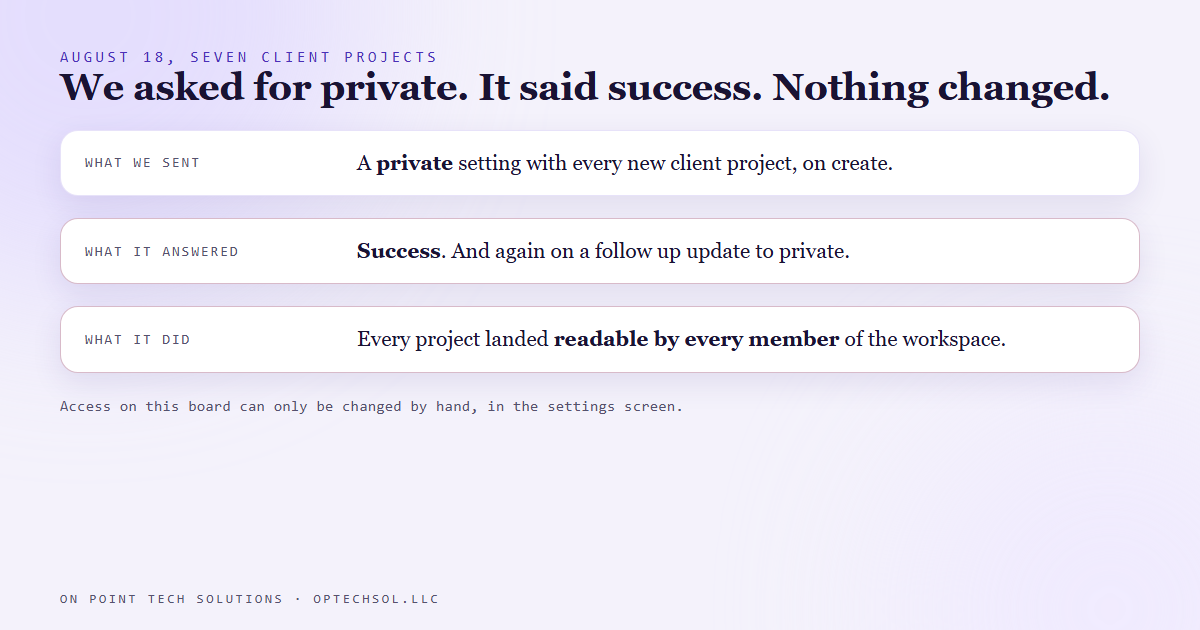
- On August 18 we checked the projects themselves. The board had accepted the private setting, answered with a success, and ignored it. Every client project was readable by every member.
- A follow up request to make one private came back still public. On this board, access can only be set by hand in the settings screen.
- Nobody else was on the board yet, so nothing was exposed. The script now warns when a project lands public, and each one gets flipped by hand before anyone else joins.
Who can see your client folders right now? Not who you meant to give access to. Who actually can. We run Go High Level for businesses around the Bay Area, and on August 18 we found out the true answer for our own project board was not the one our setup script had written down.
Why the board is split by client
Every lead, client conversation and client facing task lives in our CRM. For internal build work we use a separate project board that we host ourselves. Each paying client gets their own project on it.
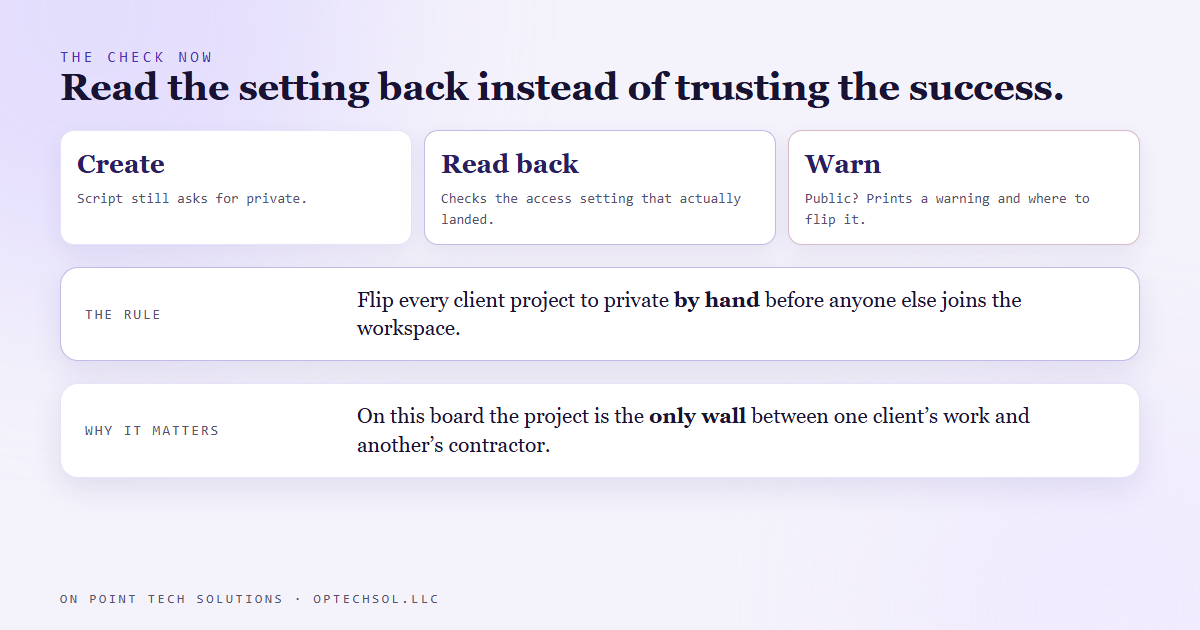
That shape is on purpose. On this board the project is the only wall there is. There is no finer permission underneath it. If a contractor helps on one client's build, the project is the thing that keeps them out of every other client's work. So whether a project is private is not a cosmetic setting. It is the reason the board is laid out the way it is.
What the script said
New client projects get created by a script, so nobody has to click through the same setup screens every time a client pays. It sends a private setting with each project, and its own notes said, plainly, that it created the project private. Seven client projects had been created that way.
August 18
That day we looked at the projects themselves instead of the script's notes. Every one of the seven was set to be readable by every member of the workspace.
The board's API had taken our private setting, answered with a success, and done nothing with it. We sent a second request to change one project to private. Success again, and the project came back still public.
Access, it turns out, is something this board only lets you change in its own settings screen, by hand. Through the API it accepts the field and ignores it, on create and on update alike.
Why nothing leaked
Mostly timing. On that date we were the only member of the workspace. A public project with one reader is private in practice. If we had added a contractor the week before, they could have opened every client's project, and nothing in our records would have flagged it, because our records said private.
What we changed
- The script still asks for private, but it no longer takes the answer on faith. After creating a project it reads the access setting back, and if the project landed public it prints a warning and exactly where to flip it.
- Its notes no longer claim the project is created private. They say the API ignores the setting.
- The rule: every client project gets flipped to private by hand in the settings screen before anyone else is added to the workspace.
The honest lesson
A success response told us the request arrived. It never told us the setting took. For most fields that gap is a nuisance you notice later. For a privacy setting it is exactly where a leak would sit, and we only found it because we went and looked at the project instead of reading what the script said about it.
What this means for Bay Area businesses on Go High Level
If you share your Go High Level account, or any workspace, with contractors, a virtual assistant or an agency, you have the same question to answer. What can each person actually see?
- List everyone with a login, including people who have not used it in months.
- Open each person's role and permissions in your account settings, then check what that role really shows, ideally by signing in as a test user with the same role.
- Check again after every change: a new user, a new role, a new integration.
- Write down what you checked and the date, so the next check has something to compare against.
Choosing the setting takes a minute. Going back to look at what it actually did is the part that protects your clients, and it is the part we had skipped.
Want to build this yourself?
Join the On Point Tech Academy at optechsol.llc/academy. It's free, and we build live every Tuesday and Thursday.
The On Point Tech Academy costs nothing and never asks for a card. We build live every Tuesday and Thursday, 12:30 to 1:30 PT.
Join the Academy free ← Back to all Field Notes