
Key takeaways
- On August 21 we connected our meeting recorder to a calendar. The sign in worked, the permission screen was accepted, the app saved its key and showed connected.
- Every request for events came back refused. The calendar service had never been switched on for the project the app runs under. Only the video service had.
- Granting permission and turning a service on are two separate switches. A badge that reads connected because a key exists will stay green while nothing works.
- The loop that checks the calendar was swallowing its errors, so nothing on screen changed.
- The fix: the app keeps what a real request returned, recognises that exact refusal, and shows a one click link to switch the service on. The smoke test makes the same live call.
Most of what we wire up as a Go High Level San Jose shop is one tool talking to another. A CRM to a calendar. A form to a phone number. A website to a payment page. And every one of those tools has a little badge somewhere that says connected.
We build our own software too, and on August 21 one of our own badges lied to us. It was honest about what it was checking, and it was checking the wrong thing.
The setup that went perfectly
We have a meeting recorder we built for ourselves. It records a call, writes the notes, and files the follow up tasks. We wanted it to read a calendar so it would know when a meeting was coming up.
So we wired it in the normal way. Click connect. A sign in page opens. Pick the account. A permission screen asks if the app can read the calendar. Accept. The app gets a key back, stores it, and the settings page flips to connected.
Nothing in that went wrong.
And the recorder never saw a single meeting.
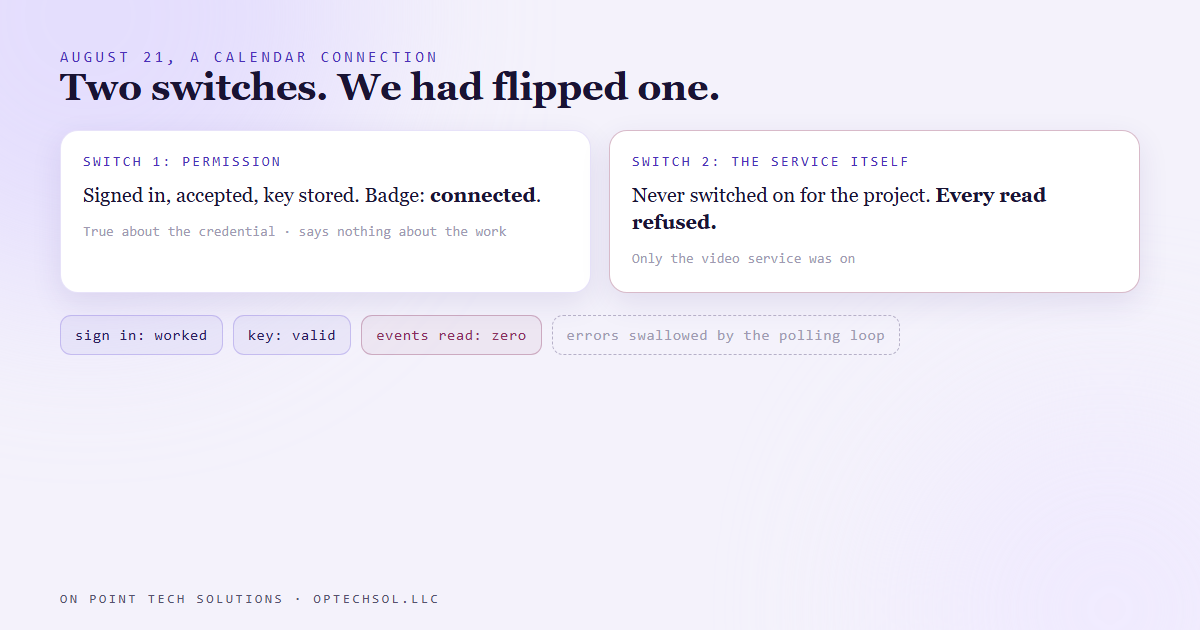
Two switches, and we flipped one
When we looked at what the requests were actually getting back, it was a plain refusal, every time. The calendar service had not been used in that project before, or it was disabled.
That took a second to make sense of. An app like ours lives inside a project on the provider's side. The project is where you say which services the app is allowed to call at all. Ours had been set up earlier for video work, so the video service was on. The calendar service had never been turned on, because until that day nothing needed it.
So there are two switches. One is the person saying yes, this app may read my calendar. The other is the project saying yes, this app talks to the calendar service. The sign in screen only handles the first one. It will happily hand you a valid key for a service you have not switched on.
The key was real. It just opened nothing.
Why nothing looked broken
Two things kept it quiet.
The badge said connected because the app had a stored key. That was the whole check. Is there a key? Yes. Green. It was a true statement about a credential, and it told us nothing about whether the calendar could be read.
And the part that actually reads the calendar runs on a timer in the background. Every so often it asks for upcoming events. When the answer was a refusal, the loop caught the error and moved on, the way a polling loop usually does so that one bad reply doesn't crash the app. Each refusal came in, got caught, and never reached the screen.
So the badge stayed green over a loop that was failing on every pass.
What we changed
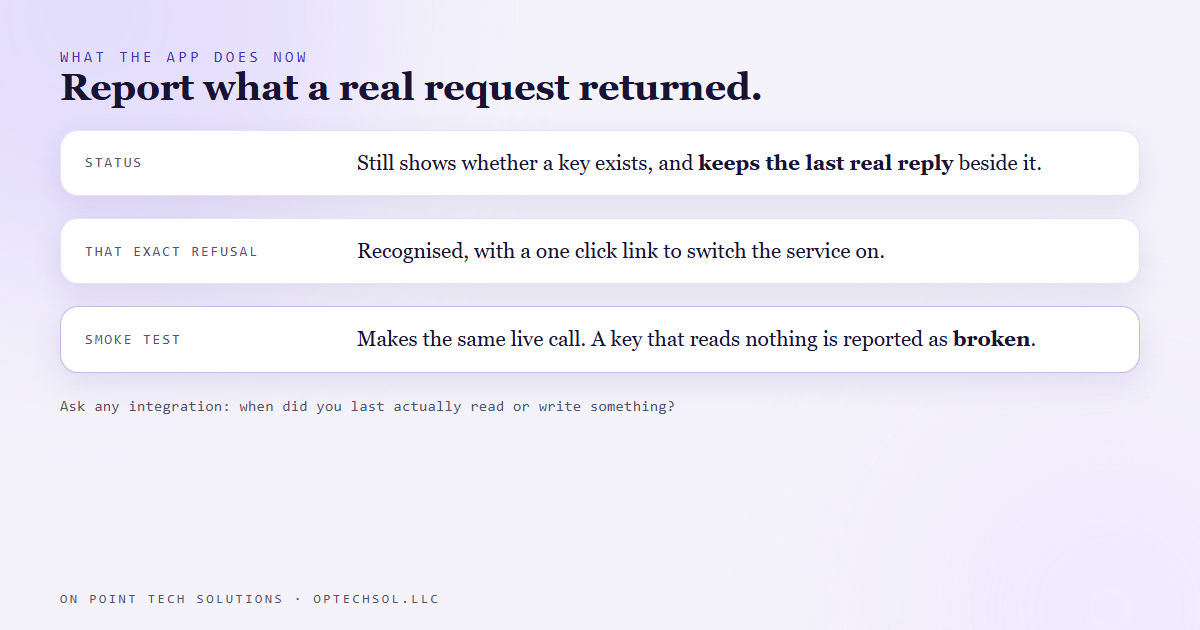
The status still tells you whether a key exists, because that is worth knowing. But the app now also keeps what the last real request came back with. If the calendar read fails, that failure is recorded and shown, not thrown away.
It also recognises this exact refusal. When the reply says the service was never used in the project or is disabled, the app builds the link to the page where you switch it on and shows it right there as something you can click. It tells you what's wrong and puts the fix next to it.
And the recorder's smoke test, the quick check we run before trusting a build, makes the same live call. A calendar that holds a key and can't read used to show up there as connected. Now the report says broken, and says why.
The lesson we are keeping
A connected badge is a claim about a credential. It says somebody signed in once and a key got saved. Whether anything has been read or written since is a separate question, and usually nobody is checking it.
The honest version of that badge is a date. Last successful read, four minutes ago. Last successful read, never. You'd know in one glance.
What this means for Go High Level San Jose businesses
You're paying for integrations right now. Your calendar syncs to your CRM. Your review tool connects to your business listing. Your ad account feeds leads into your pipeline. Each one has a settings page with a green badge, and you probably checked it once, on the day it was set up.
If one of those quietly stopped working, what would you see? Usually nothing. A booked appointment that never shows on your phone, or a lead that filled in the form and never got a text back. The customer sees it before you do.
Three things worth doing this week:
- Pick your three most important connections and ask one question of each: when did it last actually read or write something? If the tool can't tell you, test it yourself. Book a fake appointment. Submit your own form.
- Do that test from the outside, the way a customer would. The settings page only tells you somebody signed in once.
- Ask whoever set it up what happens when a sync fails. Does anyone get told, or does it just skip and try again later?
For Go High Level San Jose owners, the systems that book your jobs are only as good as the last time they actually ran. A badge can't tell you that, so run one real test.
Want this built for you
We build systems that prove they're working, and you own every piece of them. Start at optechsol.llc.