Key takeaways
- Our meeting recorder built its notes around what a person types mid call. Nobody types during a screen share, so the notes were thinnest on the calls that mattered most.
- The fix was giving it eyes. A still of the screen every thirty seconds, and again whenever the display changes, timestamped and handed to the model with the transcript.
- Optional full screen recording on top of that, encoded on the graphics card at ten frames a second, about 75 MB for a forty minute call.
- The notes carry the timestamps, so the recording gets chapters. Jumping to the moment a number was on screen beats reading a transcript of somebody saying that number.
- Screen video is the only thing that grows, so it is deleted after two weeks unless the meeting is pinned. Audio, stills, transcript and notes all stay.
We run our own meeting recorder. It notices a meeting starting, asks whether to record it, captures both sides of the call, writes structured notes afterwards, and files the action items as tasks against the right client in the CRM.
The notes were good. Then we looked at which meetings had good notes and which had thin ones, and the pattern was uncomfortable.
The notes were emptiest when the meeting was fullest
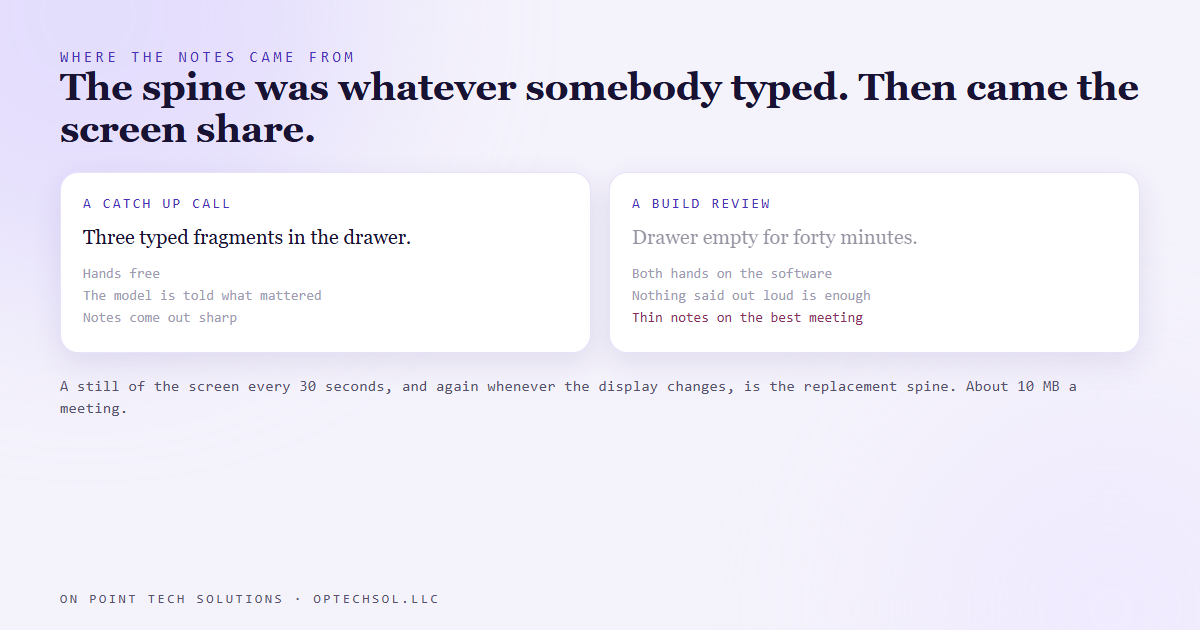
The design borrowed a trick from the tools we had been using: whatever the person types in a rough notes drawer during the call becomes the spine of the finished notes. It works well. A human typing three fragments is telling the model what mattered, and a transcript alone never conveys that.
It has one condition though, which is that somebody is typing.
Think about which calls those are. Casual catch ups, yes. Internal check ins, sure. Not the build review where you are sharing a screen and walking a client through their own system. Not the training session, not the demo. On those calls both hands are on the software and the drawer stays empty for forty minutes.
So the spine was missing on precisely the meetings with the most in them, and the notes came out as a flat summary of a conversation about things nobody could see. The transcript said the number in the corner, and the notes had no idea what that meant.
Giving the recorder eyes
The replacement spine is visual. Every thirty seconds, and additionally any time the display under the cursor changes, the app saves a still of the screen. They are timestamped, and a set of them goes to the notes model alongside the transcript.
That is the whole idea and it costs almost nothing. About ten megabytes a meeting, no noticeable load, and the notes can now say what was on screen when something was said. A vague line about a number becomes a note about that figure on that screen.
On top of the stills, a box on the record prompt captures the screen properly as video. It records the display the cursor is on, encodes on the graphics card already in the machine, and runs at ten frames a second capped at high definition. A forty minute call on a mostly static screen comes to about 75 MB and a few percent of one processor core. If the graphics encoder refuses to start it falls back to the processor by itself rather than failing the capture.
Ten frames a second sounds low and is deliberate. Nobody is grading the animation quality of a screen share. You want to see which slide, which dashboard, which line in the invoice, and ten frames does that at a fraction of the size.
Chapters are why the recording is worth keeping
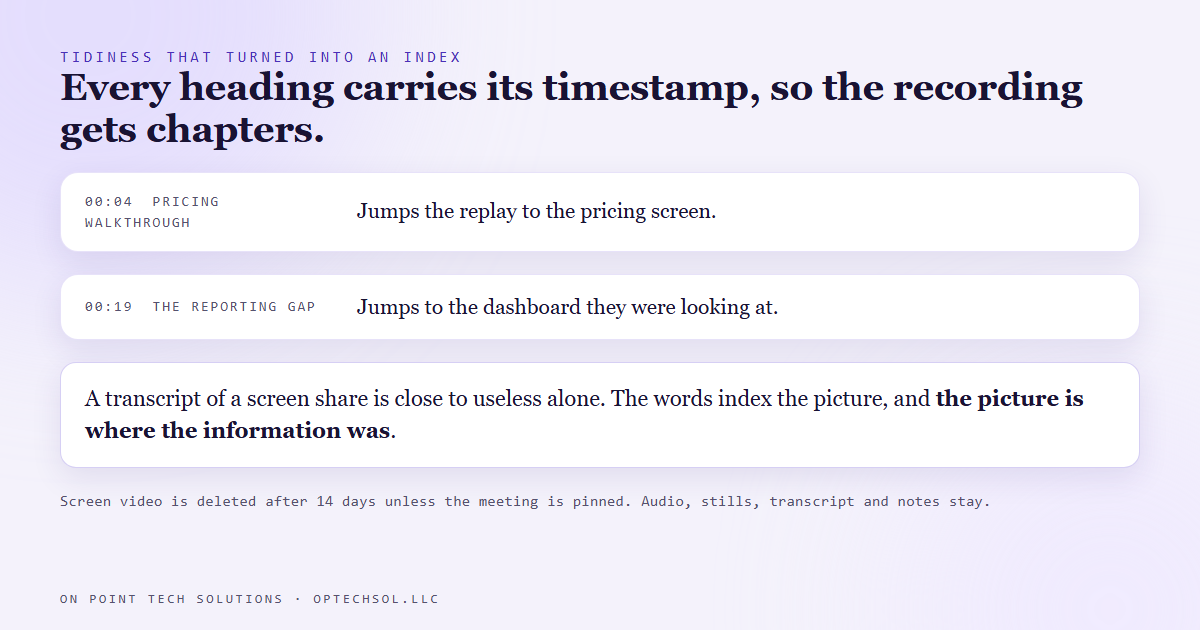
When the notes are written, every section heading starts with its timestamp from the transcript. That was originally tidiness. It turned out to be the index. After the notes are done the screen segments are laid onto a single video in sync with the audio, and those timestamps become its chapters.
So the record is not a wall of text and a long video. It is a set of notes where each heading jumps the recording to that moment. Somebody who missed the call reads six headings, clicks the one they care about, and watches ninety seconds.
Compare that with a transcript. A transcript of a screen share is close to useless on its own, because the interesting content was never spoken out loud. A chaptered replay beats it not because video beats text, but because the text now indexes the visual, which is where the information lived.
The unglamorous parts
Two things worth knowing if you build anything similar.
Screen video is the only thing here that grows without limit, so it has a retention rule. Segments and the assembled recording are deleted after fourteen days unless the meeting is pinned. Everything cheap stays: the audio, the stills, the transcript, the notes, the tasks. That is a judgement about which parts are worth their disk.
And screen capture has to be told where the monitors are. The capture layer addresses displays by which graphics adapter they hang off, and on this machine one monitor sits on the built in graphics while the others sit on the discrete card. Until the app maps that, the option to record the screen does not appear. It looks like a missing feature and is a missing map, worth remembering the first time somebody reports a button is gone.
What this means for your business
Two practical takeaways, and neither requires building anything.
First, if you record client calls, check whether your notes are good on the calls you would hate to lose. Not on average, on those ones. Most note takers are built around talking, and the moment a call becomes a screen share the thing they rely on quietly disappears. Read the notes from your last demo and see whether they would help somebody who was not there.
Second, when a tool falls short, look at what it is actually using before you replace it. Ours did not need a better model or a different service. It needed a second input, because the one it was built on went missing exactly when it counted. That is usually the cheaper answer, and it is the one we reach for first on any marketing automation San Jose business asks us to fix.
Want this built for you
We build websites, CRM systems and automation for small businesses, including the ones that quietly capture the work you are already doing. Want to build this yourself? Join the On Point Tech Academy. It's free, and we build live every Tuesday and Thursday.
The On Point Tech Academy costs nothing and never asks for a card. We build live every Tuesday and Thursday, 12:30 to 1:30 PT.
Join the Academy free ← Back to all Field Notes