Key takeaways
- Captions generated on our own machine turned our company name into a string of near misses, and the obvious diagnosis was that the speech model was too small.
- It was not the model. It was the window. The tool transcribes a few seconds at a time, and a short window never hears enough of a sentence to resolve it.
- The tell was sitting right there. Two tools on this machine ran the same model and produced very different text, because one was already using the wider setting.
- Widening the window fixed most of it. A shared vocabulary and a light cleanup pass closed the rest, and the result agrees with our old paid transcript 81 percent of the time word for word.
- Test the cheap setting before you buy the expensive upgrade, and measure against a known good transcript.
Our video builds need a transcript with timings. Captions come off it, and so does the edit. That transcript used to come out of a paid tool, and we wanted it off this machine instead, free, in seconds.
The first results were not close. Our own company name came back as Almond Point Tech Solutions. One tool we use daily came back as or pigs filled. Whole phrases arrived as confident nonsense.
The obvious explanation is the one everybody reaches for. We were running a small speech model, because small is fast and free. Small model, bad words. Go get a bigger model.
The thing that should have stopped us
There was a fact sitting in plain sight that did not fit that story. We have a push to talk dictation tool on the same machine. Same speech engine, same small model, and its text has always read fine. If the model were the problem, dictation would be just as bad, and it never was.
That is the shape of clue worth training yourself to notice. Two things running the same component, getting very different results, means the difference is not in the component. It is in how each one is calling it.
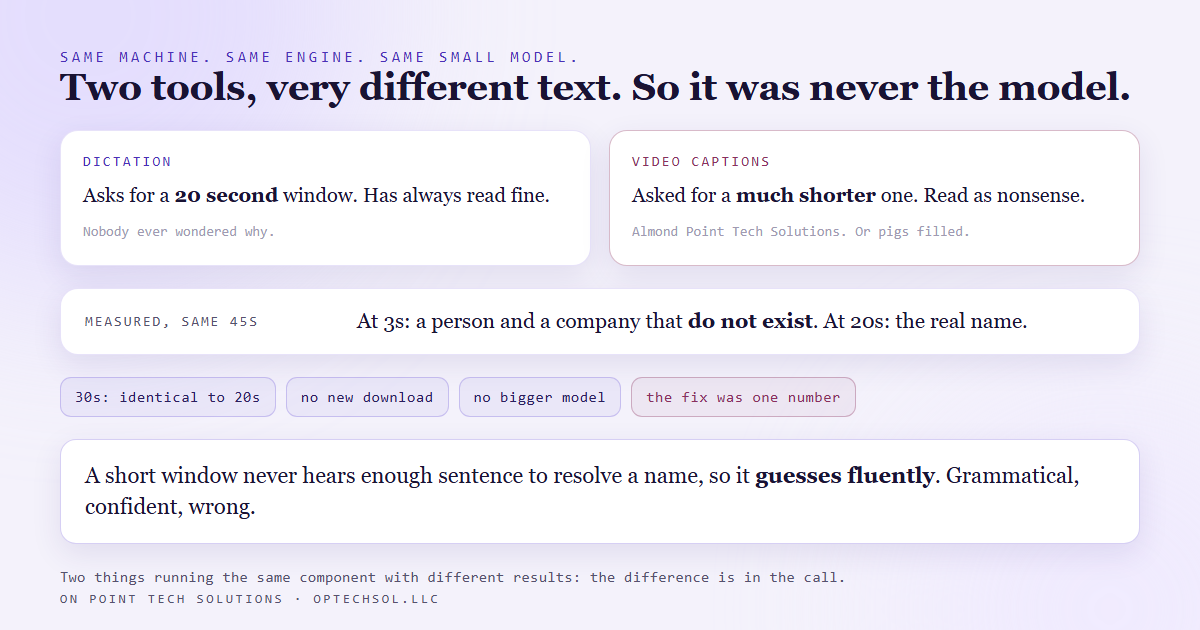
So we read the two call sites side by side. They differ by one number. The dictation tool asks the engine to work in twenty second windows. The video pipeline was asking for a much shorter one.
Why a short window makes a bad transcript
The engine does not transcribe a file. It transcribes a window of the file, then the next one, then the next. Inside a short window there is not enough sentence to work with, because speech recognition resolves a word partly from the words around it. A name that is obvious in context becomes a guess in isolation, and short windows produce fluent, grammatical, wrong text.
We measured it on the same forty five seconds of the same take. At a three second window, the opening line named a person who does not exist and a company that does not exist. At twenty seconds, same audio and same model, it came back with the real first name and a company name two thirds correct. At thirty seconds it was identical to twenty, which is how we knew we had found the ceiling rather than a trend to keep chasing.
One number. No new download, no bigger model, no change to the hardware.
What closed the rest of the gap
The two stages that finished the job were already in the house, running every day inside the dictation tool.
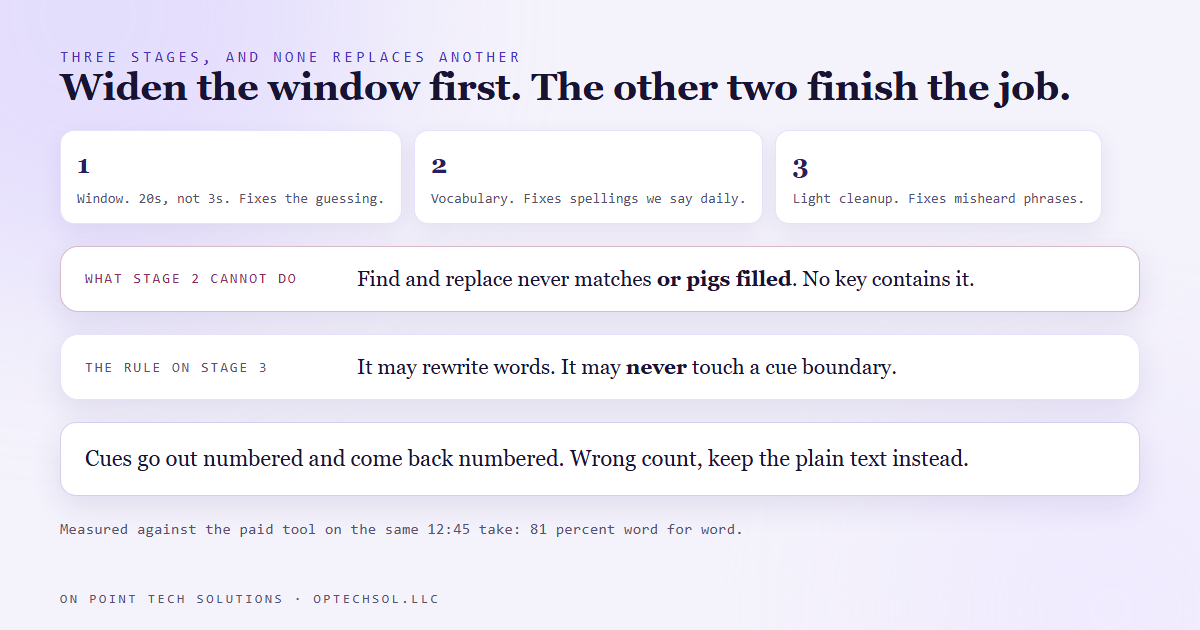
The first is a shared vocabulary file, a plain list of the words we say constantly that a general purpose model has no reason to know. A pass over the raw text swaps the known misspellings for the right ones. The second is a light language model cleanup over the timed text, with those same brand names listed in its instructions, fixing misheard phrases the vocabulary cannot reach.
It has to be both. A vocabulary is a find and replace, so it fixes a spelling. It cannot fix or pigs filled, because that phrase does not contain the words it is looking for. And neither stage recovers a phrase the recogniser dropped entirely. Each has a job, and none of them is a substitute for the window.
The one rule the cleanup is not allowed to break
Captions get mapped onto the finished video by timestamp. If the cleanup pass merges two caption cues or drops one, every caption after that point drifts out of sync, and it does it quietly.
So the cleanup may rewrite words and may never touch cue boundaries. The cues go out numbered and have to come back numbered. A batch that returns the wrong count gets thrown away and its plain cleaned text is used instead. That trade is deliberate. A dead network costs us some quality. It is never allowed to cost us correctness.
How we know it is good enough
Not by reading it. We compared it against the paid tool's own caption file for the same twelve and a half minute take and counted. Eighty one percent word for word agreement, and most of the remaining difference is commas and contractions rather than wrong words. Brand names all land. The whole transcription takes about seven seconds, so model size is not a speed problem if we ever do need a bigger one.
It still misses things, and we wrote those down too. A short spoken code comes back as words. Knowing where a system is weak beats believing it is fine.
What this means for your business
The narrow version applies if you generate captions or transcripts at all. Check the window setting before you upgrade the model, and check whether something else in your setup already gets better results from the same tool.
The wider version applies to every tool you pay to replace. When output is bad, the first instinct is that you need a better tool, and the bill for that instinct arrives monthly. Very often the free version is being called badly. Settings are cheap to test and nobody tests them, because changing a number does not feel like solving a problem.
And measure. Deciding a transcript seems better is not a result. Compare it to something you already trust and count the disagreements. If you are a GHL consultant Bay Area business sitting on a stack of monthly tools, pick the one you complain about most and go read how your own system calls it before you shop for its replacement.
Want this built for you
We build content and automation systems that run locally where local is good enough, and we measure the difference. Want to build this yourself? Join the On Point Tech Academy. It's free, and we build live every Thursday.
The On Point Tech Academy costs nothing and never asks for a card. We build live every Thursday, 12:30 to 1:30 PT, with whatever AI you use.
Join the Academy free ← Back to all Field Notes