Key takeaways
- For weeks, every time we said the name of our own meeting recorder into our dictation tool, the cleaned up text came back with a different product's name in its place.
- The find and replace list was innocent. The swap came from the AI cleanup step, and from a helpful list of words inside its own instructions.
- The product we used before building our own was still on that list. The AI was told those words get misheard, heard a close cousin, and "corrected" toward the list.
- The fix pulled the old name, added a rule never to swap one product name for another, and had to land in two copies of the same instructions.
- Rename or retire anything, and you have to search the instructions you gave your AI, not just your settings.
As a GHL consultant in the Bay Area, a lot of what we set up for clients now has an AI step in the middle. A chat assistant on the website. A bot that answers texts. Something that tidies up notes or drafts a reply. Every one of those runs on written instructions, and every one of them will follow those instructions more literally than you expect.
We found that out on our own tools, with a word we say every day.
The name that kept changing
We built a push to talk dictation tool for ourselves. Hold a key, talk, let go, and clean text lands wherever the cursor is. Under the hood there are two steps. First, speech gets turned into raw text. Second, an AI model cleans it up: punctuation, capital letters, the "um"s taken out, and the obvious mishearings fixed.
We also built our own meeting recorder, and it has a short, slightly silly name. A food word. And for weeks, every time that name got dictated, the cleaned up text came back with the name of a different product. The product we'd used before we built our own. Also a food word. Also a meeting notes app.
It wasn't random, and it wasn't every word. Just that one name, swapped for that one other name, every time.
Where we looked first, and where it really was
The obvious suspect was our find and replace list. It's a fixed map of "when you see this, write that," and it's where most dictation fixes live. We checked it. Nothing in it turned one name into the other. It was innocent.
So we read the cleanup step's instructions. They carry a short vocabulary list: words the speech step tends to mangle, so the AI knows what was probably meant. Our business name. The platforms we build on. A few place names. And still sitting on that list was the name of the meeting app we'd stopped using.
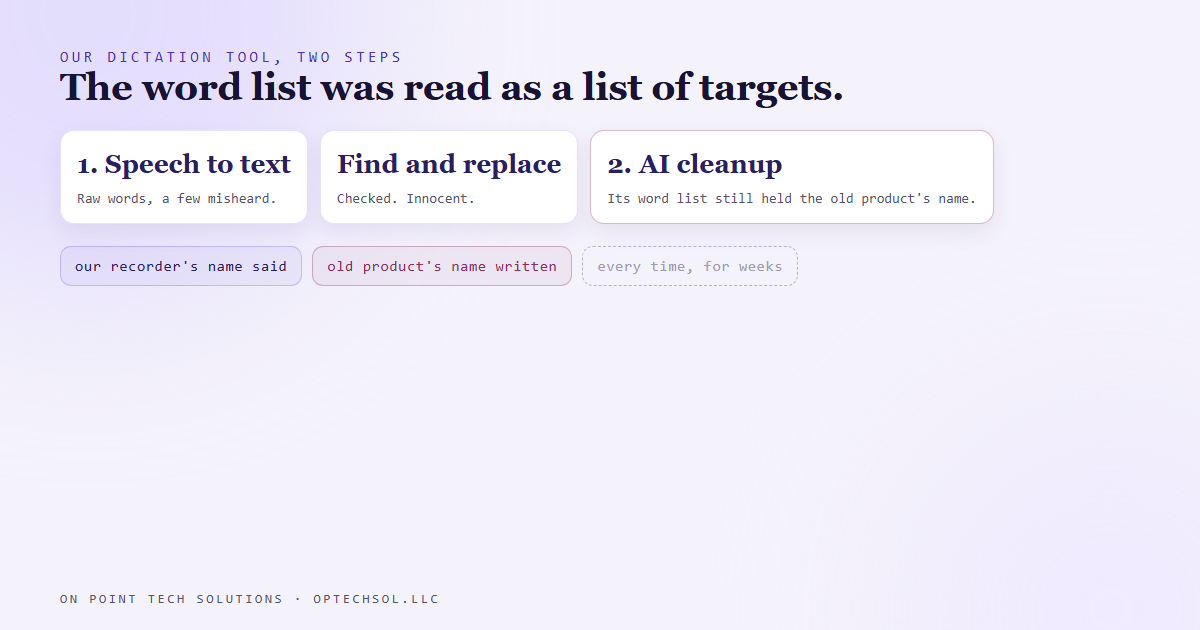
Think about it from the model's side. It's been told: these are words that get misheard, fix them when you see them. Then it sees our recorder's name, a food word, right next to talk about meetings. On its list is another food word that's also a meeting app. As far as the model could tell, that was a mishearing, and fixing mishearings was its job.
The list was meant as a spelling hint. The model read it as a list of targets.
The fix, and the second copy
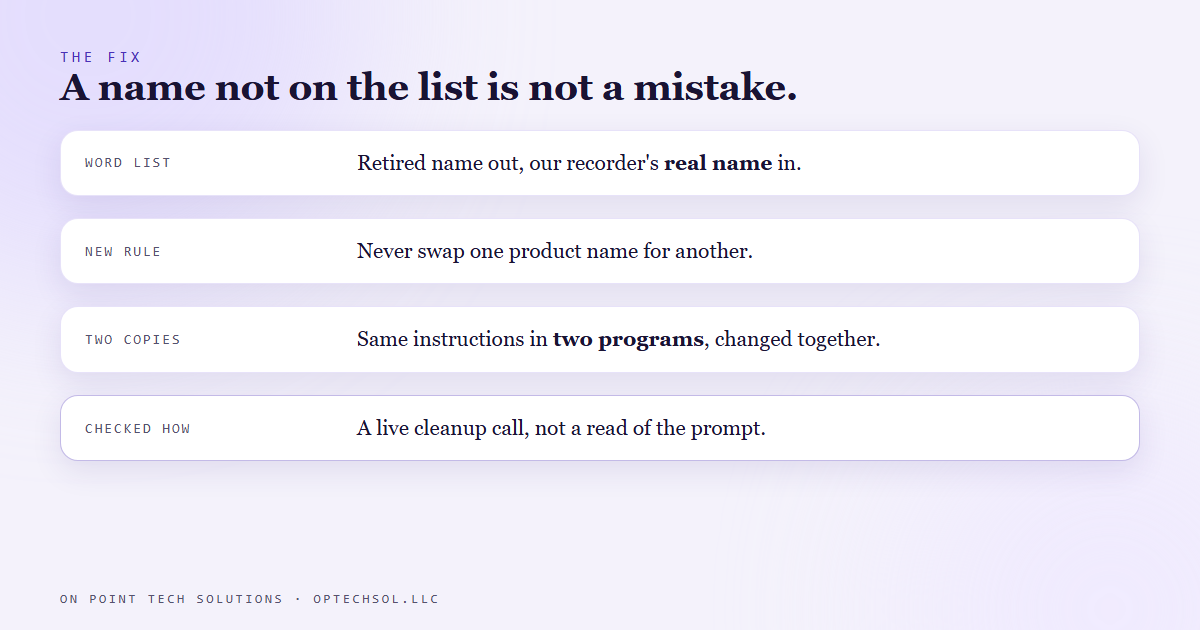
We took the retired name off the list and added our recorder's real name in its place. Then we added one plain rule: never replace one product name with another. A name that isn't on the list is not a mistake to be fixed.
There was one more wrinkle. The same cleanup instructions exist in two places, one in the dictation app itself and one in the server behind our internal dashboard, which offers dictation too. Fix one, and the other keeps doing it. So both changed together, and both programs had to restart to pick the change up. Our own notes now say that pair has to move as one.
We didn't call it fixed by reading the new instructions and nodding. We dictated the name through a live cleanup call and read what came back. The name stayed the name.
What this means for Bay Area businesses working with a GHL consultant
You probably don't have a dictation tool. But if you've got an AI chat assistant on your site, a bot answering texts, or AI writing replies in your CRM, you've got instructions and a knowledge base sitting behind it. And those don't update themselves when your business does.
Rename a service, drop a package, change a price, stop offering weekend appointments, and the settings page might be right while the AI's instructions still describe last year. It'll keep steering customers toward the old thing, confidently, because that's what it was told.
There's an everyday version too. The autocorrect on your phone that still "fixes" your new business name into the old one. The saved text reply that still says the old address. The new hire who learns how to talk to customers from your old emails, not the training doc.
Three things worth doing this week:
- Pull up the instructions and knowledge base behind any AI that talks to your customers, and search for anything you've renamed, retired or repriced in the last year.
- Check your saved replies, snippets and email templates for the same things. They outlive the decisions that made them.
- After any change, test it the way a customer would. Ask the bot the question and read the answer, instead of trusting the setting you just saved.
Any GHL consultant in the Bay Area worth hiring should be able to show you where your AI's instructions live and what's on them. If nobody can, nobody's keeping them current.
Want this built for you
We set up AI assistants with instructions you can read, change and own, and we keep them in step with your business. Want to build this yourself? Join the On Point Tech Academy. It's free, and we build live every Tuesday and Thursday.
The On Point Tech Academy costs nothing and never asks for a card. We build live every Tuesday and Thursday, 12:30 to 1:30 PT.
Join the Academy free ← Back to all Field Notes