Key takeaways
- Two files we needed were sitting in an inbox as attachments. Every automated way of reading that inbox returned the message, the headers and the body, and never the file.
- It was not a permissions error and not a bug. The listing of a message names its attachments. The file itself is a separate fetch that the listing never makes.
- We spent about forty minutes on workarounds that each failed for a different reason before landing on the one that worked: pressing the mail client's own download button.
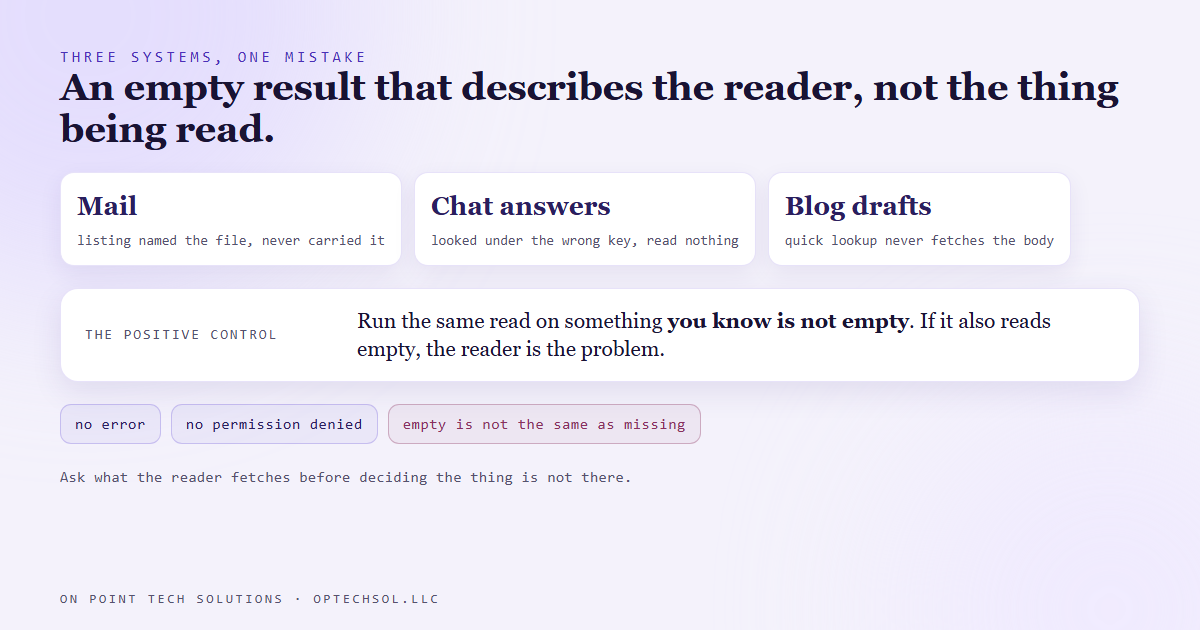
- We have hit the same shape twice more: a knowledge base that read as empty because we looked under the wrong key, and blog drafts that read as blank because the tool we used never fetches the body.
- The rule: when an automated read comes back empty for something you can see with your own eyes, ask what the reader actually fetches before you decide the thing is missing.
Somebody emailed us two images we needed for a build. A photo and a design mockup, attached to two separate messages. We could see both in the inbox. Getting them into the project folder should have taken ten seconds.
We run most of our work through an AI operating system that can read mail, search threads and pull context out of messages. So the natural move was to ask it to fetch the attachments.
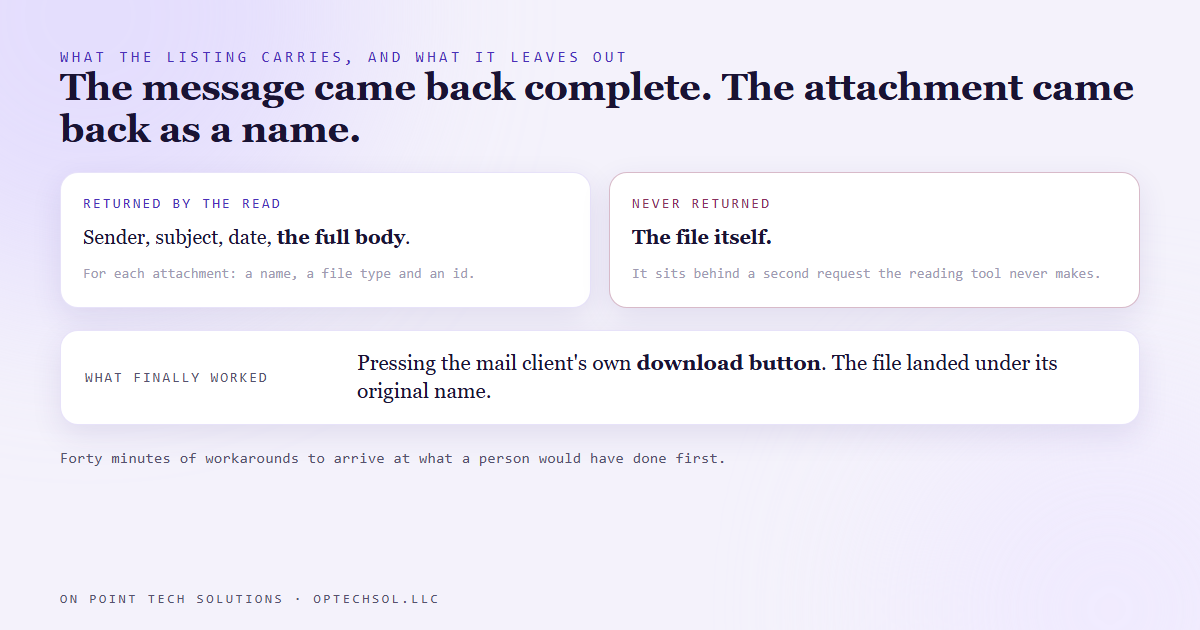
It found both messages instantly. It returned the sender, the subject, the date, the full body text. For the attachments it returned a name, a file type and an id. Not the file.
The listing is not the record
This is the whole story in one sentence. The interface that lists a message tells you an attachment exists. It does not carry the attachment.
That is sensible. A twenty megabyte attachment should not ride along with every inbox view, so the listing carries a pointer and the file sits behind a second request made on purpose.
The tool we were using never makes that second request. And the only other key we had for that mailbox was a sending key, scoped to send mail and nothing else, which is exactly how a sending key should be scoped. No read path through the front door, then, and none through the side.
Forty minutes of workarounds
Each dead end looked one small step from working.
We opened the message in a browser we could drive and pulled the image straight out of the page. That part worked. Getting it from there onto disk did not. The tool that reports back from the page cuts its output off after a couple of thousand characters, and it deliberately refuses to pass along anything that looks like encoded file data. Copying it to the clipboard hung. Triggering a download from a script was silently ignored, because browsers only allow downloads a person actually asked for.
Every one of those is a protection doing its job. Stacked up, they meant an image we were looking at could not be saved.
What worked was the least clever option. Open the message, find the mail client's own download button for that attachment, and press it. The client treats its own button as a person asking, the file lands in the downloads folder under its original name, and the job is done. Forty minutes to arrive at the thing a human would have done first.
We have seen this shape before
Rebuilding the knowledge base behind our chat assistant, we read the list of questions it knew and got back nothing. For a while we believed it could not quote a single price. It had dozens of answers. The interface puts that list at the top level of its reply, a sibling interface nests its list one level down, and we had looked in the nested spot. The read was fine. We were looking in the wrong drawer.
Checking a batch of blog drafts before publishing, our helper reported zero characters of body text on all three. On a platform with no delete button for blog posts, that looks like a disaster. Then we ran the same check on a post already live and working, and it also read zero. The helper's quick lookup never fetches the body at all. A raw read of the same records returned seven thousand characters each, with both images in place.
Three different systems, one mistake. An empty result that describes the reader, taken as a fact about the thing being read.
What we do now
Two habits, both cheap.
The first is to ask what the reader fetches before trusting what it found. A listing, a search result, a summary and a quick lookup are all views, and a view carries whatever its designer decided was worth the bandwidth. If the thing you need is large, like a file, a body or a history, assume the view left it out until proven otherwise.
The second is a positive control. Before believing that something is empty, run the same read against something you know is not empty. If the known good thing also comes back empty, you have learned about your reader, not your data. That one check turned the blog scare from a crisis into a footnote in about a minute.
And for mail attachments specifically, we stopped trying to be clever. The download button is the documented, supported way to get the file, so it is the first thing we try now rather than the last.
What this means for your business
A report that says a contact has no notes, because it only reads the most recent activity. A search that finds no invoices for a customer, because it searches names and that invoice is filed under the company. An export that silently leaves out attachments, custom fields or anything added after a certain date. Each time, the empty result is real. It just is not an answer to the question you asked.
Three things worth doing this week. Pick the report you trust most and check one record by hand against it, all the way down to the details. Before you tell a customer something is missing from their account, look for it a second way. And when a tool says nothing is there, test it on something you know is there before you believe it.
For a marketing automation San Jose business, the costly version is a CRM search that finds no history for a returning customer who has been with you for years. Your team treats them like a stranger because a screen said so.
Want this built for you
We build automations that check what they read before they act on it. Start at optechsol.llc.
Want to build this yourself? Join the On Point Tech Academy. It's free, and we build live every Thursday.
The On Point Tech Academy costs nothing and never asks for a card. We build live every Thursday, 12:30 to 1:30 PT, with whatever AI you use.
Join the Academy free ← Back to all Field Notes