Key takeaways
- Since August we've talked with eight Bay Area creative and marketing businesses: photographers, videographers, small agencies and consultants.
- They agree on one thing: original work still wins. Real photos and real video of a real team beat stock, and AI hasn't changed that.
- Where AI is paying off is the busywork around the craft: rough cuts, audio cleanup, formatting, tagging and first drafts.
- The studios doing it well keep the creative call human, keep client files private, and let clients approve before anything goes live.
You'd think the creative industry would be the most nervous about AI. In our conversations this fall it was the opposite. The photographers, videographers and agency owners we met are curious, practical and already using it, mostly for the parts of the job they never liked.
As a GHL consultant in the Bay Area, I end up talking shop with a lot of creative people, because our clients need photos, video and content, and those folks need systems. Here's what I heard from eight of them, and where AI is already pulling its weight.
What we're hearing from creative studios
The first thing is that original work still matters. A photographer told us businesses keep booking them for candid team photos and headshots so their websites don't run on stock images, and that AI hasn't replaced that. I agree. People want to see the real crew.
The second is that AI is landing on the tedious parts. One agency owner uses it to post blogs, handle SEO tagging and formatting, and make site edits straight from a client's documents. Some video folks use it for audio cleanup today and want it for far more: rough cuts, transcripts, logging every take.
The third is that their own growth runs on referrals. Most of the creative businesses we talked to get their best clients through networking groups and word of mouth. That makes partnerships natural. Photographers, videographers and tech people keep sending each other work.
Five ways AI is already working for creatives
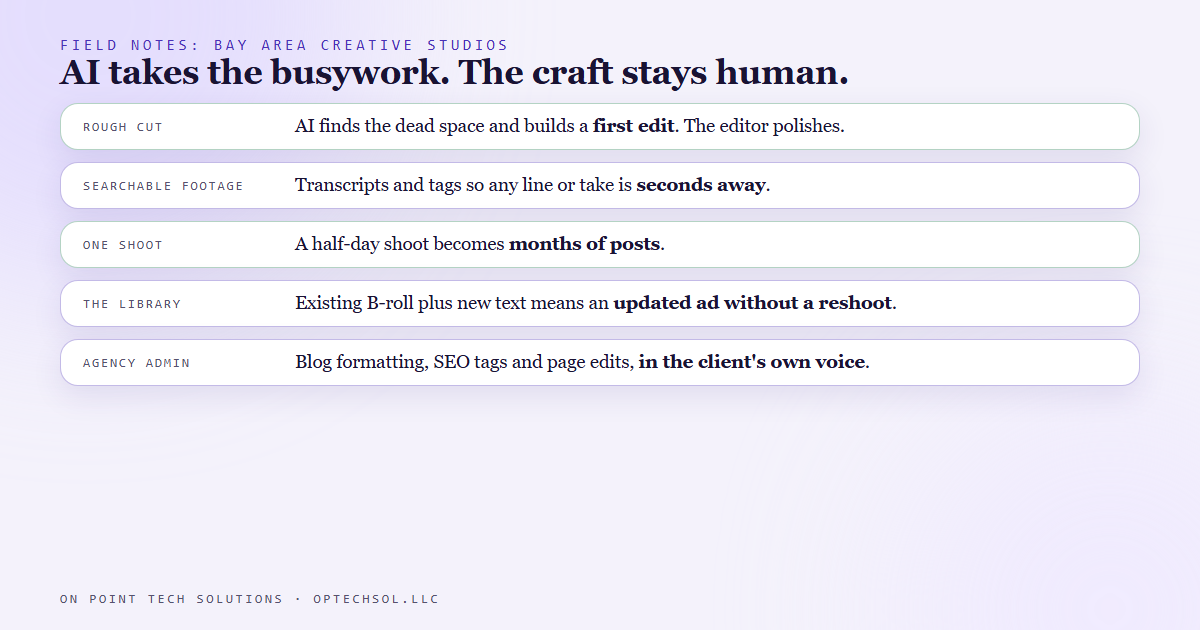
1. The first rough cut. AI can take a folder of footage, find the dead space, and build a rough edit, so the editor starts from a draft instead of a blank timeline. The editor then spends their time on the polish, which is the part that needs taste. You can also tell it what to leave alone, like keeping a speaker's natural pauses in a ceremony or a slow interview.
2. Searchable footage. One videographer described the dream: every line of dialogue and every take tagged, so any moment can be pulled up in seconds. That used to be an assistant editor's whole week. Since AI can already transcribe and tell speakers apart, it's one of the next things creatives are asking for.
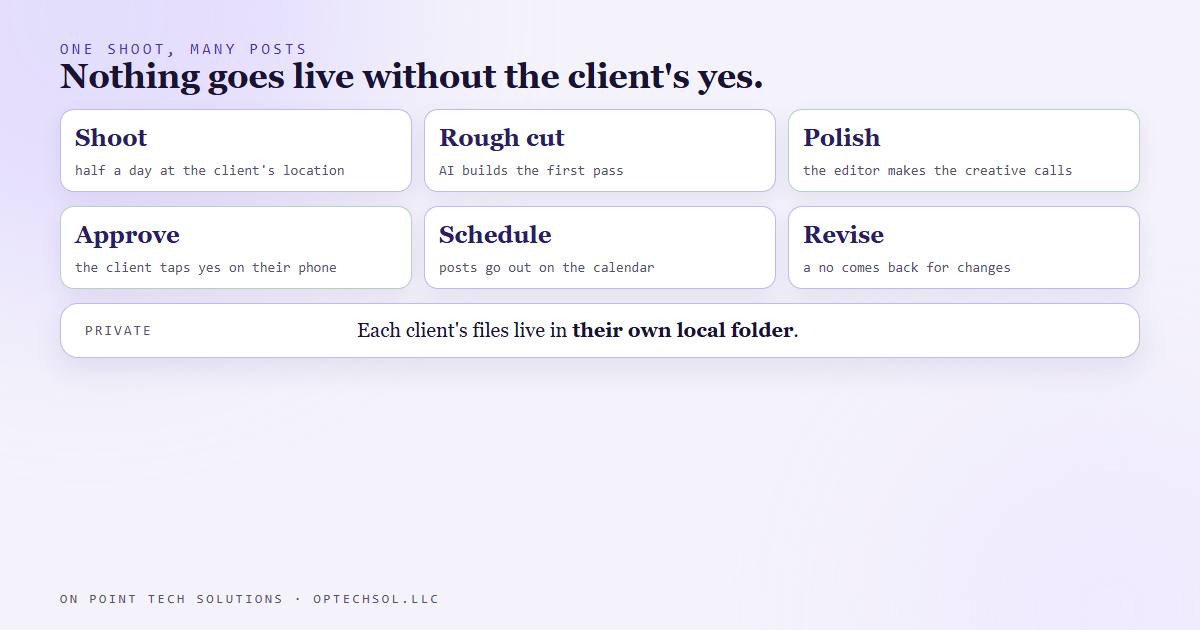
3. One shoot, months of content. A half-day shoot at a client's location can turn into a couple of months of posts once AI helps with the edit. The setup we use sends each finished post to the client's phone first. They tap approve and it's scheduled, or they tap no and it comes back for changes. Clients don't have to remember to post, and nothing goes out without their yes.
4. Reusing the library. Studios with long-time clients sit on a lot of footage. With good B-roll on hand, an old ad can get new text and go back out fast, without a new shoot. AI makes digging through that library much quicker.
5. Agency busywork. Blog formatting, SEO tags, page edits from a client's notes, meeting transcripts and first wireframes. Agencies are starting to hand these to AI while the content itself stays in the client's own voice. Some are also optimizing pages so AI answer tools can read them, not just search engines.
What the leaders have in common
The craft stays human. AI does the first pass. The creative makes the calls on story, pacing and look, and that's what clients pay for.
Client files stay private. Instead of uploading raw footage and brand files everywhere, the careful setups point AI at a local folder for each client, with their footage, brand guide and notes in one place.
Clients approve before anything goes live. An approval step protects the client's brand and the studio's reputation.
They partner. A photographer, a videographer and a systems person can bundle a shoot, a website and the follow-up behind it, and each one does the part they're best at.
Your first week with AI as a creative studio
- Day 1: Make one folder per client with their footage, brand guide and notes.
- Day 2: Try an AI rough cut on a finished project you already edited by hand, and compare.
- Day 3: Get a transcript of your last interview shoot and see how fast you can find your best lines.
- Day 4: Add an approval step for every client post, so nothing goes out without a yes.
- Day 5: Write a one-page sheet of your packages so referral partners can describe you clearly.
Why this matters for creatives working with a GHL consultant in the Bay Area
Bay Area businesses want content that looks like them, and they want it every week. A small studio can't hand-edit that volume forever, but it can with AI handling the first pass and a system handling approvals and scheduling. That's where a GHL consultant in the Bay Area fits in: the studio keeps the camera and the creative eye, and the system takes care of everything that happens after the shoot.
Want to learn how to set this up?
Join the On Point Tech Academy at optechsol.llc/academy. It's free, and we build live every Tuesday and Thursday.
The On Point Tech Academy costs nothing and never asks for a card. We build live every Tuesday and Thursday, 12:30 to 1:30 PT.
Join the Academy free ← Back to all Field Notes