
Key takeaways
- We asked our CRM for its list of automations fifty at a time. Page two came back identical to page one, byte for byte, and so did every page after it.
- The list accepted a "skip" setting and silently ignored it, along with two other common paging settings. Only one setting name actually moved to the next page.
- One of our scripts hung forever adding the same fifty rows. Another had a safety exit, counted about 2,100 automations on an account that has 62, and printed a confident pass.
- A pager that stops on a short page never stops when every page is full. Stop against the total the server reports instead.
- Confirm which setting a platform honours before you trust a loop. Do not assume it matches the rest of the same platform.
Early in September we were building the tooling behind our industry CRM templates. A new business gets a fresh CRM account with a full set of automations copied in from a template account, and we need to prove every one of them arrived. The proof part matters more than the copying. A setup that loses three automations out of sixty looks fine until a lead falls through the gap weeks later.
So we wrote two small scripts. One lists every automation in the new account and adopts the ones that came over from the template. The other lists both accounts and compares them.
Both scripts ask for the list in pages. Fifty at a time, then the next fifty, until a page comes back with fewer than fifty in it. That last short page is the signal that you have reached the end.
The first script never finished. The second finished and told us something that was not true.
What the platform actually did
We stopped guessing and measured it, read only, against an account with 62 automations.
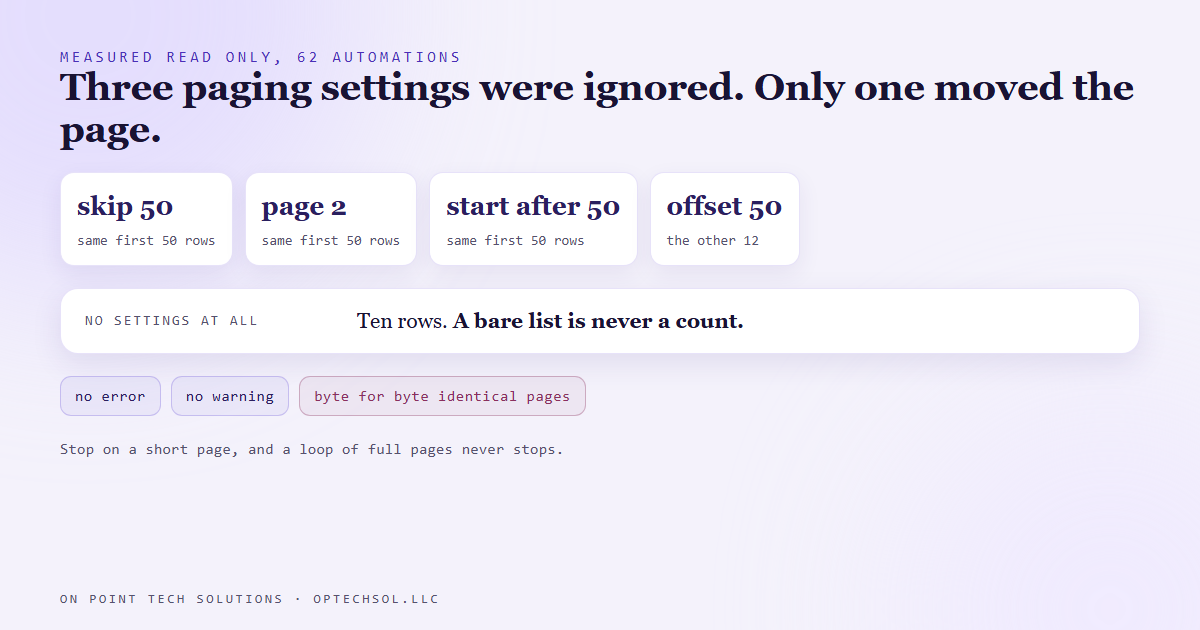
Asking for fifty returned fifty. Asking for fifty and skipping the first fifty also returned fifty, and they were the same fifty, byte for byte. We tried the two other names paging settings usually go by, one for a page number and one for "start after". Same fifty rows each time. With no settings at all it returned ten.
Then we tried "offset". Fifty, skipping fifty, came back with twelve. Fifty plus twelve is sixty two. That was the one that worked.
The platform never complained about the settings it ignored. No error, no warning. And we reached for "skip" in the first place because other parts of the same platform use it.
Why the loop never ended
Put those two facts together. The script asks for fifty and gets fifty. It asks for the next fifty and gets the same fifty. The page is full, so the script concludes there must be more, and asks again.
Every page is full. The stopping rule is waiting for a short page that can never come. The adopt script sat there appending the same fifty rows to its list for as long as we let it run.
A hang is annoying, but at least you notice it. The compare script was the scary one.
The wrong answer that looked right
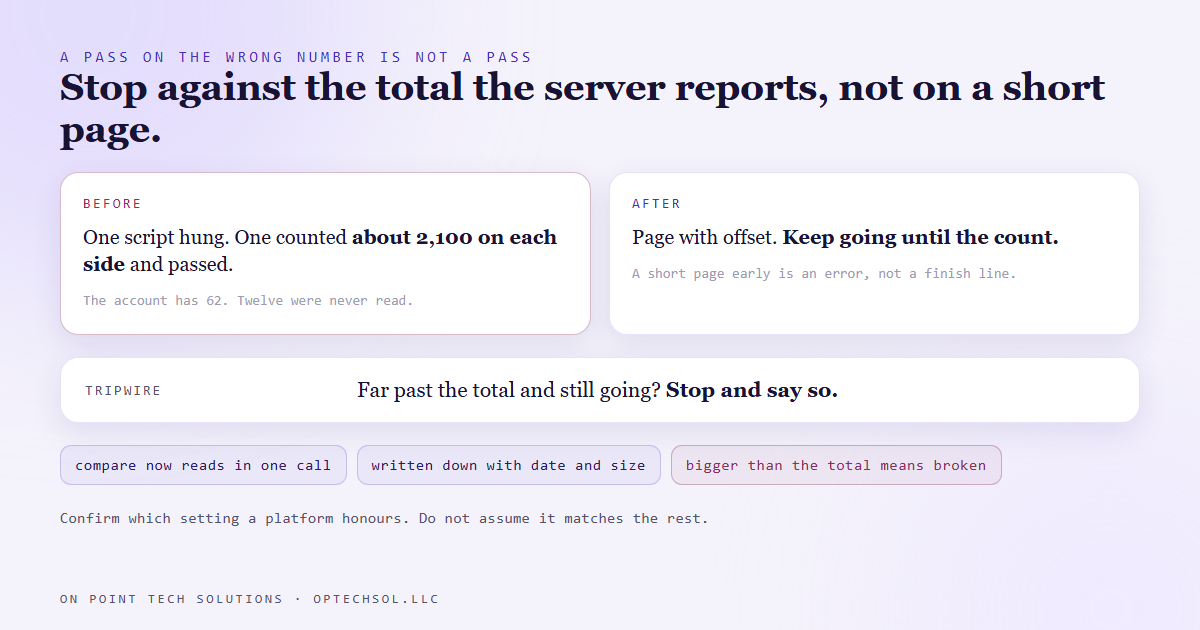
We had been careful with the compare script. It had a safety exit: if it ever read more than two thousand rows, stop, because no account has that many. That exit fired, on both accounts, at about 2,100 rows each.
Then the comparison ran. Both sides had the same fifty automations, repeated over and over, so every name on one side matched a name on the other. The script counted roughly 2,100 on each side, found them equal, and reported that everything had travelled.
Every piece of it did what it was written to do. The safety exit stopped the loop. The comparison compared honestly. The result was a pass on a check that never saw twelve of the automations at all.
A tool that crashes tells you it is broken. A tool that is silently wrong tells you everything is fine, and you believe it.
What we changed
The adopt script now pages with the setting the platform actually honours. More importantly, it stops against the total, not against a short page. The compare script stopped paging altogether: the list honours a large page size exactly, so it asks for everything in one read.
The list comes back with the server's own count of how many exist. So the rule is: keep going until you have that many, and if a page comes back short before you get there, treat it as an error. A short read is a problem to explain, not a finish line.
There is also a tripwire. If the loop runs far past the total without ever reaching it, it stops with an error saying the platform has started ignoring this setting too. More generally, any count bigger than the number that exists means the loop is broken. About 2,100 against 62 should never have been printed as a pass.
And we wrote the result down with the date and the account size, so the next person does not have to measure it again or assume the other name works.
What this means for your business
You probably do not write paging loops. You almost certainly trust something that does. The report that says you have 4,000 contacts. The export you send your accountant. The sync between your CRM and your email tool that says every subscriber is accounted for.
The failure to worry about is the one that looks complete. An export that repeats the same rows reads as a full file. A sync that stopped halfway reads as caught up. A total that is suspiciously round, or suspiciously large, is often the only clue.
Three things worth doing this week. Compare one count from two places, like the contact total in your CRM against the row count of an export, and make sure they match. Sort any export by name and scroll for the same records appearing twice. And when a report says everything matched, ask how many items it compared, because a pass on the wrong number is not a pass.
For a marketing automation San Jose business moving between platforms or accounts, count your automations, forms and pipelines by hand before the move and after it. The copy is the easy part. The count is the proof.
Want this built for you
We build migrations and syncs that prove their own counts. Start at optechsol.llc.