
Key takeaways
- We tidied our sales pipeline: five stages renamed and two new ones added. Nothing that mattered broke, because it all pointed at each stage by its id, and a rename keeps the id.
- One tool did break, and it turned out it had never worked. Our calling app asked for a stage by its name, the name did not match, and every callback it logged failed to move the lead's card.
- The only sign was a short line on screen saying the stage move failed. A call went fine, the note saved, and the card sat where it was.
- A name is what a person reads. An id is what the system uses. Anything automated should hold the id and treat the name as decoration.
- The fix: a small map from each role to its id, a loud warning if one of those ids disappears from the board, and one path for moving cards instead of two.
Every sales pipeline gets messy eventually. Stage names that made sense at the start stop describing what really happens, a step gets added, and one afternoon somebody sits down and cleans the whole board up.
We did exactly that on our own pipeline while building a power dialer. Five stages got new names. Two brand new stages went in for dialing and for callbacks that had been set. It was the kind of change that makes a pipeline easier to read, and the kind people are nervous to make, because who knows what is quietly relying on those names.
Almost nothing was. And the one thing that was had been broken for longer than we realised.
Why the rename was safe
Every stage on the board has two identities. There is the name, like New Leads or Contacted, which is what you see on the column. And there is an id, a long string of letters and numbers the system uses behind the scenes and nobody ever looks at.
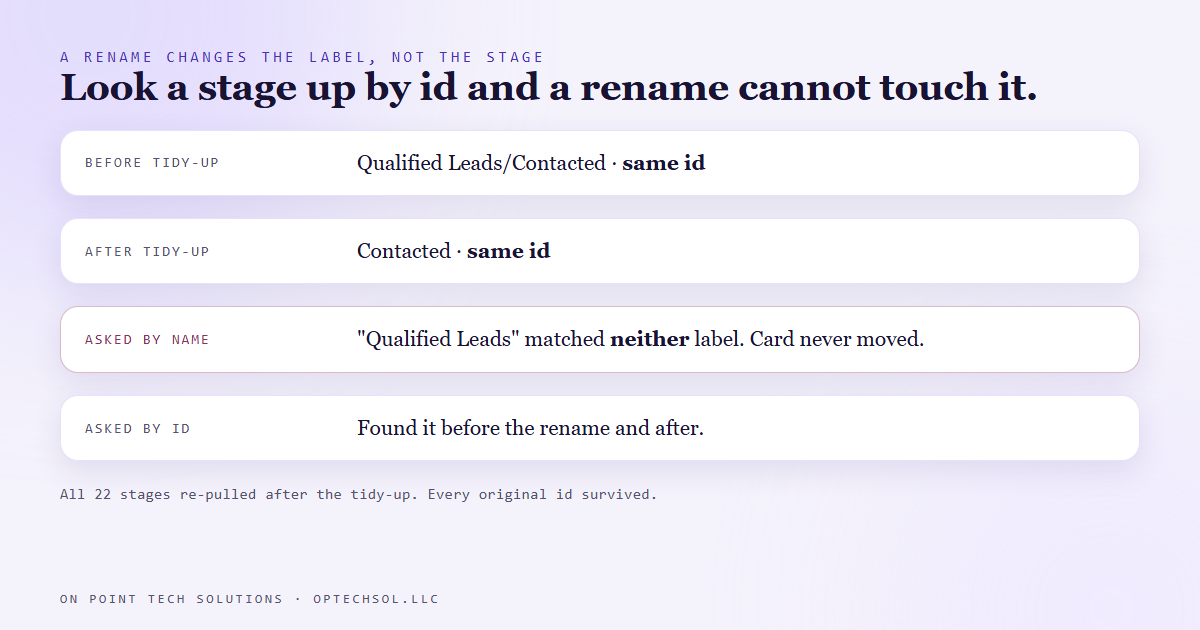
Renaming a stage changes the name. The id stays exactly the same. We checked that directly after the tidy-up by pulling the live pipeline again: all 22 stages, and every original id still in place under its new label.
So every automation, workflow and script that moved cards by id kept working without anybody touching it. The name had changed on the screen. Nothing underneath had moved.
The one tool that used the name
Our calling app is a desktop tool we built for making calls. Among other things, when a call ends and you pick an outcome, it moves that lead's card to the matching stage. Pick callback scheduled and the card should move to the callback stage.
It found that stage by asking for it by name. The name it asked for was Qualified Leads. The live stage at the time was called Qualified Leads/Contacted. Close, and not the same string, which to a computer means not the same thing at all.
So the lookup missed. The app tried to move the card, got nothing back, printed a short note saying the stage move failed, and carried on to the next call.
The uncomfortable part is that this was not caused by our rename. The name the app asked for did not exist before the tidy-up either. The rename just made us look. For as long as that code had been live, every callback logged through it had left the card exactly where it was.
Why nobody noticed
Because everything else worked. The call connected. The coaching ran. The note saved to the contact. The only failure was one small step at the very end, reported as one short line on a screen that was about to be cleared for the next call.
A failure has to reach a person to count. That message reached a screen, for about a second, while the person using it was already dialing. It might as well have been silent.
And the cost is not small. A lead who asked for a callback and stays in the wrong column is a lead nobody calls back. Nothing tells you. The pipeline just looks slightly quieter than it should.
What we changed
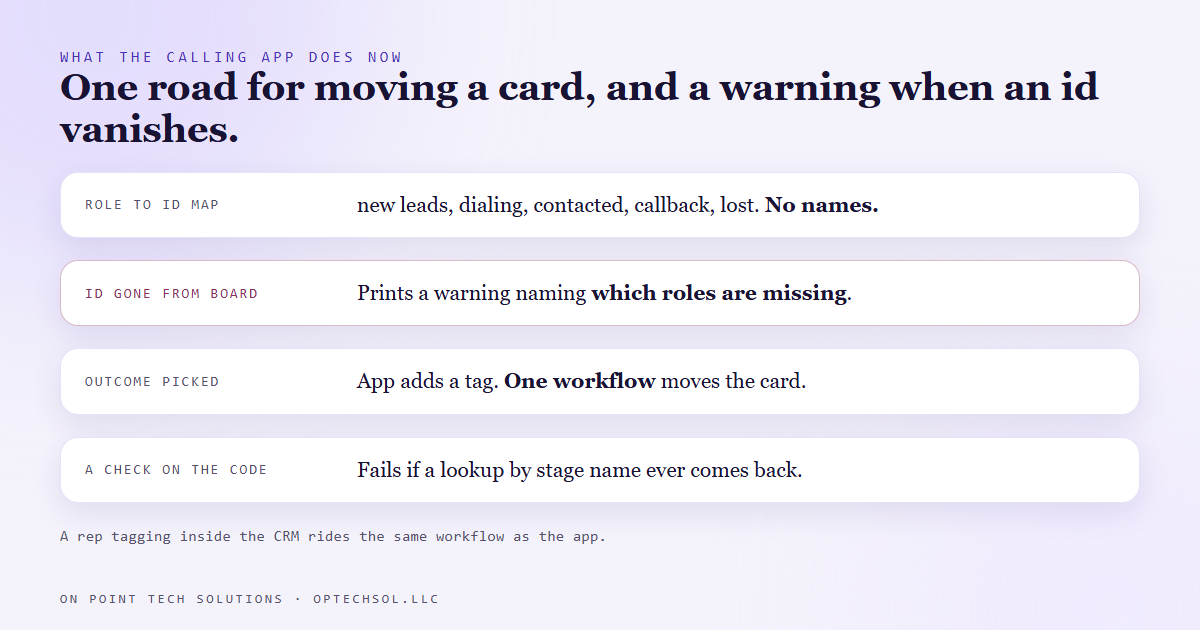
First, the app no longer holds stage names at all. It holds a small map from a role to an id: new leads, dialing, contacted, callback, lost. The role is the word a developer reads. The id is what gets sent. Rename any of those columns tomorrow and the map does not care.
Second, when the app loads the pipeline, it compares that map against the live board. If a stage id it depends on is gone, because somebody deleted a stage rather than renaming it, it prints a warning naming exactly which roles are missing. A deleted stage is the one change an id cannot survive, so that is the change worth shouting about.
Third, and this is the bigger change, the app stopped moving stages itself. When you pick an outcome now, it adds a tag to the contact, like dial callback. A workflow inside the CRM picks up that tag and moves the card. That is the same path a sales rep takes when they tag a contact inside the CRM directly. One road for moving a card, not two that can quietly disagree.
And we wrote a check that reads the app's code and fails if a name based stage lookup ever comes back. A fix that depends on everyone remembering the lesson lasts until the next busy week.
What this means for your business
You do not have to write code for this to apply. Any tool connected to your CRM, a form, a calendar, a zap, a reporting sheet, picked its stages and fields somehow. Some of them picked by name.
Before you tidy up a pipeline, rename a custom field or reword a tag, ask what reads it. After you do, test the flows that move cards, not just the ones that create contacts. Book a test callback and watch the card.
Any GHL consultant Bay Area businesses hire should be able to tell you, for each automation they built, whether it points at stages by name or by id. If the answer is by name, your next cleanup is going to break something, and it probably will not tell you.
Want this built for you
We build CRM pipelines, calling tools and automations that survive somebody tidying up the board. Want to build this yourself? Join the On Point Tech Academy. It's free, and we build live every Thursday.
The On Point Tech Academy costs nothing and never asks for a card. We build live every Thursday, 12:30 to 1:30 PT, with whatever AI you use.
Join the Academy free ← Back to all Field Notes