
Key takeaways
- Every automation we run that wants to publish something writes one row into a single approval file, and a dashboard turns each row into a card I approve or reject.
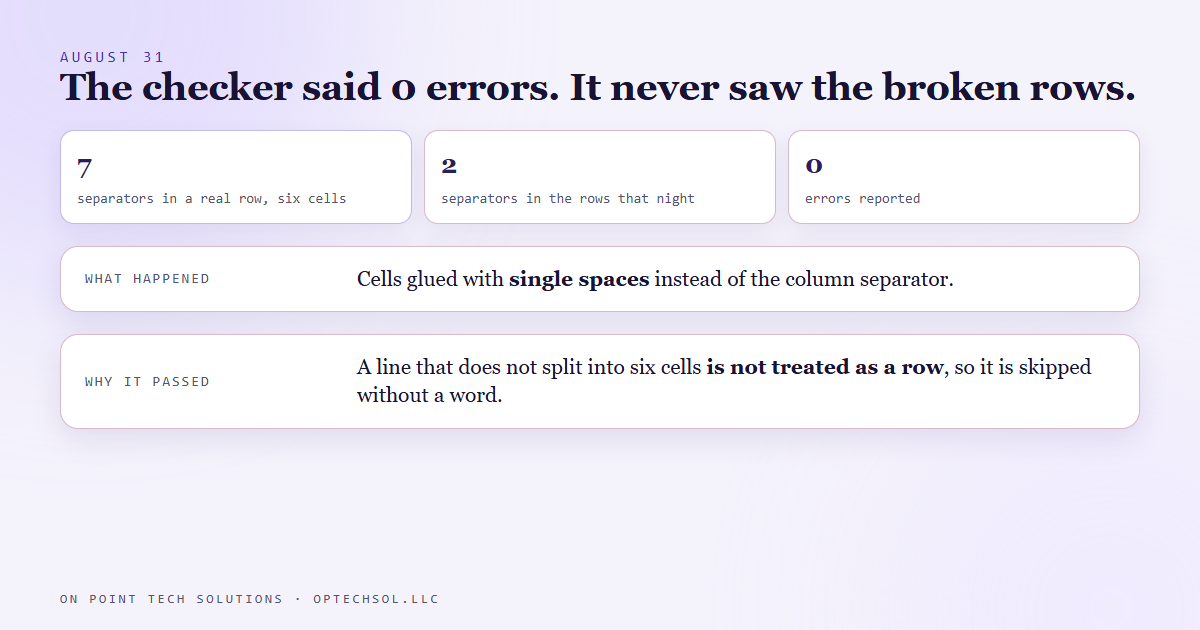
- On August 31 a nightly build wrote its rows with the cells joined by plain spaces instead of the column separator. Two separators per line instead of seven.
- The checker that guards that file reported 0 errors. A line that does not split into six cells is not recognised as a row, so it was never checked at all.
- The dashboard needs the same six cells to draw a card, so those rows would have been invisible, and the posts behind them would have waited forever for a yes nobody could give.
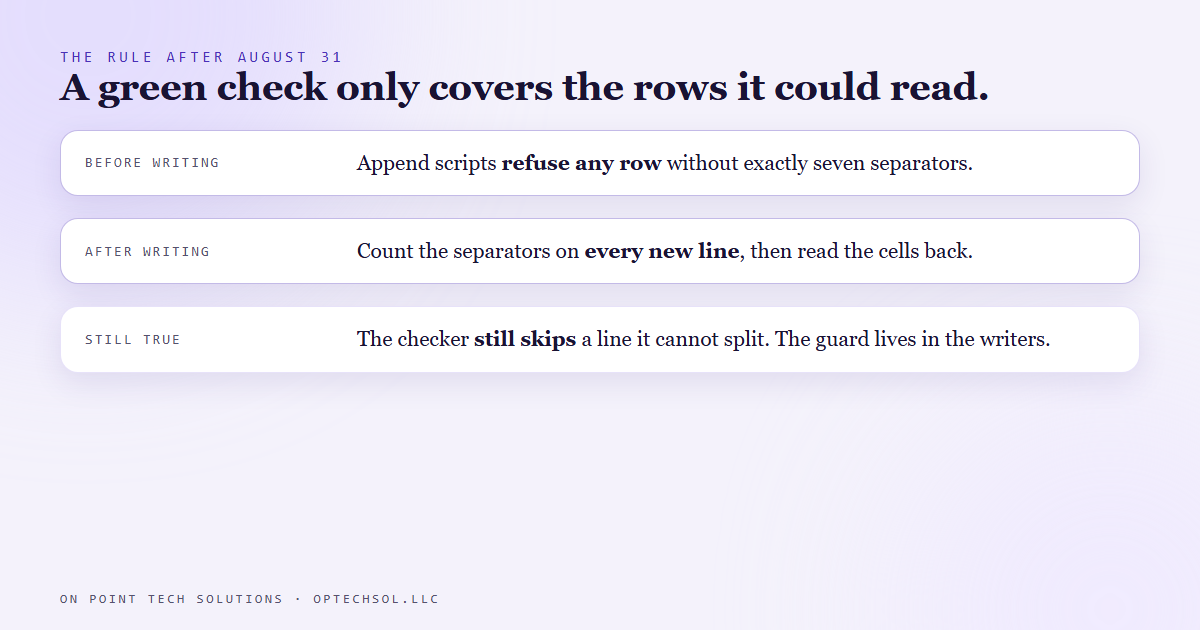
- The rule now: after writing rows, count the separators on every new line and read the cells back. A clean checker is not proof that the row you just wrote exists.
You have probably seen a spreadsheet total that looked fine and was wrong. Somebody typed a few numbers as text, the sum skipped them without a word, and the bottom line still came out tidy. Nothing on the sheet looked broken. We run Go High Level in San Jose for our own business, and on August 31 our own checker did the exact same thing to us.
How approvals work here
Nothing we build publishes on its own. Social posts, blog drafts, ad copy, client messages: every automation stages its draft and then writes one row into a single approval file. Each row has six cells. An id, a date, which automation wrote it, what it is, where the draft lives, and its status.
Our dashboard reads that file and turns each pending row into a card. I click approve or reject, the dashboard writes my answer back onto the row, and the automation acts on it next time it runs. If a row never becomes a card, I never see it, and whatever sits behind it never goes anywhere.
Because a lot of different automations write into that one file, we built a checker for it. It catches duplicate ids, a stray separator inside a sentence that shifts every cell over, encoding damage and statuses it does not recognise. When it says 0 errors, the file is supposed to be safe to read.
August 31
That night, a nightly build for one of the social accounts we run wrote its approval rows for the next day. The content was all there. The id, the date, the description, the path to the draft, the status. But the cells were glued together with single spaces instead of the separator between columns. Each line had two separators, one at each end, instead of seven.
The checker came back with 0 errors.
It was telling the truth about what it looked at. It just never looked at those lines. The checker decides what counts as a row by splitting each line on the separator. A line that splits into the right shape is a row, and it gets every check. A line that does not split into that shape is treated like a heading or a blank line, and it gets skipped without a warning or even a count of the lines it could not read.
So the checker failed open. A small slip inside a row gets caught, but a row broken badly enough stops looking like a row and never gets checked.
Why it mattered
The dashboard reads the file the same way. No six cells, no card. Those rows would have sat in the file looking like rows to anyone scrolling through it, and never appeared anywhere I could act on them. The posts behind them were waiting on an approval, and the approval could never come, because the question was never asked.
And none of the tools in the chain would have complained, including the build that wrote them.
The fix, and what we did not fix
The rows themselves were easy to rewrite once we saw them. The lesson took a little longer.
The rule we wrote down for anything that appends to that file: after you write, count the separators on every line you just added. Seven per line, every time. Then read the cells back out and make sure the path to each draft matches what was actually staged. Our own append scripts now refuse to write any row that does not carry exactly seven separators, before the file is touched.
The checker itself still skips a line it cannot split into a row. We read its code again for this post, and that behaviour is still there. The protection lives in the scripts that write rows and in the habit of reading back, not in the checker. That is a known gap, and we would rather say so than pretend a green result covers it.
The honest lesson
A checker can only judge what it can recognise, and when it meets something too broken to recognise, a lot of checkers say nothing at all. That silence reads exactly like a pass. So when a check comes back green, we now also ask what it skipped.
What this means for San Jose businesses running Go High Level
You probably have checks like this in your own account without calling them that. A smart list that is supposed to show every lead who has not been called back. A report of everyone who got the follow-up text. A filter on a tag.
Every one of those only shows what matches. A contact whose tag is spelled a little differently, or whose phone number came in with odd formatting, is not flagged as a problem. They are just not in the list, and the list still looks complete.
- Test the check with something you know should fail. Make a fake contact that should land in the list and confirm it does.
- Count both sides. If 40 people booked this week, your follow-up report should account for 40, not just show a clean page.
- Look at the raw records now and then, not only the report built on top of them.
- When something says zero problems, ask what it was able to read before you celebrate.
If you have a Go High Level setup in San Jose that says everything is fine, it is worth one afternoon of checking what it cannot see.
Want to build this yourself?
Join the On Point Tech Academy at optechsol.llc/academy. It's free, and we build live every Tuesday and Thursday.
The On Point Tech Academy costs nothing and never asks for a card. We build live every Tuesday and Thursday, 12:30 to 1:30 PT.
Join the Academy free ← Back to all Field Notes