
Key takeaways
- Our story renderer stripped three characters out of burned in text because all three were said to break the video tool's text filter. Two really do. The third was collateral damage.
- The percent sign only matters because the tool expands percent sequences by default, and one switch turns that off.
- So a correct line about missed calls went out as a false statistic, visible only in the pixels, on a story that deletes itself in a day.
- The rule: a cleanup step may refuse input or escape it, and must never quietly rewrite it into something that still reads as valid. A number is the worst thing to rewrite.
- Exit code zero proves the tool ran. It never proves the frame says what you meant.
We post a daily story with a line of text burned into the picture. One command takes an image or a clip plus a line or two of copy, lays the text over the top, and writes a file ready to post.
Text burned into video goes through a text filter, and that filter has its own punctuation. A colon separates its options. An apostrophe quotes its values. Feed either through as part of your sentence and the command falls apart in an ugly way.
So the script had a cleanup step that removed them before rendering. Sensible. The comment next to it listed three characters that break the filter: the colon, the apostrophe, and the percent sign.
The morning it lied
One morning the story went out reading, in large letters over the picture, that 62 of calls get missed and 85 never leave a voicemail.
The copy that went in was correct. Both numbers had their percent signs. The cleanup step took them out on the way to the renderer, exactly as written, and nothing complained. No error, no warning, the command exited cleanly, the file was the right size, and the render looked fine in a thumbnail. The only place the problem existed was in the pixels of a story that Instagram deletes after twenty four hours.
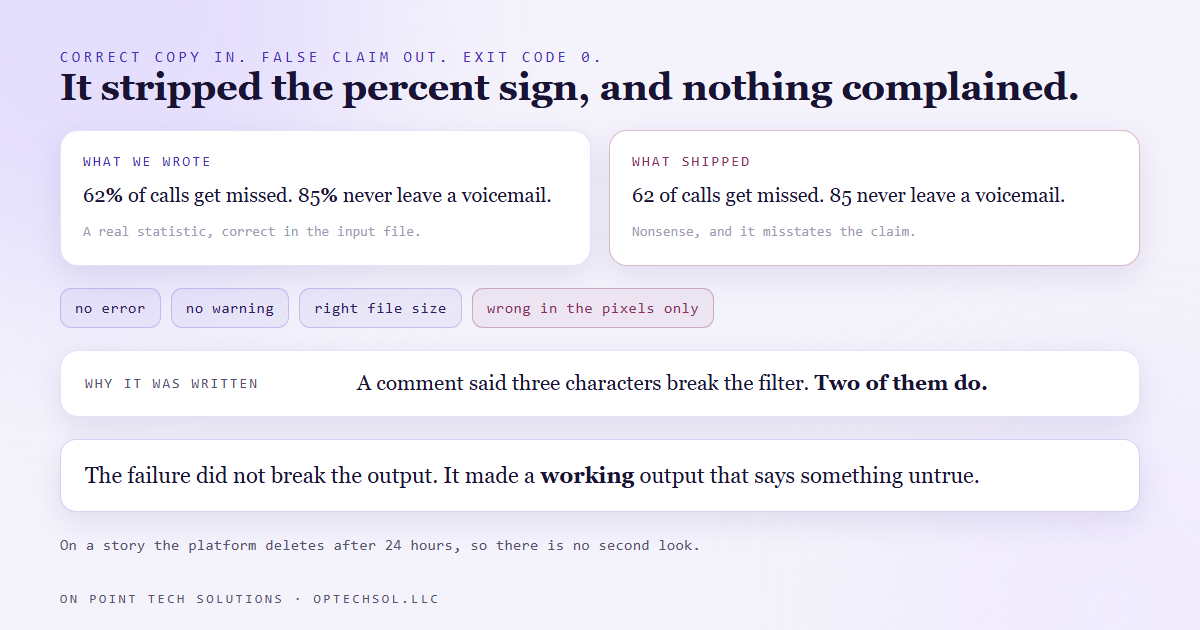
Sit with the shape of that. The failure did not produce a broken output. It produced a working output that says something untrue, and every automated check in the world passes that.
Two of the three were real
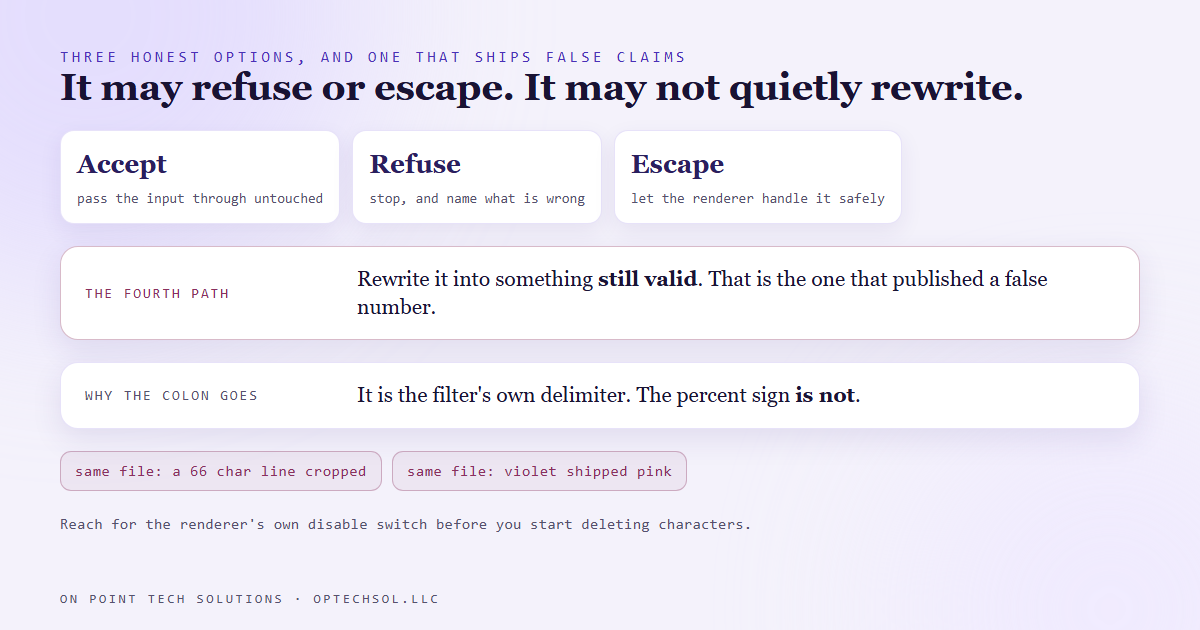
The colon and the apostrophe genuinely have to go. They are the filter's own delimiters, and there is no version of the command where they can simply be present.
The percent sign is different, and the difference is the whole story. It is not a delimiter. It is special only because the filter treats a percent followed by a brace as the start of a variable, so it can print things like the current timestamp. That behaviour is on by default and one option turns it off. With it set, a bare percent sign renders as a percent sign. The character never needed stripping.
So the fix was to add that option to every text call and take the percent sign out of the strip list. Then we cropped the text band out of the rendered frame at full resolution and read it, because that is the only check that could have caught the original.
The rule we wrote down
A cleanup step has exactly three honest options. It can accept the input. It can refuse it and say why. It can escape it so the renderer handles it safely.
What it must never do is quietly rewrite the input into something that is still valid. Valid is what makes it dangerous. A mangled output gets noticed. A plausible one gets published.
Numbers are the worst case, because a number carries a claim. Dropping a character from a word usually produces a visible typo. Dropping a character from a statistic produces a different statistic, stated with total confidence, in your brand's voice, in your own picture.
The practical version: reach for the renderer's own escape or disable switch before you start deleting characters. That option was safer than the default anyway, because it also stops a caption containing braces from being read as an instruction.
The same file did it again, differently
A month later the same script produced another quiet rewrite, worth telling because it shows the rule is not about one character.
The word wrap could only ever split a line into two rows, so anything longer than about twice the row limit went out cropped at both edges. One morning a sixty six character line of campaign copy rendered as a fragment across two rows, first word cut in half, last word cut off. Same family. Input correct, output wrong, exit code zero, nothing said.
The fix wraps into as many rows as the text needs. The second change matters more: if a single word is wider than the frame and cannot be wrapped away, the script now warns, naming the word and by how much. It still renders. It just stops being silent about it.
There is a third one in the same file, left in as a comment so nobody repeats it. The colour value takes its channels in one order, and typed in the other order it renders a different colour without erroring. It shipped our violet as pink.
What this means for your business
If you generate anything that ends up as text in an image, a video, a PDF or a printed card, this applies to you directly. Somewhere in that pipeline is a step that cleans up your input, and you probably do not know what it removes.
The general version is bigger than burned in text. Every automation you run has a step that tidies data on the way through, and the dangerous ones are the ones that succeed. A step that crashes gets fixed the same day. A step that quietly changes a number runs for months, because everything downstream reports success.
Three things worth doing this week. Read what your cleanup steps actually strip, rather than what their comment says they strip. Make anything that refuses input say so out loud rather than fixing it for you. And check your output where it lives, which for a picture means the pixels at full size, not a green light.
If you are a Go High Level Bay Area business running daily automated content, that last one takes a minute a day and it is the only check that would have caught any of the three faults above.
Want this built for you
We build content automation with the checks pointed at the output rather than at the exit code. Want to build this yourself? Join the On Point Tech Academy. It's free, and we build live every Thursday.
The On Point Tech Academy costs nothing and never asks for a card. We build live every Thursday, 12:30 to 1:30 PT, with whatever AI you use.
Join the Academy free ← Back to all Field Notes