
Key takeaways
- We wrote a set of instructions for a competitor channel radar: pull the recent videos from channels in our space, compare each video to its own channel's usual numbers, and surface the ones doing far better.
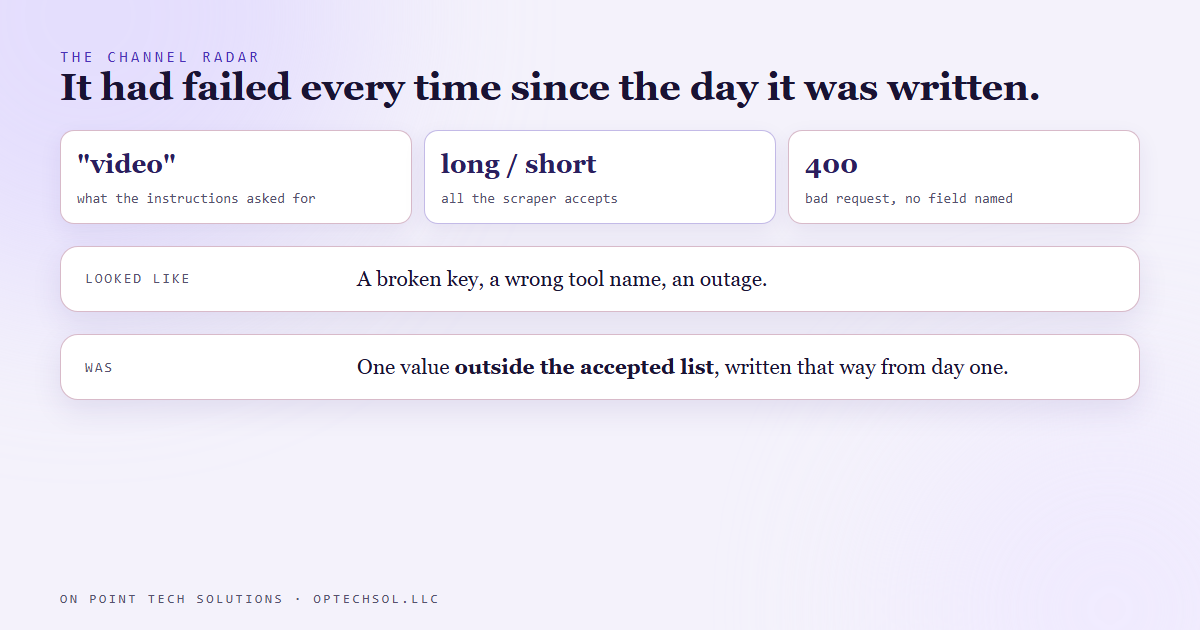
- On September 6 we found it had never once produced a watchlist. The instructions told the scraper to fetch video type "video". The scraper only accepts "long" or "short".
- A wrong value came back as a bare bad request that named no field. That looks like a broken key, a wrong tool name or an outage. It was none of those.
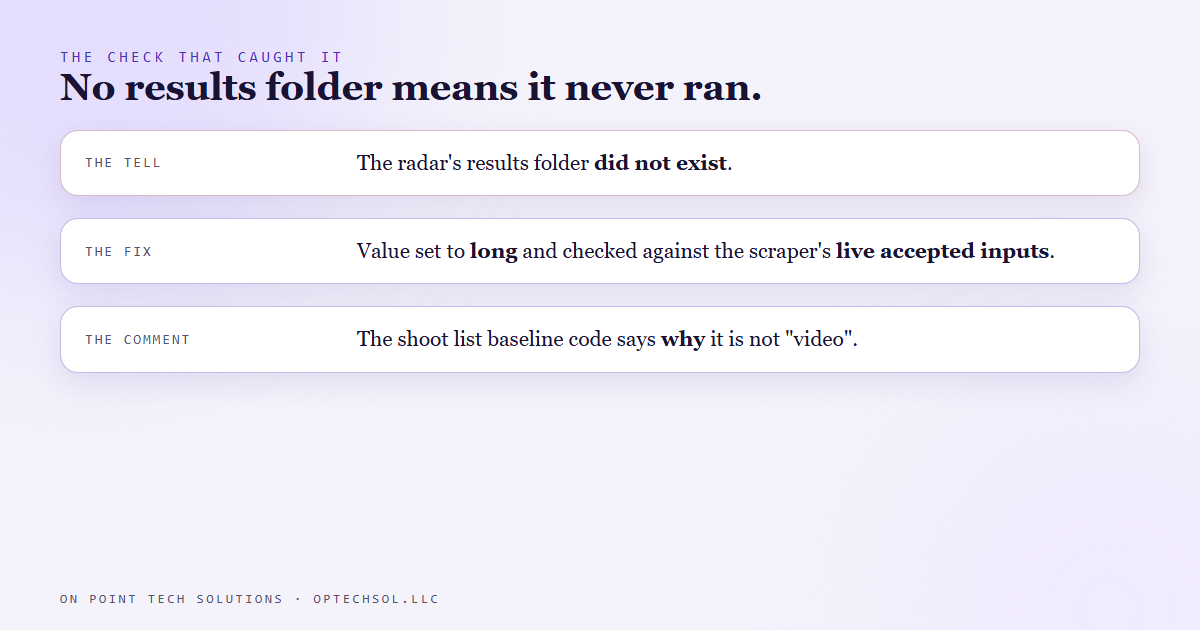
- The tell was simple. The folder the radar saves its results into did not exist. A tool that has shipped and has no results folder has never run.
- The instructions were fixed the same day and checked against the scraper's live list of accepted inputs. The scraper code our morning shoot list uses carries a comment saying exactly why the value is what it is.
Most businesses have a step in the onboarding checklist that has never worked. The login it points to was retired, or the form moved, and every new hire hits it, shrugs and skips it. Nobody fixes it because nobody owns it, and everyone assumes the next person will. We run Go High Level for businesses around the Bay Area, and in September we found one of those steps in our own written instructions.
What the radar was for
A lot of our content decisions come from watching what is working for other channels in our space. We are looking for topics, not videos to copy. When a video pulls far more than its own channel normally does, that usually says something about the topic and not only the creator.
So we wrote the radar as a set of instructions our AI system follows. Pull the recent videos from a list of channels through a scraper, work out each channel's normal, score every video against it, and write the outliers to a watchlist. The instructions included the exact command to send the scraper, written out so nobody had to remember it.
September 6
On September 6 we found the radar had never produced a watchlist. Not an old one, not an empty one. Nothing.
Running the documented command came back with a bad request. That was the whole message. No field named, no hint about what was wrong. An error like that sends you looking in the wrong places. Maybe the access key expired. Maybe the tool's name changed. Maybe the service is having a bad day.
It was none of those. The command asked for video type "video". The scraper's accepted values for that setting are "long" and "short", nothing else. Anything outside that list gets the same blank refusal. The instructions had said "video" since the day they were written.
The tell
The thing that settled it was not the error. It was a missing folder.
The radar saves its results into its own folder. That folder did not exist. If the radar had ever run successfully even once, the folder would be there. So this was not something that broke last week. It had never worked, from day one, and nobody had noticed because nobody had watched it succeed.
That is a cheap check, and we use it a lot now. Before you trust a documented process, look for the evidence it has ever produced anything. An output file, a log line, a record. No evidence usually means no runs.
The fix
The instructions were corrected that day, and the value was checked against the scraper's live list of accepted inputs, not against memory or an old example. The note in the instructions now says it outright: long or short, and nothing else.
The same scraper also feeds the weekly baseline behind our morning shoot list, and that code carries a comment right next to the setting: not "video", because an unknown value gets refused without naming the field. The next person who touches it does not have to rediscover any of this.
As we write this, the radar's own results folder still is not there. The weekly baseline is where that scraper actually runs now, and that one has its output on disk. We would rather tell you which part runs than imply the whole thing does.
The honest lesson
Written steps feel trustworthy because somebody took the time to write them, but that is not the same as somebody watching them work. Ours had a typo-sized mistake in it for its whole life, and the neat formatting made it look finished.
What this means for Bay Area businesses on Go High Level
Your account probably has a few of these. A workflow somebody built and published, a snapshot setup step from a course, an SOP your office manager wrote two years ago.
- For each workflow you rely on, open its enrollment history. A workflow with zero enrollments since the day it was built has never run, whatever its status says.
- Walk your own SOPs once, exactly as written. Do not fill in the gaps from memory. The step you have to improvise is the broken one.
- When a tool refuses with a vague error, check what you sent against what it accepts before you blame the login or the service.
- Give each written procedure an owner, and a date somebody last watched it work.
If you are running Go High Level in the Bay Area and have automations nobody has watched fire, start there. It is usually a short list.
Want to build this yourself?
Join the On Point Tech Academy at optechsol.llc/academy. It's free, and we build live every Tuesday and Thursday.
The On Point Tech Academy costs nothing and never asks for a card. We build live every Tuesday and Thursday, 12:30 to 1:30 PT.
Join the Academy free ← Back to all Field Notes