Key takeaways
- On September 14 our AI filled in a partner application in a browser it drives, with that browser's window hidden.
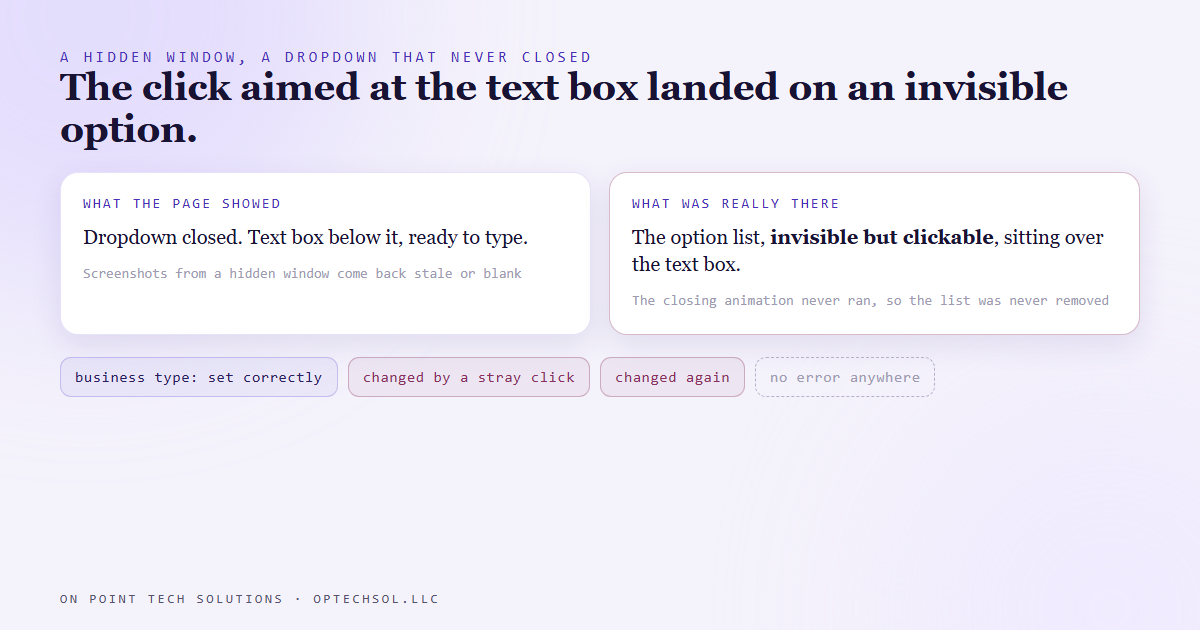
- A hidden window doesn't paint, so a dropdown that closes with an animation never finished closing. Its option list stayed invisible but still clickable, sitting on top of the text box below it.
- A click aimed at the text box landed on an option instead. The business type changed twice, with no error anywhere.
- Screenshots from a hidden window come back stale, so they couldn't show it either.
- The fix: fill fields below a dropdown without clicking, read every answer back as data after each touch, and check the whole form that way before anything gets sent.
A lot of what we build as a Go High Level Bay Area shop is software that fills things in for people. Contact records, intake forms, applications, settings pages. Some of it runs through an API. Some of it runs through a real browser, the same way a person would click through it, because that's the only door the form has.
On September 14 we were using that second kind. Our AI was filling out a partner application for us in a browser it controls. The browser window was hidden at the time, tucked behind everything else on the screen. That detail turned out to matter more than anything else on the page.
A form that looked right
The application had the usual pieces. Name, company, a few text boxes, and a dropdown asking what type of business we are. The AI picked the right answer from the dropdown, then moved on to the long text box right underneath it.
Everything reported fine. No errors. Every click landed on something.
Then we read the form's values back, and the business type was wrong. Not blank. Wrong. It had been set correctly, then changed to a different category, then changed again to a third one. Nobody had chosen those. And some of the typing meant for the text box had gone somewhere else entirely.
What the hidden window did
This part took us a minute. A browser window that's hidden doesn't draw anything. That saves power, and normally nobody cares.
But this dropdown closes with a little animation. The list fades or slides away, and only when the animation finishes does the list actually get removed from the page. In a hidden window the animation never runs. So the list never finished closing.
It wasn't visible. It was still there. Still sitting on top of the text box below it, and still accepting clicks. So when the AI clicked where the text box was, the click hit an option in a list nobody could see. The dropdown did exactly what a dropdown does when you click an option. It changed its answer.
There was no error, because nothing failed. Every part of the page did its job, and the click just landed on the wrong thing.
Why screenshots couldn't catch it
The obvious check is to take a picture and look. Most people would trust that, and we would have too.
It doesn't work here. The same reason the animation never ran means screenshots from a hidden window come back stale or blank. You get a picture of what the page looked like earlier, or nothing. The screen was never going to show the problem, because the screen wasn't being drawn.
So the screen is not the record. What the form will actually send is the record, and you have to read that directly.
What we changed
Three rules now, for anything our AI fills in through a browser.
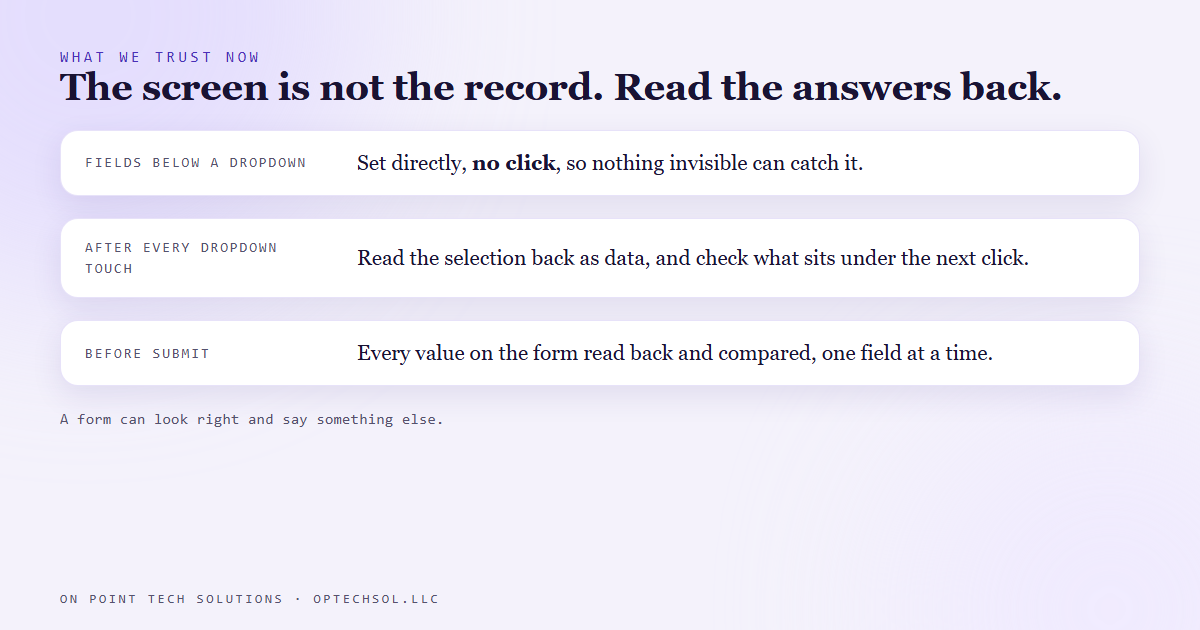
Fields that sit below a dropdown get set directly, without a click. No click means nothing invisible can catch it.
After every dropdown touch, the AI reads the selection back as data, not as a picture. It also asks the page what's actually sitting under the spot it's about to click. If something invisible is sitting on top, it doesn't click there.
And before anything gets submitted, every single value on the form gets read back and compared against what we meant to send. One field at a time, as data, not as a picture.
The lesson we are keeping
A form can look right and say something else. The dangerous version isn't the form that errors out. It's the one that quietly holds a different answer than the one you gave it, and sends that.
That's true whether a program fills it in or a person does. Autofill does it. A phone that scrolls the page while you tap does it. A tired assistant does it on the fortieth form of the day.
What this means for Go High Level Bay Area businesses
Your business fills in forms all the time. Vendor applications. Insurance quotes. Directory listings. Your own intake forms, filled in by your team on a customer's behalf. And more and more of that is being handed to software, or to someone you delegate it to.
If nobody reads the finished form back before it goes, you're trusting that every click landed where it was aimed.
Three things worth doing this week:
- Pick one form your team fills in often, like a new customer intake or a quote request. Have someone read the submitted record back against what the customer actually said, field by field, for the last five.
- If you've handed form entry to an assistant, a VA or an automation, add a read back step before submit. A quick summary of every value, checked by a second set of eyes.
- Watch the dropdowns. Business type, service category, lead source. They're the fields most likely to change quietly, and they're often the ones your automations sort on.
For Go High Level Bay Area businesses, the forms that feed your CRM decide what happens next. A wrong category sends a lead down the wrong follow up. Reading it back takes a minute, and it's the only check that looks at the real answer.
Want this built for you
We build automations that check what they entered before they send it. Start at optechsol.llc.