
Key takeaways
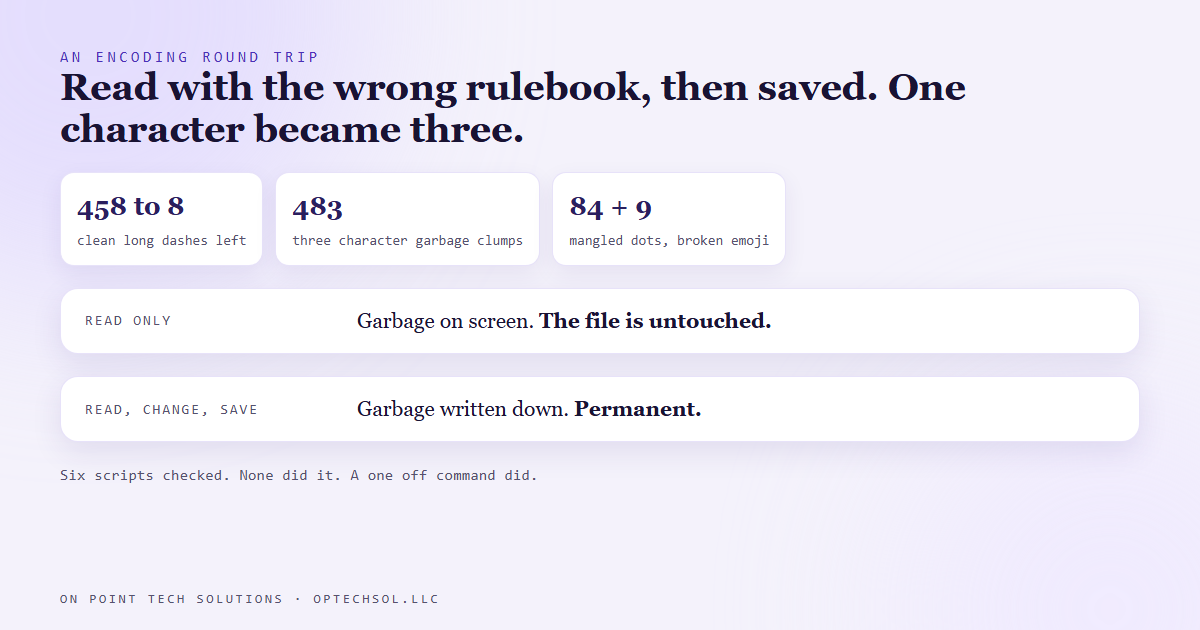
- The file every one of our automations writes its approval requests to came back from a routine edit full of garbage: 483 three character sequences where dashes used to be, 84 mangled dots and every emoji marker broken.
- It's a classic text encoding round trip. The file was read as one encoding and saved as another, so each special character turned into three.
- None of the six scripts that touch the file did it. A one off command typed during a working session did.
- One row held both damaged and clean text. Its original part was written before the bad save and its update after, so that row gave us the time window.
- Garbage on your screen doesn't prove the file is damaged. Only a read, change and save makes the damage permanent.
Nothing we send to customers or post in public goes out without a yes. Every automation that stages something, like a post, an email or an ad, adds a row to one approval file. Each row names what's waiting and where the draft lives. I approve or reject from a dashboard, and the automations read the answer on their next run.
So that file might be the most important one we have. On August 19 we went to save a batch of changes and compared the file to its last saved version. The comparison was a mess.
What the damage looked like
The saved version had 458 clean long dashes in it. The working copy had 8. In place of the rest were 483 little three character clumps that start with an accented a. The dots we use as separators were mangled, 84 of them. And all 9 emoji markers in the file were broken.
If you've ever imported a contact list and seen José turn into José, you've seen this exact thing.
Text files store special characters as several bytes. A long dash takes three. Read those bytes back with the wrong rulebook, an older Windows encoding, and each of the three shows up as its own separate character. Save the file now and those three wrong characters get written down for real. One dash becomes a three character clump, permanently.
Who did it
Our first guess was one of the automations. So we checked all six scripts that touch the file, plus the dashboard that records approvals. Every one reads and writes the file with the correct encoding, stated explicitly. None of them could have done it.
That left a one off command, typed during a working session to make a quick edit. That kind of command reads the file with the machine's default encoding unless you tell it otherwise. That's the wrong one.
But which session? We looked back through our session history and found one from August 14 with garbage all over its output. It looked guilty. It wasn't. The saved copy from August 18 was still clean, days later.
Reading a file carelessly shows you garbage on screen and leaves the file alone. Only a read, change and save makes it stick. Search your history for garbled output and you find every session that looked at the file wrong. That's a different list from the one that wrote to it.
The row that gave us the timestamp
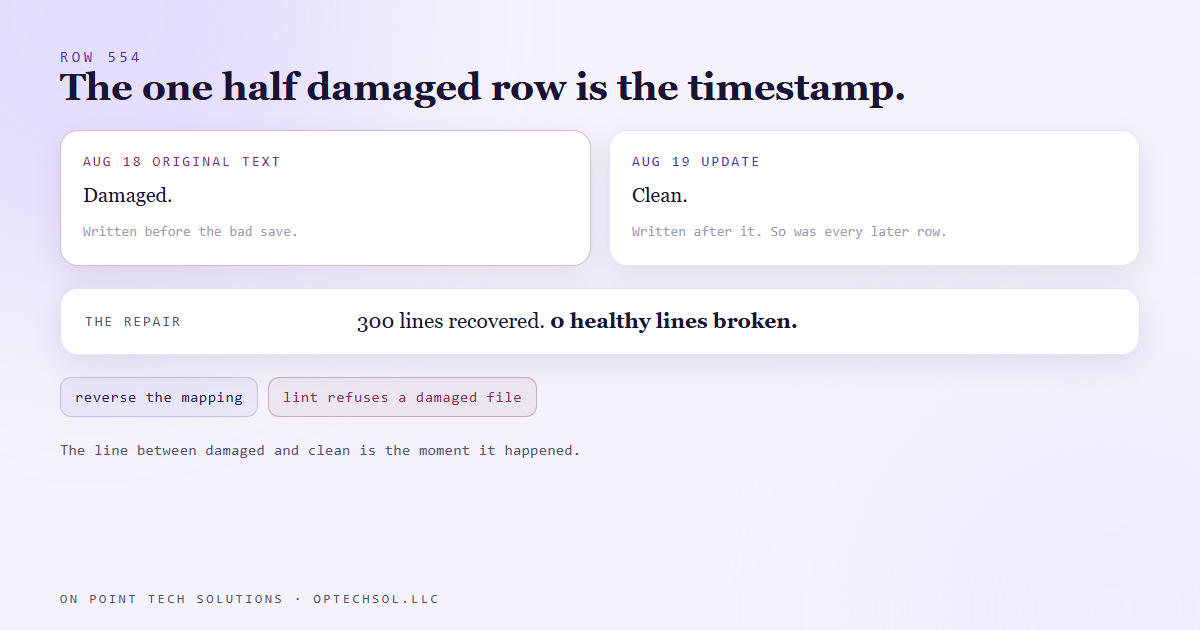
The answer was in the file itself. Row 554 was the only row in the file that was half damaged.
Its original text, written on August 18, was full of garbage. An update added to the same row on August 19 was perfectly clean. Every row added after that was clean too.
So the bad save happened after the original text was written and before the update. That's between the August 18 nightly build and the August 19 edit to row 554. A row that's partly damaged is a timestamp, and the line between damaged and clean is the moment it happened.
The repair, and the check that now runs first
Undoing it is mechanical. Reverse the mapping, and each three character clump turns back into the character it came from. A few rarely used byte values need special handling or the emoji stay broken.
What made it safe to automate was a check. Every line that already matched the last saved version had to match afterwards too. If the repair touched a healthy line, it failed. On the real run it recovered 300 lines and broke none.
Then we made sure it couldn't happen quietly again. Our approval lint runs before any automation adds a row, and it now refuses the file if it finds any of those garbage sequences. We tested it both ways. It fails on the damaged copy and passes on the repaired one. A damaged file gets stopped before new rows pile on top of it.
We found one more thing while we were in there. The dashboard's approve button was rewriting the line ending on every single line whenever it saved one decision. That buried each real change inside a whole file difference. It now keeps the file's own line endings.
What this means for your Go High Level San Jose setup
The version of this that costs local businesses money is contact imports. Someone exports customers from an old system, opens the file in a spreadsheet, fixes a few rows and saves it. Every name with an accent comes out garbled. Then it gets imported into the CRM, and José gets a text that opens "Hi José".
Three things worth doing this week:
- Search your CRM contacts for "Ã". If anything comes back, those names came through a bad save somewhere, and every message to them is going out garbled.
- Keep the untouched original of every export. If the cleaned copy is damaged, the original lets you redo it instead of guessing at the repair.
- Before a big import, check one name with an accent in the file and again in the CRM afterwards. It takes thirty seconds.
For a Go High Level San Jose business with a customer list full of Spanish and Vietnamese names, that thirty seconds is the difference between a personal text and one that looks like spam.
Want this built for you
We build systems that check the files they depend on before they trust them. Start at optechsol.llc.