
Key takeaways
- On September 28 one of our scheduled writers couldn't save its work. A lock file said another process was in the middle of saving.
- Every automation here follows a careful rule: never touch a lock another session might own. So it refused and reported.
- The lock was about a day old and nothing was holding it. Something had died mid save and left it behind, and it had quietly blocked every save since.
- The error for a dead lock and a live one is word for word the same. And a live lock is an empty file too, so size proves nothing.
- The fix is two checks before deciding: how old the lock is, and whether anything that could own it is running. Only when both say dead does it get removed.
Most of the work in our system gets saved by software, not people. When we set up automations as a GHL consultant Bay Area businesses bring in, a lot of the finished work lands in files: posts, drafts, reports, notes. Our own setup works the same way. A fleet of scheduled jobs writes its work to one shared record, and every save goes through the same tool.
That tool has a simple safety feature. While something is saving, it drops a small lock file that says "busy, wait your turn." When the save finishes, the lock goes away. Nobody else writes while it's there.
A save that kept refusing
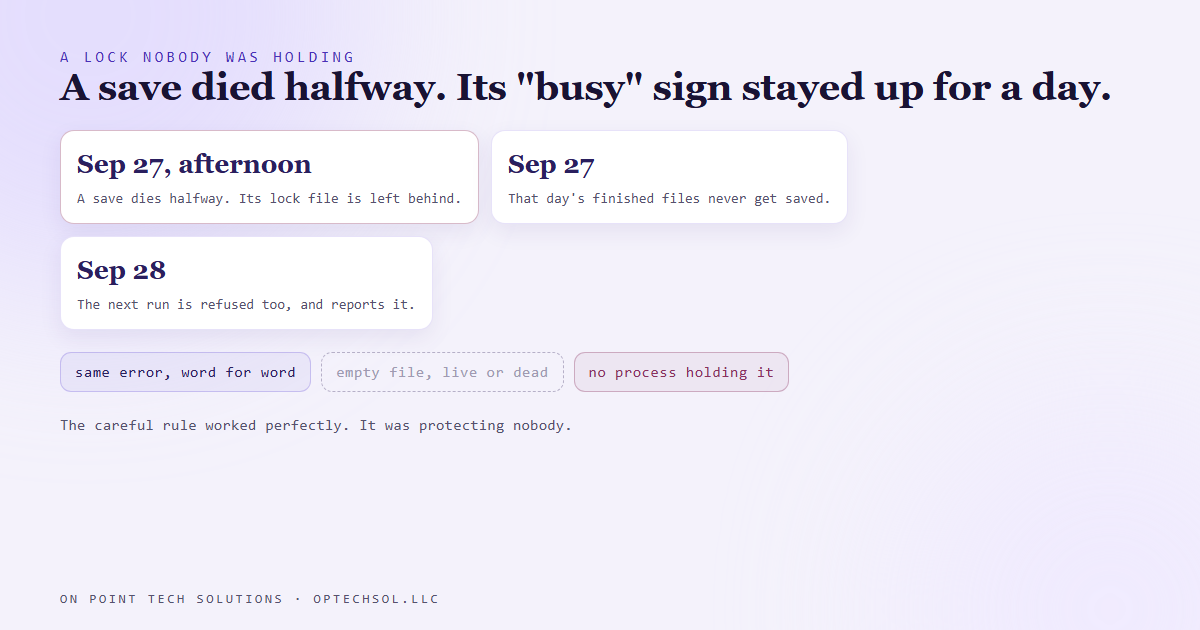
On September 28 one of our scheduled writers, the job that publishes posts to our review card shop's blog, finished its work and went to save it. The save refused. The message said another process seemed to be running, and to try again once it was done.
Every automation here follows the same rule for that moment. We often have more than one working session open on this system, and the scheduled jobs write to it too. So if a lock is there, you assume someone else owns it. You don't touch it. You report and back off.
That's exactly what the job did. It refused, reported, and left.
Then we noticed something else. The previous day's finished files from that same job were still sitting there unsaved. It hadn't just failed today. It had failed yesterday too, and nobody had seen.
Nobody was holding it
We looked at the lock itself. It was about a day old. And nothing was running that could possibly own it.
Something had died in the middle of a save the afternoon before. When a process dies like that, it never gets to its last step, which is removing the lock. So the lock stayed. A "busy" sign on a door with nobody behind it.
And every careful job that came along after saw the sign, followed the rule, and walked away. The rule was working perfectly. It was just protecting nobody.
Why the rule couldn't tell the difference
The trouble is that the error message for a dead lock and a live one is exactly the same. Word for word. Nothing in it tells you whether someone is actually mid save or left a day ago.
The obvious shortcut doesn't help either. You might think a leftover file would look different, bigger or broken or something. It doesn't. A live lock is an empty file too. Checking the size proves nothing.
So a job that follows the safety rule is right when the lock is live and wrong when it's dead, and on the message alone it can't know which one it's looking at.
Two checks, then a decision
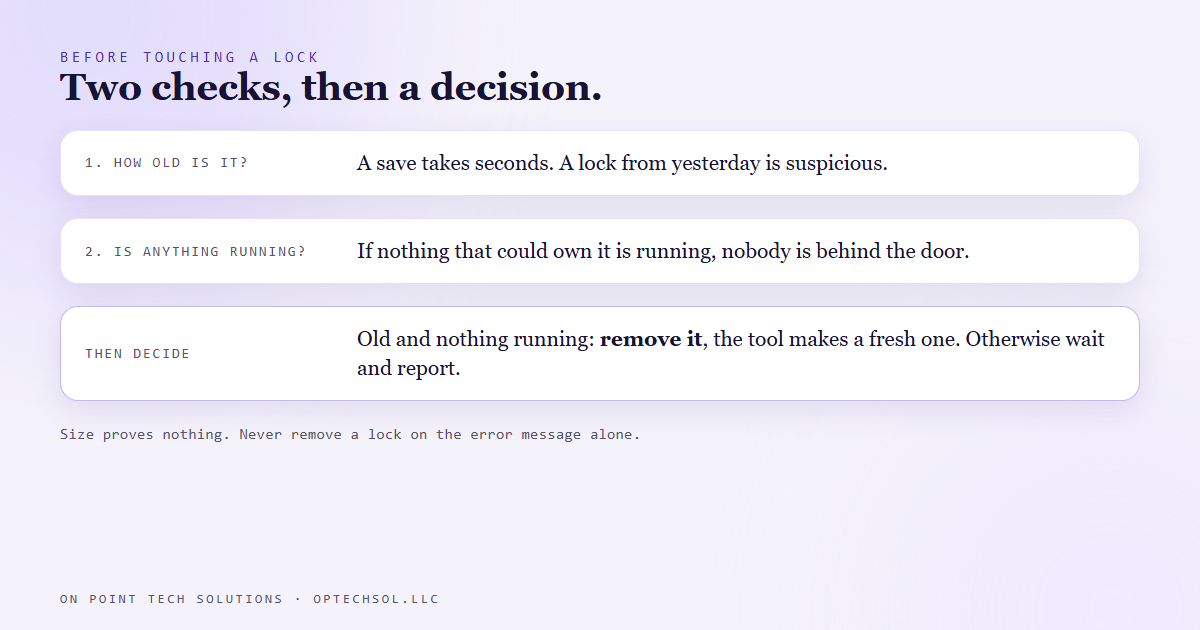
Now we check two things, in order, before anything else.
First, how old is the lock? A save takes seconds. A lock from a few seconds ago is probably real. One from yesterday afternoon is suspicious.
Second, is anything running that could own it? If the saving tool isn't running anywhere, nobody is behind the door.
Only when both say dead, old lock and nothing running, does it get removed. That's safe, because the tool simply makes a fresh lock the next time it saves. If anything is running, or the lock is fresh, we wait and report instead. Never remove it on the message alone.
The lesson we are keeping
A safety rule that's right most of the time can still be wrong in a way that looks exactly like it's working. "Don't touch the lock" was the correct call. It just needed a second question: is anyone actually there?
And a failure that only shows up as a polite refusal can sit for a day. The job reported the refusal. Nothing pointed out that it was the second day in a row.
What this means when you hire a GHL consultant in the Bay Area
You've probably met the everyday version of this. The shared spreadsheet that says someone else is editing it, when that someone closed their laptop hours ago. The record in your CRM that says it's being worked by a teammate who left at noon. The file on the office server you can only open read only.
Most people either wait forever or force it open and hope. Neither is great.
Three things worth doing this week:
- Next time something says it's locked or in use, check who and since when before you force it. If it's been hours and they're gone, it's a leftover. If it's been two minutes, message them first.
- Look at any automation that "skips if busy." Find out whether it tells anyone when it skips, and whether it would notice skipping two days in a row.
- Ask whoever runs your systems what happens when a job dies halfway through. Does it clean up after itself, or does it leave a sign on the door?
A good GHL consultant Bay Area owners can rely on builds automations that are careful, and also knows when careful has turned into stuck.
Want this built for you
We build automations that check whether a warning is still true before they obey it. Start at optechsol.llc.