
Key takeaways
- Sometime between August 13 and August 15, five of our recurring jobs vanished from the list that tells our desktop app what to run. Nobody asked for that.
- Each job's instructions were still sitting on disk, untouched. Only the entry that said "run this" was gone.
- The timing lines up with an app update that shut the app down overnight and never reopened it.
- It looked exactly like our other known cause of a quiet pipeline, stuck sessions holding every slot. The fix was the opposite: register the job again, don't clear sessions.
- Know where your automations are switched on, not only where they're written down.
A lot of what we run at On Point Tech runs on a schedule. A desktop app on our machine keeps a list of recurring jobs, and each one points to a folder of written instructions. At the set time, the app starts the job, the job reads its instructions, and it does the work. That's most of what marketing automation San Jose businesses picture when they picture it: set it once, it just runs.
Which is great until something quietly stops running and nothing tells you.
Five jobs gone quiet
In mid August, five jobs went silent at once. The one that watches for new long form videos I drop in a folder. The daily job for our shop's ads. Another video watcher. The pre-call research that writes up a new website lead before I call them. And the weekly commission report.
No errors. No failed runs. No angry log lines. They just stopped showing up.
We have a known cause for that exact symptom. Sometimes sessions get stuck, hold every slot the scheduler has, and new jobs can't start. When that happens you clear the stuck sessions and the jobs come back on their own. So that was the first suspect.
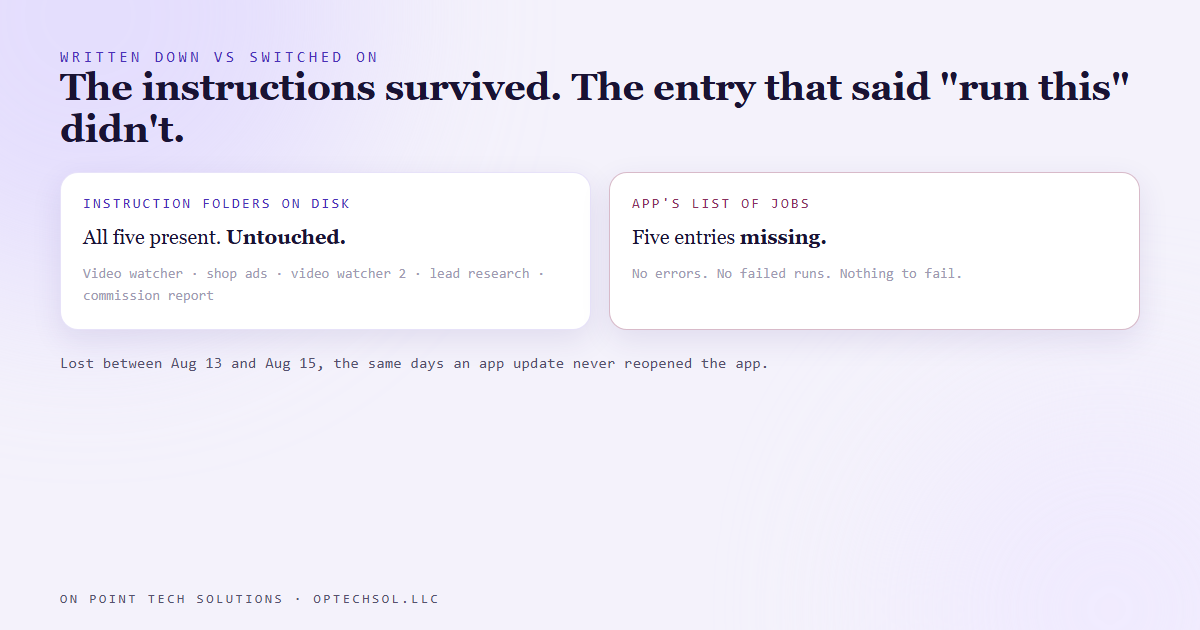
It wasn't that. When we checked the list of registered jobs, those five weren't on it. Not paused, not failing. Just not there.
The instructions survived, the switch didn't
Here's what made it strange. Every one of the five jobs still had its instruction folder, exactly as we'd left it. The work itself was fully written down. The only thing missing was the line in the app's registry that says "run this one, at this time."
We never deleted anything. But around the same days, the app had quit itself overnight to install an update and didn't reopen. We'd already found that problem and built a watchdog for it. Our best read is that the same update lost those five entries on the way through. It lines up, but we can't prove the exact mechanism, so that's as far as we'll claim.
What we can say is what it cost. The video watcher missed a video I'd dropped in. New website leads went about six days without their research, so I'd have been calling people cold. And the weekly commission sweep skipped a week.
Same symptom, opposite fix
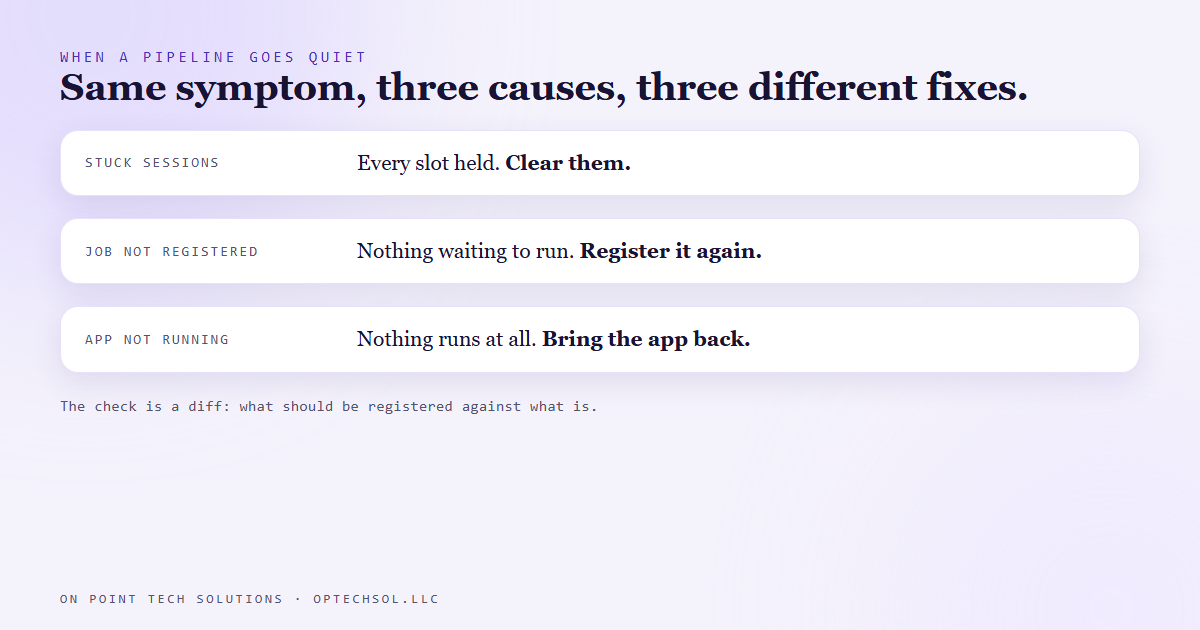
This is the part worth remembering. From the outside, "stuck sessions" and "job no longer registered" look identical. Nothing moves, nothing errors. But the fixes point in opposite directions.
Stuck sessions? Clear them. The jobs are still registered and will run once there's room.
Missing registration? Clearing sessions does nothing, because there's no job waiting to run. You have to put the job back on the list.
So now when something goes quiet, the check is a comparison. What should be registered, against what actually is. Every instruction folder on disk should have a matching entry in the app. A folder with no entry is a lost job. Before re-adding one, we check our decisions log, because a few jobs were switched off on purpose and should stay off.
We also stopped relying on memory for what should be running. There's now one file that declares every automation we expect to be live, and a morning check compares it against what really ran.
The lesson we are keeping
A quiet pipeline has more than one cause, and they wear the same face. If you only know one of them, you'll apply the right fix to the wrong problem and wonder why nothing changed.
And written down isn't the same as switched on. Having the instructions for a job doesn't mean anything is running it.
What this means for marketing automation in San Jose
Your business probably has automations switched on in more places than you think. A follow up sequence in your CRM. A review request after every job. A reminder text before appointments. A report someone set up once and you stopped reading.
Any of those can quietly stop. A tool update, a plan change, a login that expired, a teammate who turned something off to test it and forgot. Usually nothing tells you.
Three things worth doing this week:
- Make a list of every automation your business depends on, and where each one is switched on. The tool, the account, and who has access.
- For each one, find the last time it actually ran. Not the last time someone edited it. If you can't tell, that's the first thing to fix.
- Pick the two that would hurt most if they stopped, like lead follow up or appointment reminders, and set a simple weekly check that they fired.
For marketing automation San Jose businesses rely on, the question isn't only "is it built?" It's "is it on, and how would I know if it wasn't?"
Want this built for you
We build automations with a record of what should be running and a check that it did. Start at optechsol.llc.