
Key takeaways
- A job that had run clean every morning for weeks stopped finishing. It had done all of its real work correctly and simply never returned.
- The cause was one line in its own log. The tool it calls fetches itself on demand, a newer version appeared, and the install prompt waited forever for a console nobody was sitting at.
- From the outside it was indistinguishable from the thing it publishes being broken, which is why it cost hours of looking in the wrong place.
- Three recorded instances. On one of them the stalled process was still sitting there nine hours later, and the next scheduled run died behind it.
- The rule: an unattended process must never be allowed to install anything, and a run that stops between its last log line and its end line did not finish quietly. It stopped.
One of our smaller automations exists so our blog keeps working when the platform it lives on has a bad day. Every morning it rebuilds a standby copy of the article list and pushes it to the site. If the live feed breaks, which it has, readers never notice.
It ran cleanly every day for weeks. Then one morning three newly published posts were not reachable on the site, and the obvious suspect was the posts. Bad publish, broken record, wrong setting. We spent a while there.
What the log actually said
The job was still running. Not crashed, not exited with an error. Running, fifty minutes after it started, on a task that normally takes well under a minute.
Its log told a clean story right up to the point it stopped. It had read the list of published articles, found all three new ones, built the standby file correctly, and reached the line where it pushes the result live. After that, nothing. No error, no completion. It had used less than a second of processor time in fifty minutes, which is the signature of something waiting rather than something working.
The answer was in the previous day's log, one version number apart. The day before, the publishing step had run one release of its tool. A manual run that morning printed a line nobody had ever needed to read before: the following package was not found and will be installed.
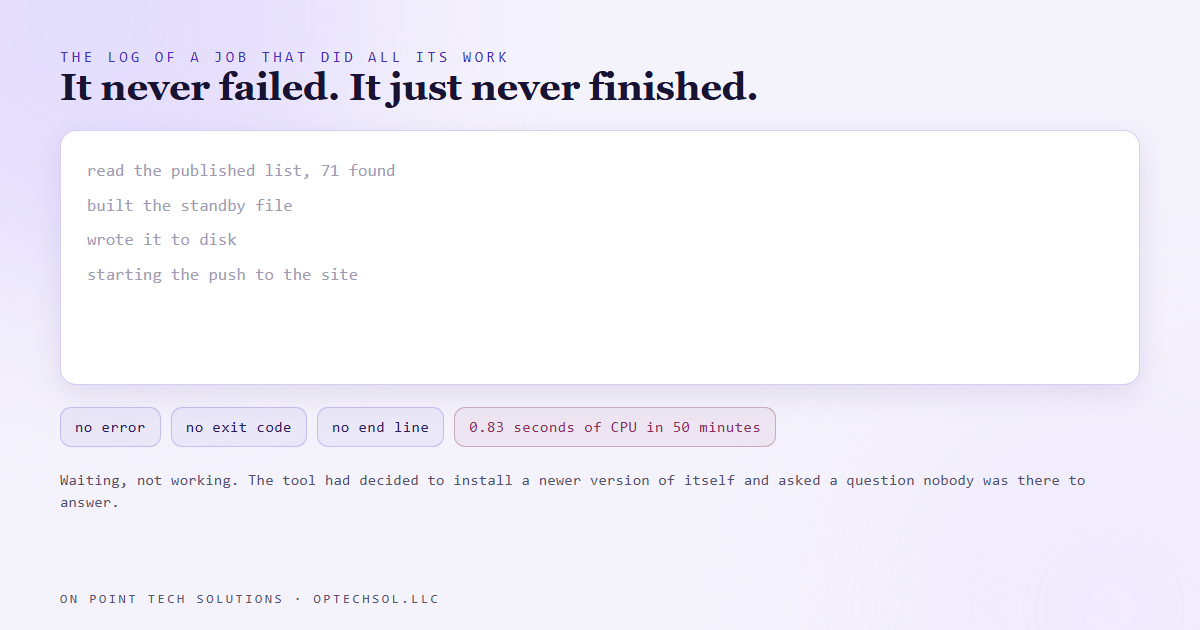
That is the whole bug. The command we call does not use a fixed copy of its tool. It fetches whatever the current version is, on demand. A new version had been released, so instead of doing the job the command decided to install something first, and installing something asks a question. With a human in front of it you press a key and move on. On a scheduled task with no console attached, the question is asked into an empty room and the process waits for an answer that is never coming.
Why it was so hard to see
Three things stacked, and each one is worth recognising on its own.
The job did its actual work correctly and every check it makes passed. Read its log from the top and it looks like a success right up until it simply ends, and the absence of a final line is not something the eye catches.
The symptom appeared somewhere else entirely. The visible problem was articles not loading on a website, which sends you to the website, the articles, and the platform hosting them. Nothing about that points at a scheduled job on a desktop machine.
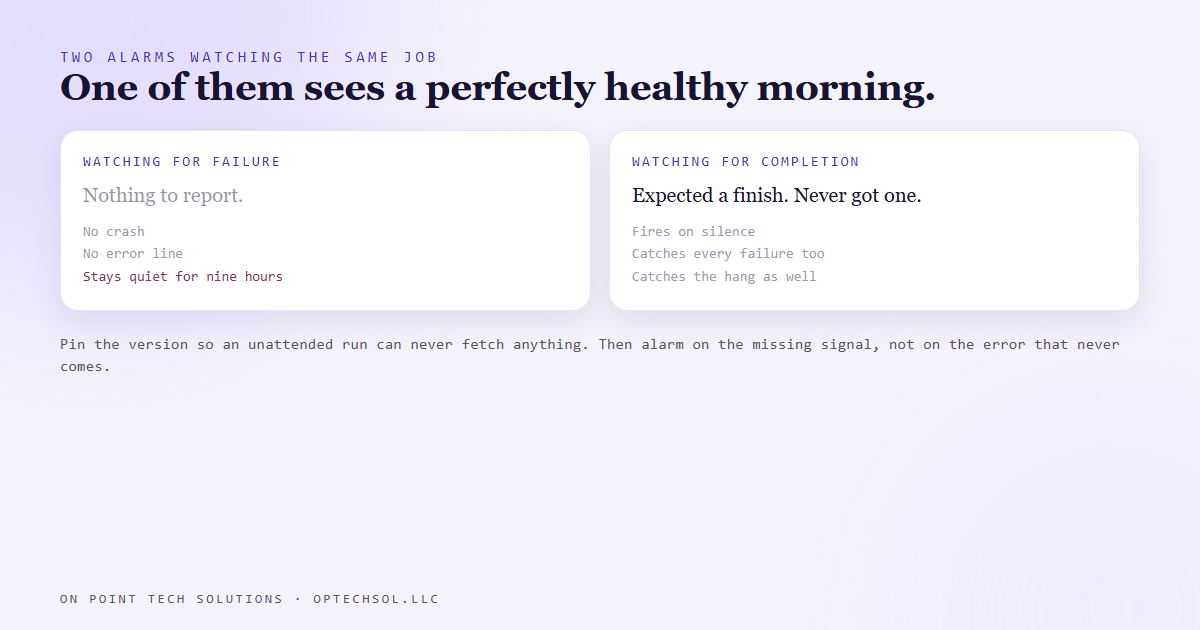
And it was quiet in every place designed to catch noise. There was no failure to alert on. No error code, no crash, no exit status. A monitor watching for failures sees a job that has not failed. A monitor watching for completions would have caught it, and that is not the monitor most people build first.
The cost was real. On one of the three instances the process was still hung nine hours later, the next scheduled run died behind it, and the site had spent that whole time serving an older list. Nine articles were invisible to readers, not just the three published that morning.
The fix, and the honest status of it
The repair is small and boring. Name the exact version of the tool in the command, so the runner can never decide to fetch a different one during an unattended run. There is a second belt for it, which is telling the runner to answer any install prompt automatically instead of waiting.
Being straight about where this sits: the incident is documented three times, the fix is one short edit, and as of writing that edit has not been made. It is on the list rather than in the file. Writing up a bug and quietly implying it is closed is what this blog is not for.
The general lesson is the part that transfers. Anything running without a human in front of it should be pinned to a fixed version of every tool it uses, and should never be in a position where installing something is a reasonable thing for it to try. Convenience features built for a person at a keyboard turn into a hang when there is no keyboard.
This is the same family as an earlier bug in the same job, where its own logging collided with a cleanup step and a run that had worked perfectly reported failure. In both cases the work was fine and the finish was not, which is a category most alerting ignores.
What this means for your business
You do not need to run scheduled jobs to use this. If any part of your marketing runs on a timer, a nightly report, a review request, a reactivation campaign, ask one question about it: how would you know if it stopped?
For most small businesses the honest answer is that they would notice when a customer mentions it, which is weeks. The cheap fix is a completion check rather than a failure check: something that expects a signal every day and complains when it does not arrive. A silence alarm catches everything a failure alarm catches, plus the whole category of things that break by not finishing.
That is a small piece of a bigger habit, and it is the one we would push hardest on with any Go High Level Bay Area business relying on automation it cannot see running.
Want this built for you
We build websites, CRM systems and automation for small businesses, and we build the alarms that tell you when they stop. Want to build this yourself? Join the On Point Tech Academy. It's free, and we build live every Tuesday and Thursday.
The On Point Tech Academy costs nothing and never asks for a card. We build live every Tuesday and Thursday, 12:30 to 1:30 PT.
Join the Academy free ← Back to all Field Notes