
Key takeaways
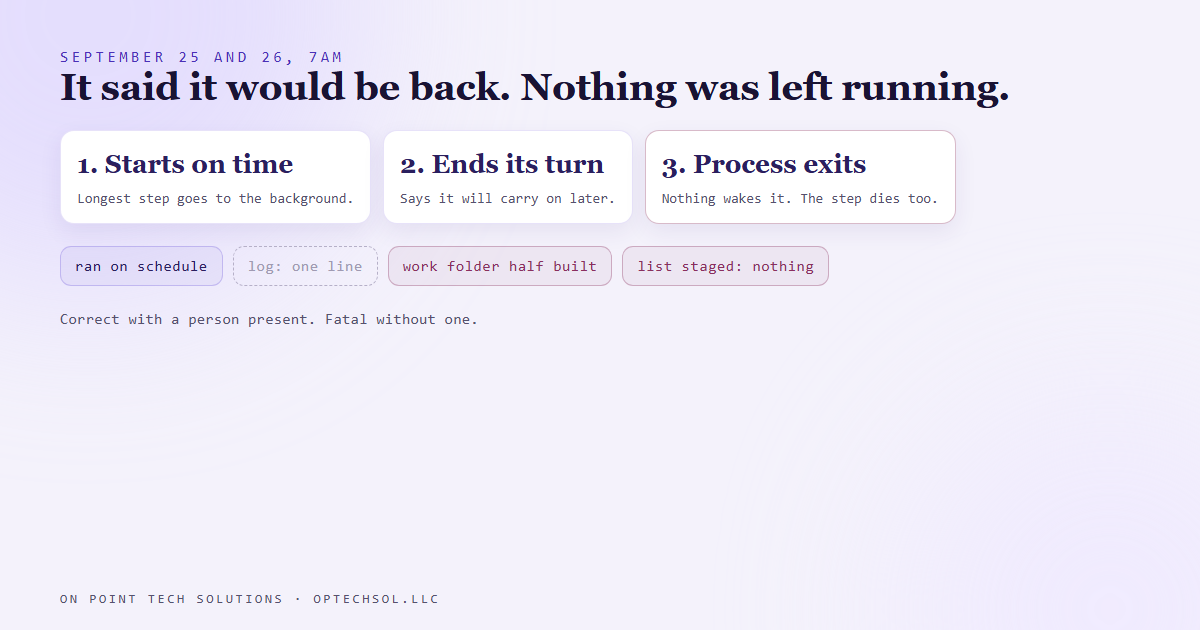
- On September 25 and 26 the job that stages our morning cold text list ran on schedule and staged nothing, both days.
- Each run's log was a single line. One said it would continue when a step finished. The other said it would get a notification when a check finished.
- The job runs unattended. It pushed its longest step into the background and ended its turn to wait. With nobody attached, nothing ever wakes it back up, so the process exited and took the background step with it.
- All that was left was a half built work folder.
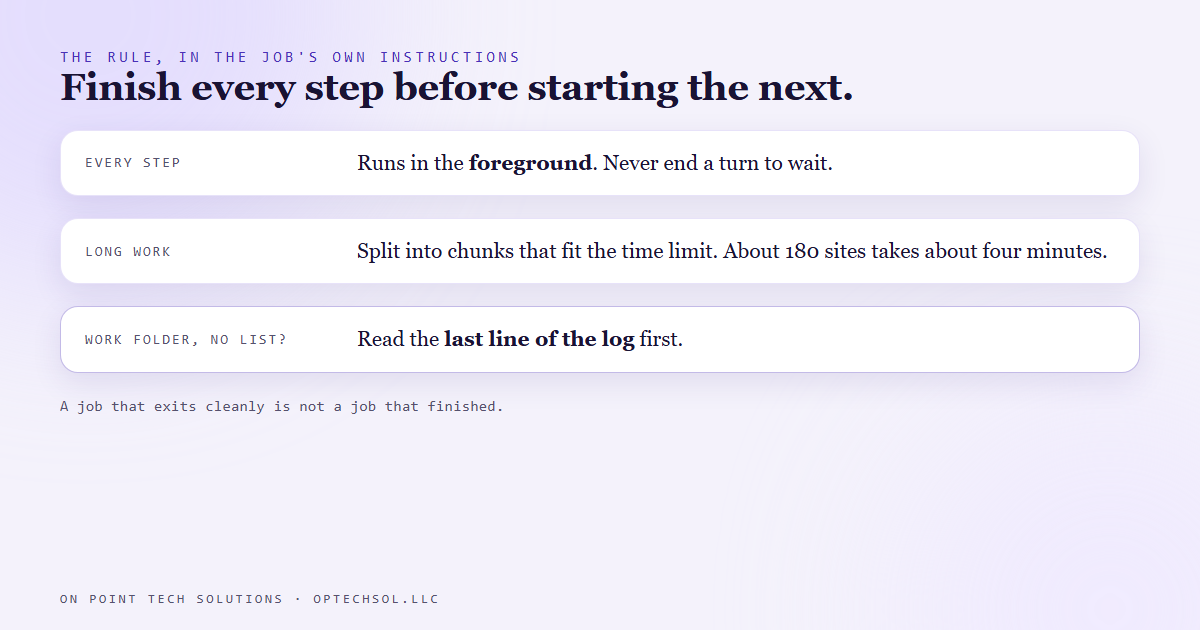
- The fix is a rule written into the job's own instructions: every step runs in the foreground, and long work gets split into chunks that each fit under the time limit.
A lot of the marketing automation San Jose businesses ask us for comes down to one idea: the work should happen whether or not anyone is at their desk. We run our own business that way. A set of scheduled jobs does the prep work early in the morning so the day starts with things ready.
One of those jobs builds our morning outreach list. At 7am it picks fresh local businesses, checks each one against our CRM, looks at their website, and stages a short list of first texts for approval. Nothing sends until a person says yes. The job only gets the list ready.
On September 25 it ran on time and staged nothing. On September 26 it did the same.
A log with one line in it
Neither run failed. There was no red light and no error. The job started on schedule, ran, and finished.
So we opened the logs. Each one was a single line. The first day's said a pass over the websites was still rendering and it would continue when that was done. The second day's said it would get a notification when the CRM check finished.
That was the whole record of each morning. The job had politely said it would be back, and then it stopped.
Next to each log was a work folder, half built. The first files were there. The finished list was not.
Why it works with a person and dies without one
The job is run by an AI assistant following written instructions. When we use that same assistant at a desk, it has a perfectly good habit. If a step is going to take a few minutes, it starts the step in the background, says it will pick things up when the step finishes, and hands the conversation back. When the step is done, the system nudges it and it carries on. That's good manners when a person is sitting there.
The scheduled version has no person and no conversation to hand back. It gets one turn. When the turn ends, the program exits, and when the program exits, everything it started goes with it. That includes the background step it was waiting on.
So the assistant did the thing that's correct with a person present. It started the slow step in the background, said it would be back, and ended its turn. In that mode, ending the turn ends everything. The notification it was waiting for was never going to be sent, and nothing was still running to receive one anyway.
It never crashed. It left for the day in the middle of the job, and the note it left sounded like a promise.
What we changed
The fix is a rule, and it lives in the job's own instructions where the assistant reads it every morning. Never run a step in the background. Never end your turn to wait for one. Every step runs in the foreground, start to finish, before the next one begins.
The slow step was a browser pass over the candidate websites. A pass over about 180 sites takes about four minutes, which fits comfortably inside the time limit a single step is allowed. Anything bigger gets split into chunks that each fit under that limit. That means more steps, and each one actually finishes.
We also wrote down how to spot it next time. When a run leaves a work folder but no finished list, read the last line of its log first. If that line reads like someone promising to come back, this is what happened.
The lesson we are keeping
The same instructions can be right in one setting and fatal in another. Starting a slow step and checking back later is efficient when someone is around to be checked back with. With nobody there, the same move means the work gets dropped.
And a job that exits cleanly is not a job that finished. We already check what our jobs produce, not only whether they ran. This one added a smaller habit: when the output is missing, the last thing the worker said usually tells you where it stopped.
What this means for marketing automation in San Jose
You've had the human version of this happen. Someone on your team says they'll get back to you when the quote is ready, when the supplier calls, when the customer replies. Then their shift ends, or they go on vacation, or they move to another job site. The promise was sincere. Nobody was left holding it.
For a local business that's usually a lead. The customer who was told they'd get a call back with a price, and didn't. They don't complain. They call the next company on the list.
Three things worth doing this week:
- Look for any task in your business that ends with "I'll follow up when I hear back." Ask who picks it up if that person is out tomorrow. If the answer is nobody, put it in the system as a task with a date, not in someone's head.
- For anything automated, check the output, not the status. Did the list get built? Did the text go out? A job can report that it ran and still have produced nothing.
- If you use an AI assistant for unattended work, test it unattended. What it does while you're watching is not always what it does at 7am alone.
The marketing automation San Jose owners actually get value from is the kind that finishes the job with nobody watching. If it waits on someone who isn't there, it hasn't done the job.
Want this built for you
We build follow up systems that finish what they start, and we hand you the keys. Start at optechsol.llc.