
Key takeaways
- We needed an old domain to send its visitors to a new address. The CRM platform turned out to have a native redirect feature that does it with no DNS change and no deploy.
- It does a proper permanent redirect and keeps query strings, so tracking links survive. What it will not do is send one old page to a different new page.
- Every rule covers the whole hostname, and the path of each request is always added to the end of the target. We tried sixteen other settings for that behaviour. Every one was refused.
- That is a limit that decides your design, not one you work around. The fix for an old page that has no match belongs on the destination site.
- Our own probe script said all sixteen settings were accepted the first time we ran it. Check what actually came back, not whether your script complained.
Retiring a domain sounds like a five minute job. A business moves its pages somewhere new, the old address still sits on business cards, old emails and search results, and you want every one of those visitors to land in the right place.
The usual answer involves the DNS provider, a hosting account, or a small redirect server somebody has to remember exists. On a recent build we found a cleaner option inside the CRM platform the old site already ran on: a URL redirects feature that can be written through the API.
We tested it against the live hosts before trusting it. Most of what we found was good news. One piece of it changed the plan.
What the redirect does well
It is a real permanent redirect. Not a page that refreshes itself after a second, and not the new site squeezed into a frame. Search engines care about that difference, because a permanent redirect tells them the address has moved for good.
Query strings come along. A visitor arriving on a link with tracking tags on the end lands on the new address with the same tags still attached, so the campaign reporting keeps working.
And the target can carry a path of its own. You are not limited to sending everything to a home page. You can send it to a specific section of the new site.
The rule you cannot change
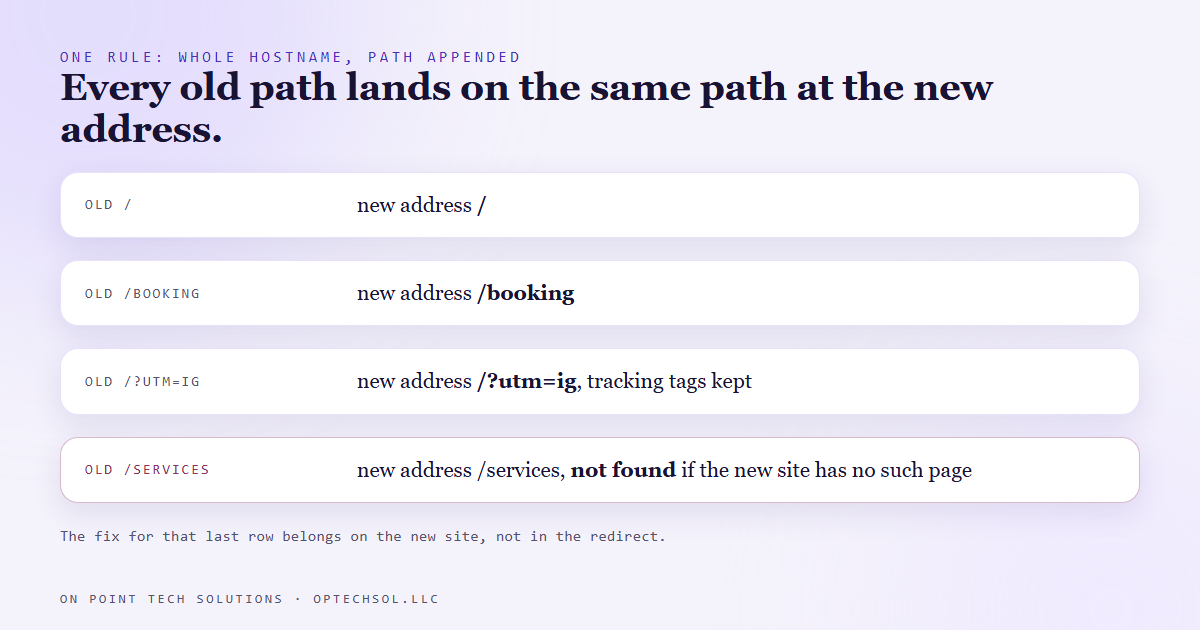
Here is the part that decided everything else. Every request path is added to the end of the target. A visitor to the old booking page goes to the new address with the booking path on the end. A visitor to the old about page gets the about path.
That sounds like a detail until you want the opposite: the old services page going to a new page called what we do. One old path to one different new path, the most common request in any site move.
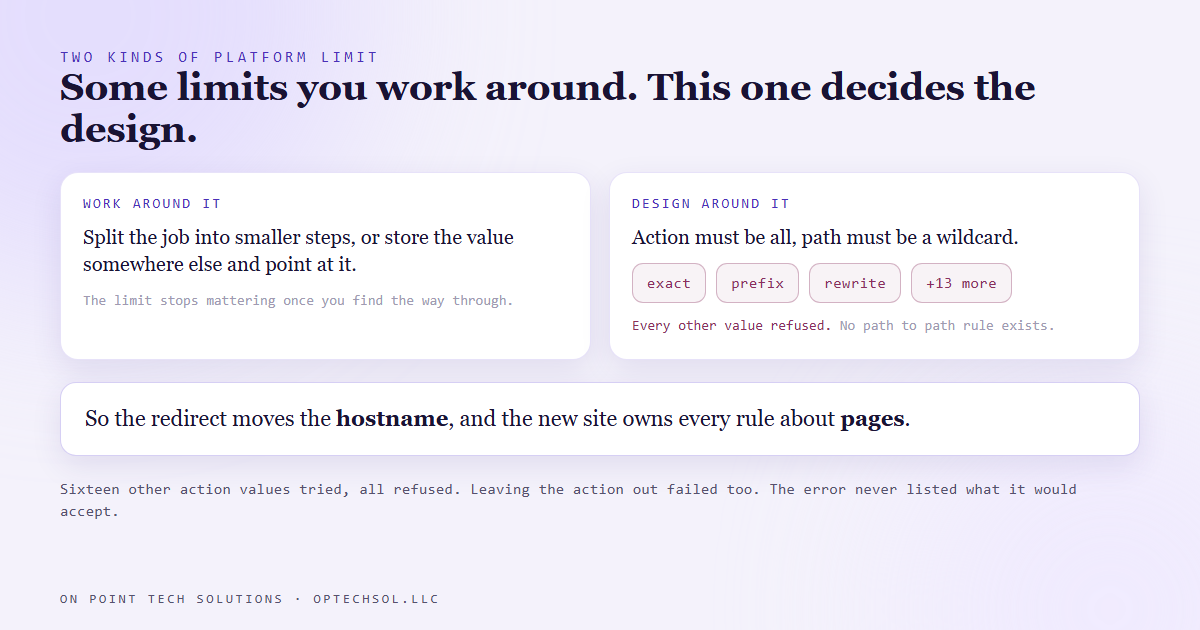
The platform will not do it. A rule has an action and a path. The only action it accepts is all, and when the action is all, the path has to be a wildcard. Try to create a rule with a real path and it answers with an error saying exactly that: when the action is all, the path must be a wildcard.
So we went looking for the other action values. We tried sixteen: exact, prefix, rewrite, custom, override, specific path and ten more spellings and variations. Every one came back with the same message saying the action must be a valid enum value. Leaving the action out entirely failed too, because it is required.
That message names the rule and not the options. If it had listed the values it accepts, the whole afternoon would have been one request. The most useful thing an error can say is what would have worked.
The probe that lied first
There is a confession in the middle of this. The first time we ran those sixteen attempts, our script reported every single one as accepted.
Our API helper reports a failure by printing an error rather than stopping, and the loop around it only treated a stop as a failure. So each refused request looked like success. If we had believed that output, we would have planned a site move around path rewriting that does not exist.
The fix was to capture everything the helper printed and read it for the error. Same lesson as the redirect check itself: we followed each redirect to the final page and read where it landed, because a success code cannot tell a correct redirect from one that lands somewhere wrong.
Work around it, or design around it
Some platform limits have a clever way through. You split the job into smaller steps, or you store the value somewhere else and point at it, and the limit stops mattering.
This one does not have that. The redirect is whole hostname, wildcard, path appended, and no amount of cleverness inside the redirect changes it. Once we accepted that, the design got simpler instead of harder.
The redirect does one job: move every visitor from the old host to the new host, path intact. Any old path that does not exist on the new site now shows up as a not found page on the new site. That is exactly where it should show up. The new site is the thing we control, so the fix goes there, either as a page with that path or as a redirect inside the new site itself.
That keeps every rule about pages in the site that actually owns the pages, instead of two layers both deciding where a visitor goes.
What this means for your business
If you are moving a website, list your old addresses before you pick a redirect method. Pull them from your analytics or your old sitemap, the real ones people land on.
Then check each one on the new site. The pages that exist under the same path will just work. The ones that do not are your real to-do list, and they get fixed on the new site, not in the old domain's settings.
For a Go High Level Bay Area business, the built-in redirect is a good tool for retiring an old domain that lives on the platform. Just go in knowing it moves hostnames, not pages. And after any redirect goes live, click an old link from your phone and read the address you actually end up on.
Want this built for you
We build websites, funnels and CRM systems, and we move them without losing the visitors you already have. Want to build this yourself? Join the On Point Tech Academy. It's free, and we build live every Thursday.
The On Point Tech Academy costs nothing and never asks for a card. We build live every Thursday, 12:30 to 1:30 PT, with whatever AI you use.
Join the Academy free ← Back to all Field Notes