
Key takeaways
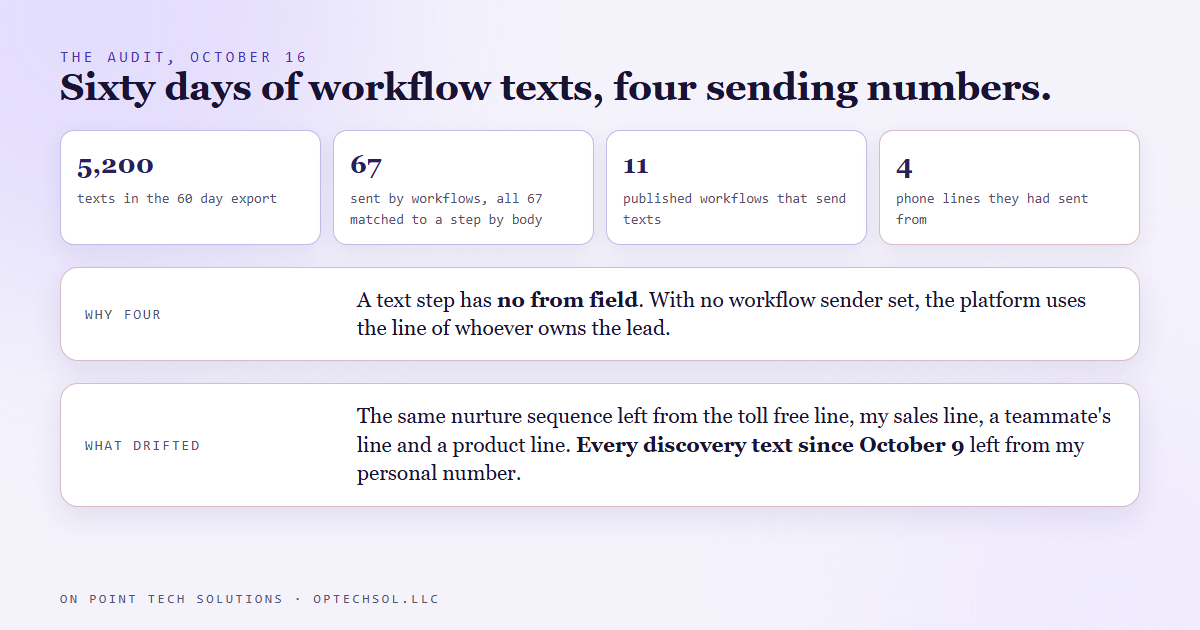
- On October 16 we audited 60 days of text messages sent by our CRM's automated workflows. Eleven published workflows send texts, and between them they had sent 67.
- Those 67 texts left from four different phone numbers. The text step in a workflow has no from field, and with no sender set at the workflow level the platform sends from the line of whichever user the contact is assigned to.
- So the same nurture sequence texted from four lines depending on who owned the lead that week, and every website discovery text since October 9 had left from my personal number.
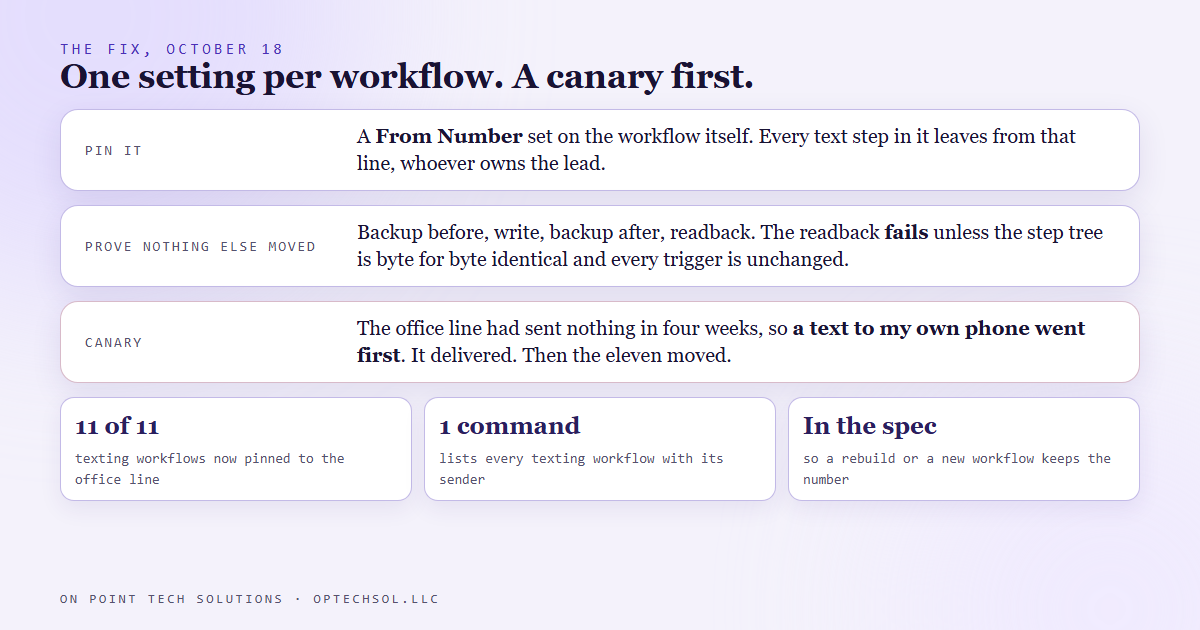
- The fix is one setting per workflow, a pinned From Number. All eleven got our main office line on October 18, after a canary text to my own phone delivered.
- Any new workflow that texts now carries the number in its written spec, so a rebuild keeps it.
You get a text from a number you have never seen. It knows your name and mentions a quote you asked for, but the number is not the one on the company's website. Most people ignore it. We build on Go High Level in the Bay Area, and for two months our own customers were getting exactly that text from us.
Why we looked
It started with one lead. On October 16 a new inquiry came through a paid ads form, the workflow fired, and the welcome text went out from my personal sales line instead of the business number. I had not sent anything. The contact had been assigned to me, and that turned out to be the entire reason.
A workflow text step has two attributes: the message body and any attachments. There is no from field on the step. If the workflow itself has no sender set, the platform picks the line, and it picks the line belonging to the user the contact is assigned to. Assign the lead to me and the text comes from my line; leave it unassigned and it falls to the account default.
What sixty days looked like
One text from the wrong number is an anecdote, so we pulled the data. The CRM's message export for the last 60 days held about 5,200 texts. Of those, 67 were sent by workflows rather than by a person. The messages carry no workflow id, so the audit matched each one back to its workflow step by the message body, and all 67 matched.
Four lines had been sending. The 90 day nurture sequence alone had used all four: the toll free default, my sales line, a teammate's line and a line that belongs to one of our products. The pattern shifted over time with lead ownership. Until about October 8, texts to leads assigned to me left from the product line that user account happened to hold. From October 9 they left from my personal number, every one of them, including every website discovery text we sent.
Nobody had changed the workflows. The sender drifted because the owners did. The same customer could get day one of a sequence from one number and day fourteen from another.
The fix is one setting, and a canary first
The sender lives in the workflow's own settings rather than on the text step. Open those settings, set a From Number, and every text step in that workflow leaves from it regardless of who owns the contact. That is the only stable fix, because any rule that depends on ownership drifts the moment ownership does.
We applied it by script on October 18 to all eleven. Each one was backed up before, written with only the sender added, backed up after, and read back, and the readback fails unless the workflow's step tree is byte for byte identical, its status unchanged and every trigger still carrying the same active flag. Changing a sender should change nothing else, and the script refuses to pass if it did.
Which line to pin was a decision we had to make. The main office line is the number on our website and in our email signatures, so a customer who gets a text from it can match it to a number they already have. But that line had not sent a text in four weeks. So before any customer got a text from it, a canary went to my own phone. It delivered. Then the eleven workflows moved.
Making it stick
A fix applied by hand to eleven workflows lasts until the twelfth. Our workflows are built from written specs, and the build tool now passes the sender through and keeps an existing one, so a rebuild of any of the eleven keeps the office line. Any new workflow that texts has to name its sender in the spec before it is published. The audit script stays on disk, and the readback tool lists every texting workflow with its From Number in one run, so the next check takes one command.
The honest lesson
The default was not wrong from the platform's point of view. A text from the assigned user's line makes sense for a one person business where the owner is the only user and the only line. It stops making sense the moment there are two people and three numbers, and nothing tells you that moment has arrived.
Behavior that follows the record instead of the business is the thing to look for. Who owns the lead should decide who follows up. It should never decide what the customer sees as the sender.
What this means for Bay Area businesses on Go High Level
If more than one person in your business has a phone line in your CRM, this is worth an hour this week.
- Pull your sent texts for the last month and sort by sending number. If there is more than one number you did not choose on purpose, you have this.
- Set the From Number on every workflow that texts. Do not rely on the account default; it is not the default for workflows.
- Pin the number customers already know, the one on your website.
- If that number has been quiet, text yourself from it first.
- Write the number into whatever you use to build or copy workflows, so the next one starts right.
A Go High Level account in the Bay Area can text from any line its users hold. Decide which one speaks for the business, and pin it before the workflow decides for you.
Want to build this yourself?
Join the On Point Tech Academy at optechsol.llc/academy. It's free, and we build live every Tuesday and Thursday.
The On Point Tech Academy costs nothing and never asks for a card. We build live every Tuesday and Thursday, 12:30 to 1:30 PT.
Join the Academy free ← Back to all Field Notes