Key takeaways
- An automated email carried a link built from a custom field on the contact, so each person got a page for their own industry.
- The link's visible text showed the right address. Every click landed on a page not found.
- The email system wraps every link for click tracking before it fills in custom fields. So the placeholder got frozen inside the tracking link, while the visible text, filled in later, looked perfect.
- Standard fields like first name survive in links because they're filled in first. Plain text in the body gets both kinds.
- The fix: the personalized address as plain text, plus a fixed link beside it that always works. And test an email by clicking it, not by reading it.
We have an industry version of our speed to lead presentation. A roofer gets the roofer version, a dentist gets the dentist version. When someone asks for it, a workflow in our CRM sends an email with a link to the right one. It builds the link from a custom field on the contact that holds their industry.
It's the kind of personal touch Go High Level San Jose businesses build all the time. A link to your own quote. A booking page for your own location. A page that speaks to your trade.
On August 21 I clicked that link myself. I landed on a page not found.
The address looked right
The email looked perfect. The link text showed the right address, with the right industry in it. Hovering over it showed the right address too.
But the page I landed on had the raw placeholder in its address. Curly braces and all, the code the workflow uses to mean "put this contact's industry here." The industry never went into the link. Every person who got that email and clicked it landed on the same broken page.
Order of operations inside a tool we don't control
When the email system sends a message, it does a few things in order.
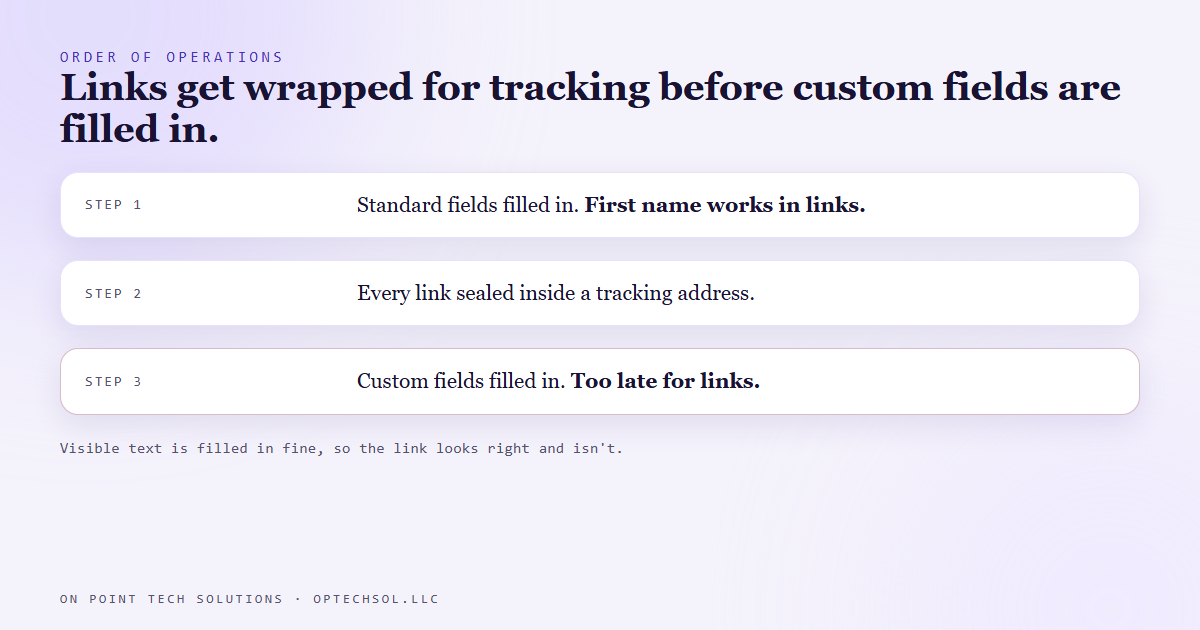
First it fills in the standard contact fields, like first name and email. Then it wraps every link in the email for click tracking. It swaps each real address for a tracking address that counts the click and forwards you on. Only after that does it fill in custom fields.
By the time it got around to our industry field, the link had already been packed into a tracking address. The placeholder was sealed inside it, where the fill in step never looks. The visible text wasn't a link address, so it got filled in normally. That's why it looked right and wasn't.
We'd already proven standard fields work in links. Our onboarding email carries standard contact fields in its link, and that one has always worked. So "merge fields work in links" was true. It just wasn't true for the kind we'd used.
We also tried switching off link tracking on that email. There's a setting that looks like it does that. It doesn't. It reports whether tracking is on. Flipping it changed nothing.
The fix
The link builder can't be reordered, so we stopped asking it to do something it can't.
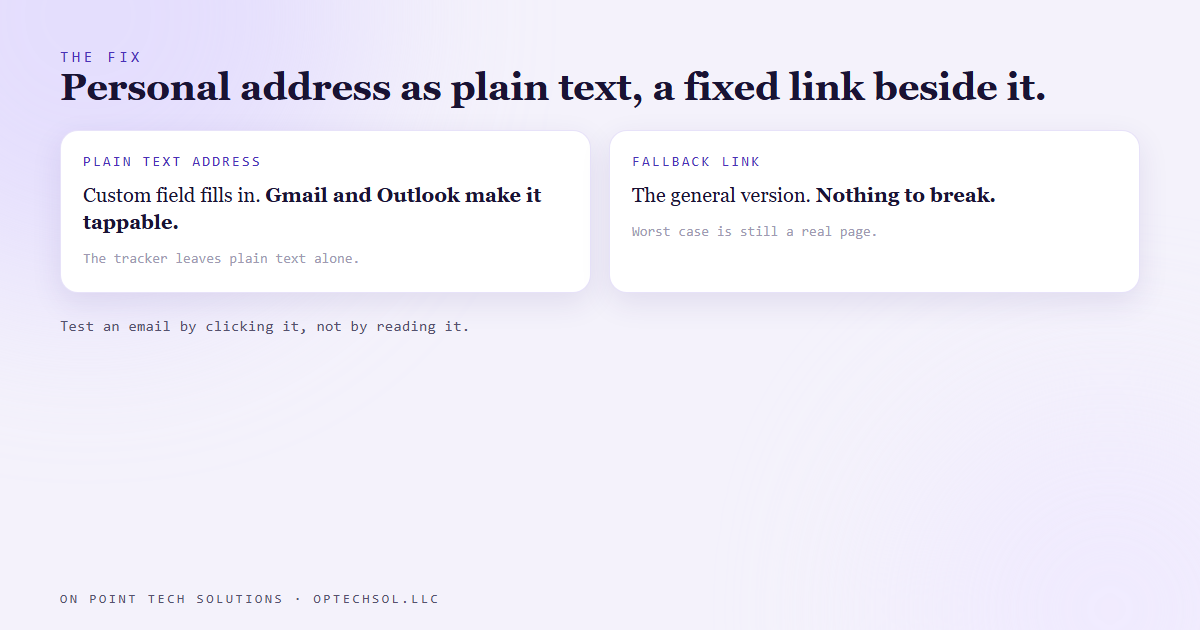
The personalized address now sits in the body as plain text, not as a link. Plain text gets custom fields filled in like any other text, and the tracker leaves it alone. Gmail and Outlook turn a bare web address into a tappable link on their own. Right beside it sits a normal link to the general version of the presentation. That one has no custom field in it, so tracking can't break it.
Worst case, someone taps the fallback and gets the general version. Nobody gets a page not found.
One honest gap. Text messages use a different sender, and we haven't seen that same kind of link fire in a real text yet. So we treat it as unproven, not as working.
The lesson we are keeping
"It looks right" is the least useful check on a link. The text you read and the address it opens are two separate things, and a tool can fill them in at different times.
Test an email by clicking it, from a real inbox, as a real contact. Reading a preview checks the text. Clicking checks the link.
What this means for your Go High Level San Jose setup
If any of your emails carry a link with something personal in it, like a name, a location, a quote number or a trade, it's worth ten minutes this week.
- List every automated email that has a personalized link. Booking links, quote links, review links and portal links all count.
- Send each one to a test contact that has every field filled in. Open it on your phone and tap every link.
- If a link needs a custom field and lands on a broken page, put the personalized address in as plain text and add a plain fallback link beside it.
For a Go High Level San Jose business, that personal link is often the whole point of the email. Tap it before your customers do.
Want this built for you
We build CRM emails that get clicked and tested before they go to a single customer. Start at optechsol.llc.