Key takeaways
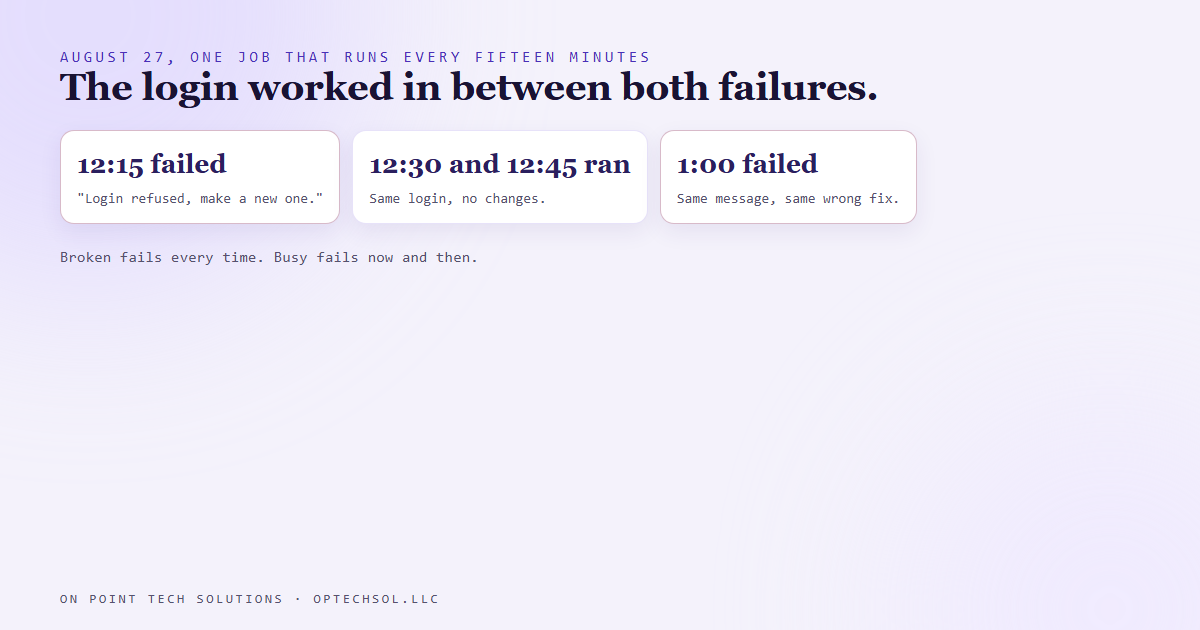
- On August 27 one of our scheduled jobs failed at 12:15 and 1:00 and ran fine at 12:30 and 12:45.
- Each failure said our stored login was bad and told us to go make a new one. The login was fine.
- The service that trades that login for a short lived pass only allows so many trades a minute, and a busy minute turned us away. Our script printed the same message for "wait" as for "no."
- The tell was the timing. An expired login fails every single time. A busy service fails now and then.
- The fix waits and retries a busy reply, and only blames the login when the service actually rejects it. We proved it by tripping the limit on purpose.
A lot of what we build for Go High Level Bay Area clients runs on a schedule. Reports that build themselves, lists that refresh overnight, follow ups that go out on time. Nobody is watching when they run. So when one fails, the error message is the only thing anybody has to go on.
On August 27 one of ours gave us a very clear, very specific message. It was wrong.
The error that named its own fix
The job builds market reports from a queue, and it runs every fifteen minutes. That afternoon it failed at 12:15. It ran fine at 12:30. Fine again at 12:45. Then it failed at 1:00.
Both failures said the same thing. The stored login had been refused, go refresh it. Refreshing it means a trip into a browser session to grab a new one, which isn't hard, but it's an errand. And it's exactly the kind of errand you'd run without thinking, because the message told you to.
Except the login was working at 12:30 and 12:45. Logins don't expire, come back to life, and expire again inside an hour.
What was really going on
Our script doesn't send that login with every request. It trades it first, at a separate service, for a short lived pass, and uses the pass for the real work. That trading service has a limit on how many trades it accepts per minute. The limit isn't ours alone. It's shared with everyone else whose requests land on the same quota, so a burst of traffic we had nothing to do with can use it up.
When that happens, the service says, in effect, too many requests, try again in a moment. That's a "wait," not a "no."
Our script never looked at which answer it got. Any reply without a pass in it got the same message: your login is bad, make a new one. So "wait" and "no" printed the exact same words, and the words pointed at the wrong thing. If we'd followed them, we'd have replaced a perfectly good login, the job would have kept failing on busy minutes, and we'd have concluded the new one was bad too.
The pattern was the evidence
The message was confident and specific, and the pattern of failures contradicted it.
Something that's actually broken stays broken. An expired login fails every run until someone fixes it. A failure that comes and goes, with clean runs sitting right between the bad ones, almost always means something busy or temporary. A crowded service, a slow network, a limit that resets every minute. Same error text, completely different problem.
So before we touch anything now, we ask one question. Does it fail every time, or only sometimes? That answer usually tells you more than the error does.
What we changed
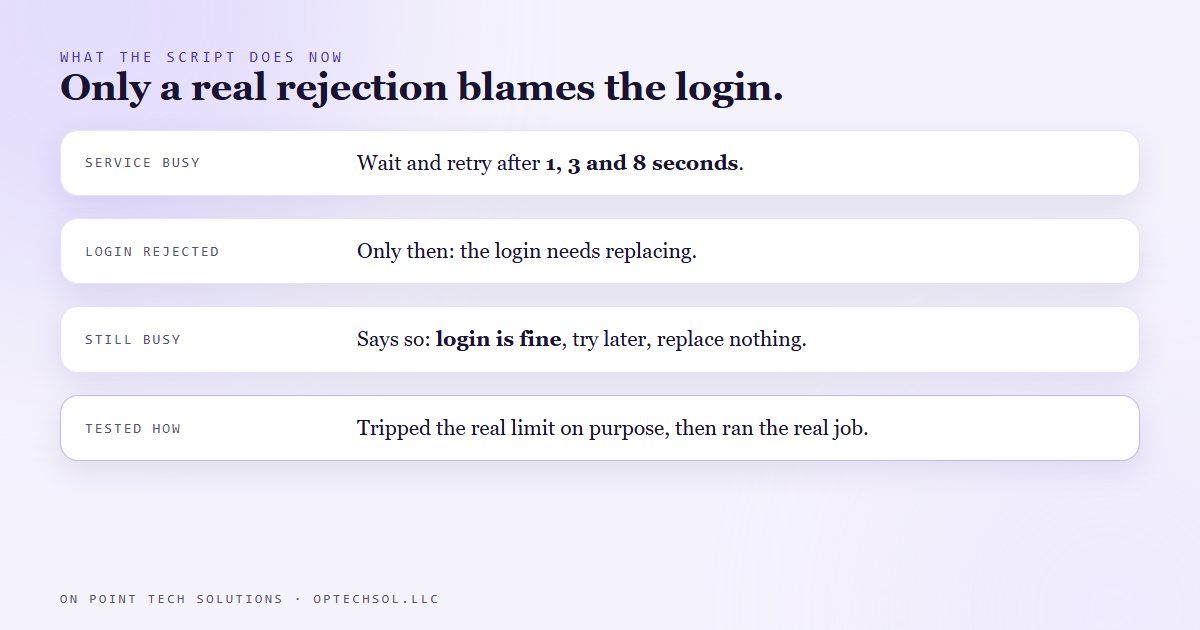
The script reads the service's answer properly now. If the reply says the service is busy, or the service itself had a problem, it waits one second and tries again. Then three seconds. Then eight. Only if the service flatly rejects the login does it say the login needs replacing. And if it runs out of retries while the service is still busy, the message says that plainly: the login is fine, the service is busy, try again later, don't replace anything.
Then we tested it the honest way. We didn't fake a "busy" reply and check that the code handled our fake. We fired a quick burst of real trade requests to trip the actual limit, ran the real job straight after, and watched it wait and recover.
The same misleading message still sits in some of our older scripts, and those are on our list. Fixing it in one script didn't fix it anywhere else.
What this means for Go High Level Bay Area businesses
You've probably had this exact conversation with a vendor. Something stopped working, and support told you to disconnect and reconnect. Log out of the calendar, log back in. Re-link the Facebook page. Re-authorize the payment account. Sometimes that's right. Plenty of times it isn't, and you spend an afternoon reconnecting things that were never disconnected.
The question that saves you that afternoon is about timing. If the thing fails every time, a connection really might be broken. If it works some days and fails others, or works in the morning and fails at lunch, reconnecting probably won't fix it, and you're allowed to push back.
Three things worth doing this week:
- Next time a tool tells you to reconnect, write down when it failed and when it last worked before you do anything. If there were good runs in between, ask support why.
- Ask whoever built your automations what happens when a service they depend on is busy. Does the system wait and retry, or does it just stop and blame something?
- Look at your error notifications. If one keeps telling you the same fix and the fix never sticks, the message is probably wrong.
Go High Level Bay Area owners don't have time for errands that fix nothing. An error message is a guess about what went wrong, written by whoever built the tool, and sometimes it guesses badly.
Want this built for you
We build automations that tell you what actually went wrong, and you own every piece of them. Want to build this yourself? Join the On Point Tech Academy. It's free, and we build live every Tuesday and Thursday.
The On Point Tech Academy costs nothing and never asks for a card. We build live every Tuesday and Thursday, 12:30 to 1:30 PT.
Join the Academy free ← Back to all Field Notes