Key takeaways
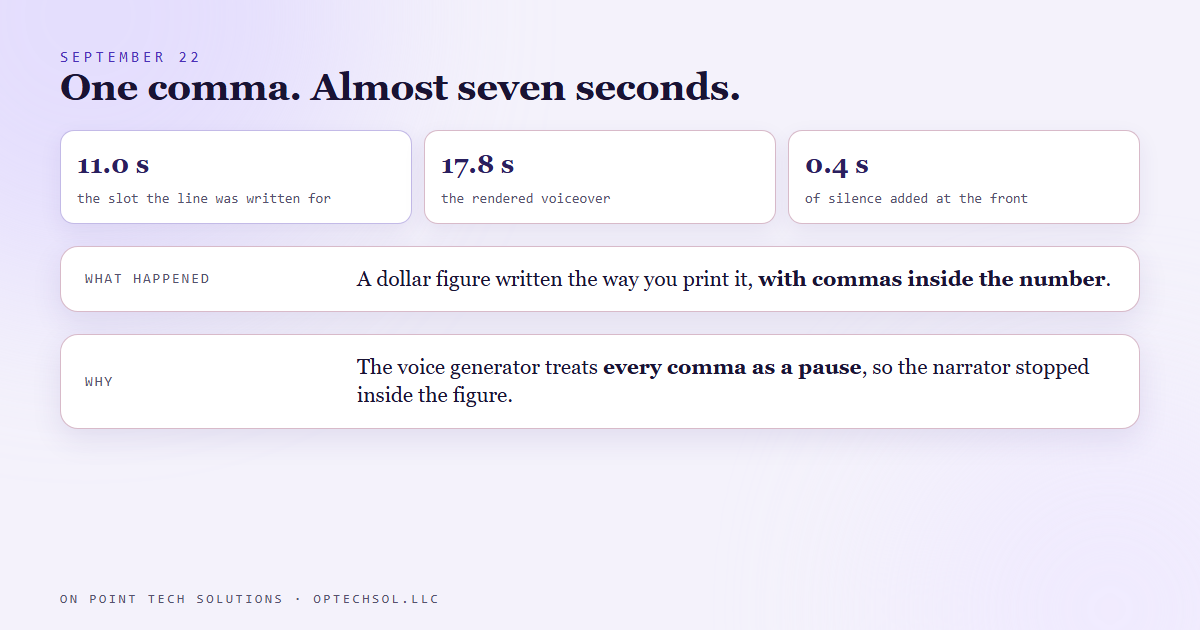
- On September 22, building a narrated explainer, one line of voiceover came back at 17.8 seconds against its 11.0 second slot and ran over its picture.
- The voice generator treats every comma as a pause. The script had written a dollar figure the way you would print it, with commas inside the number, so the narrator stopped in the middle of the figure.
- The rule now: one comma after the thousands group and none inside. Write for the ear, not the page.
- The same job returned a different sample rate from an earlier run of the same setup, and added about 0.4 seconds of silence at the start. Every clip gets normalized on download.
- Measure the rendered audio before trusting any timing. When a line still runs long, hold a finished frame instead of slowing the picture down.
Read your voicemail greeting out loud. Not in your head, out loud, with a timer running. Most of them were written on a screen and sound fine there, and then the recorded version has a pause in a strange place or a number that lands wrong. We work as a GHL consultant in the Bay Area and build a lot of narrated video, and on September 22 a single comma taught us this lesson at a cost of almost seven seconds.
How the explainer gets built
The explainer format we were building is a whiteboard style video. A script is split into lines, each line gets a picture segment with a known length, and a voice generator reads each line into its own audio clip. The build then lays the clips against the pictures. If a clip fits its slot, the drawing finishes as the narrator finishes. If a clip runs long, the narrator is still talking after the picture has moved on.
Because the pictures are timed first, the script has to behave. Each line is written to a budget. The line that broke had a budget of 11.0 seconds.
Seventeen point eight seconds
The line read out a yearly dollar figure and then the same money per month. On the page the figures were written the way you would print them in a report, with commas inside the number. That is normal punctuation for reading. It is wrong for a voice generator, because this one treats every comma as a beat of silence. So the narrator paused inside the figure, at places where no person reading it aloud would stop.
The rendered clip came back at 17.8 seconds. The slot was 11.0. The drawing finished and sat there while the voice was still talking, for most of seven more seconds.
Nothing in the build flagged it. The clip rendered, the file existed, the words were all there. Only the length was wrong, and length was the one thing we had not been measuring before trusting it.
Writing for the ear
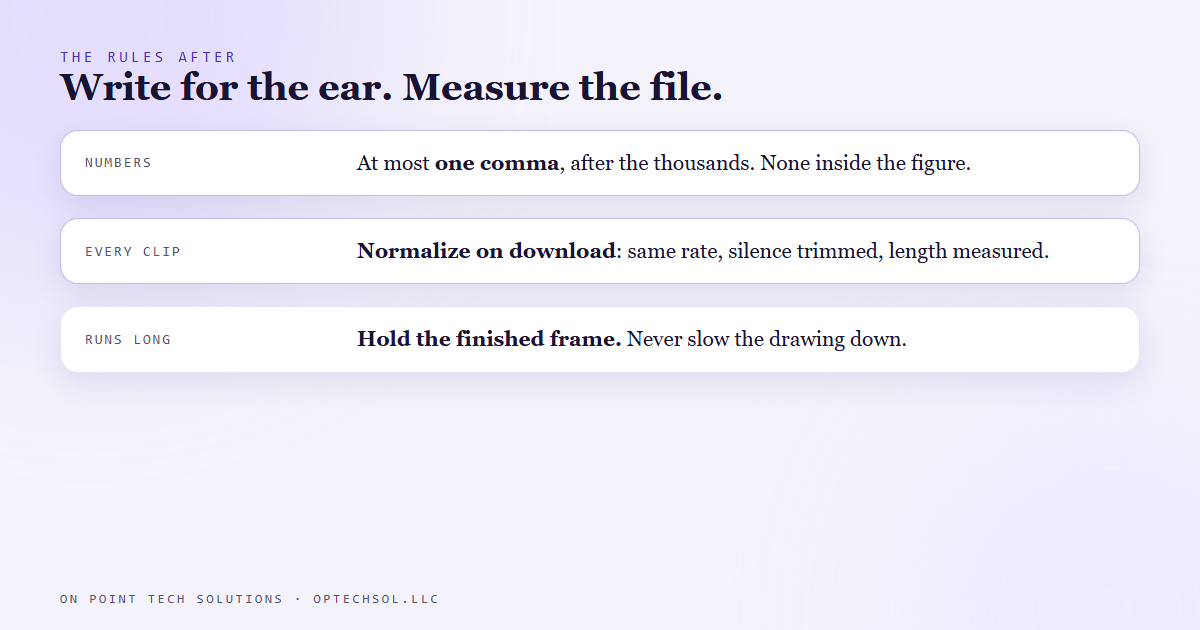
The fix to the script was tiny. At most one comma, after the thousands group, and none anywhere else inside the figure. Written that way the narrator takes one breath where a person would and reads the rest straight through. Same words, same meaning, and the line fits its slot.
That became the rule for every narrated script we write. Punctuation in a voiceover script is timing, not grammar. A comma is a pause of a fixed length whether or not the sentence wanted one. So we write the way the line should sound, and we check it by listening, not by reading.
Two more things the same job surfaced
Once we were measuring clips instead of trusting them, two other surprises showed up in the same build.
The generator does not promise a sample rate. The same setup had returned a higher rate on an earlier run and a lower one this time. It also added about 0.4 seconds of silence at the front of a clip. Neither is a disaster on its own, but every timed offset downstream drifts if you lay a clip with a leading gap against a picture that starts at zero. So every clip is now normalized on download: same rate, silence trimmed at both ends, then measured.
Pacing is not repeatable either. Two runs of the same line with the same settings can come back at different lengths. That is why the measurement has to happen on the file we actually got, every time, and never on the one we got last week.
And when a line still runs a little long after all of that, we do not stretch the drawing to match. Slowing a drawing reads as sluggish. Holding the finished frame for the extra second reads as a natural beat, the way a presenter pauses on a completed slide. So the picture holds, and the narrator catches up.
The honest lesson
We had a script that was correct on paper and a build that trusted the paper. The generator was doing exactly what it does, and the only mistake was ours: we wrote for a reader and handed it to a speaker. Everything after that was discovering what else we had been assuming instead of measuring.
What this means for Bay Area businesses working with a GHL consultant
You have scripts in your business that get spoken, not read. The phone greeting. The voicemail that tells people how to book. The script your front desk follows. The recorded message in your on hold loop. Most of them were typed into a box and never heard until a customer heard them.
- Read every spoken script out loud with a timer before it goes live. If it takes longer than you expected, the punctuation is usually why.
- Write numbers the way they are said. Phone numbers in groups, prices as a person would say them, dates as words. Never paste a figure from a spreadsheet into something that will be spoken.
- Listen to the actual recording, not the text. If a tool generates your voice messages, play back the file it produced before you approve it.
- When a message runs long, cut words before you talk faster. A slower, shorter message is easier on a caller than a rushed complete one.
If you are working with a GHL consultant in the Bay Area on anything a customer will hear, ask to hear it before you read it. The difference is seven seconds in a video. On a phone line it is whether the caller stays.
Want to build this yourself?
Join the On Point Tech Academy at optechsol.llc/academy. It's free, and we build live every Tuesday and Thursday.
The On Point Tech Academy costs nothing and never asks for a card. We build live every Tuesday and Thursday, 12:30 to 1:30 PT.
Join the Academy free ← Back to all Field Notes