
Key takeaways
- On September 9 a simple read of one contact's notes failed three times in a row with the same error: a property that should not exist.
- Nothing was wrong with the contact or the request we wrote. Our own helper script quietly adds the account's id to every read that does not already carry one.
- That extra line is right for the search and list calls we make every day, and wrong for a contact's notes. Nothing in the script told the two apart.
- The switch that looked like it would turn the extra line off only controls what gets sent on writes, not reads.
- The fix was to read notes through our other helper and write down the rule: one attempt on that path, then switch. A convenience that is right nearly everywhere fails loudest on the call you have never made before.
Picture a form letter that goes to every customer with the same friendly line at the bottom. It is right for nearly everybody. Then one day it goes to the one customer it is wrong for, and that is the letter they remember. We run Go High Level in San Jose for our own business, and in September our own tooling did the same thing to us. The line it added was right for every call we had ever made, until we made a new one.
What the helper does
Most of what we do in our CRM goes through a small helper script. You give it the account, the address of the call and what you want, and it handles the login, the headers and the formatting so nobody has to type them every time.
One of the things it handles is the account's location id. A lot of calls on this platform want that id attached, the search calls and the list calls especially, and forgetting it gets you an error. So the helper adds it to every read that does not already have one. It is a nice convenience. For months it saved us from that error without anyone thinking about it.
September 9
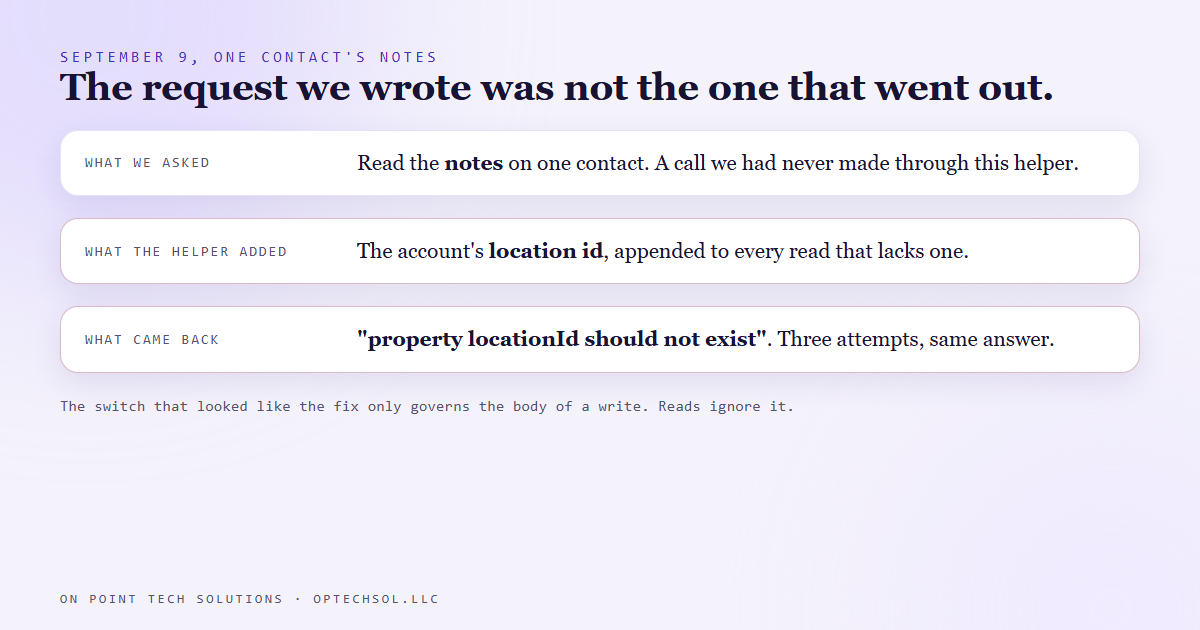
On September 9 we needed to read the notes on one contact. That is a call we had simply never made through this helper before. It failed with a short, clear error: the location id property should not exist.
We tried again. Same error. And a third time. Three attempts, three identical answers. That is when it is worth stopping and looking at what is actually being sent, instead of trying a fourth time.
What was going on
The request we wrote was fine. The request that went out was not the one we wrote. The helper had added the location id on the way out, exactly like it does for every other read, and this particular call rejects that property outright. It belongs to one contact, it already knows which account it lives in, and it does not want to be told.
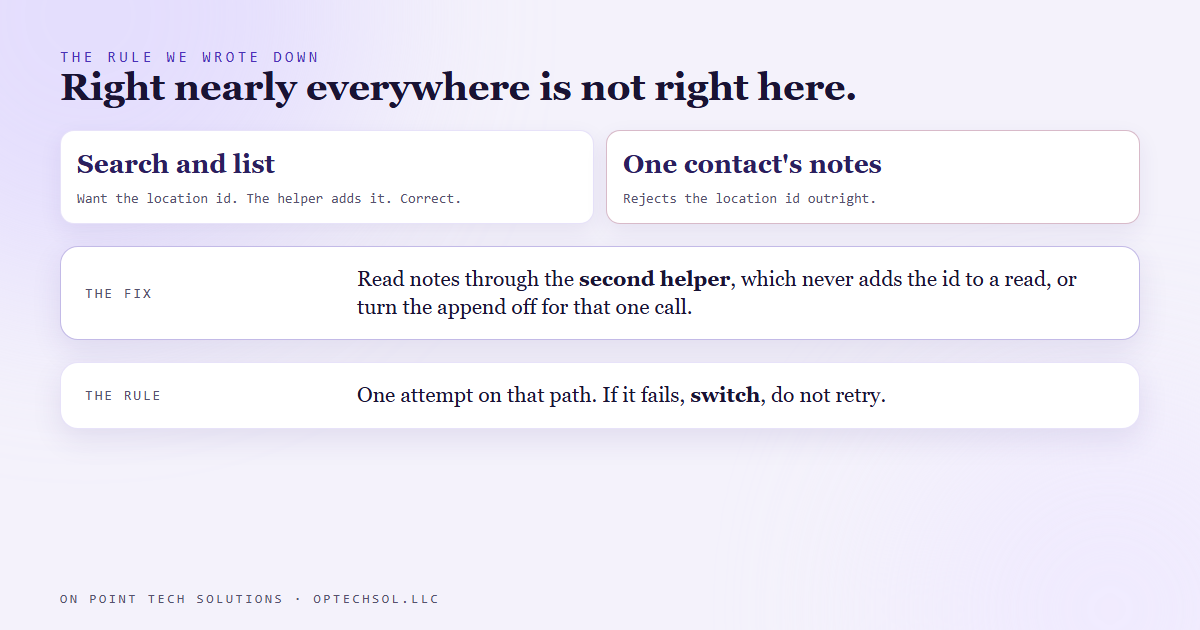
The helper had no way to know that. Its rule was "add the id to any read that does not have one," which is right for the calls we make every day and wrong for the small sub pages that hang off a single contact, like its notes. Nothing in the script told those apart.
There was a switch on the helper whose name made it look like the answer, something about not adding the location. It only governs the body of a write. Reads ignore it. So the obvious fix was not a fix at all.
What we changed
The fix that day was not clever. We have a second helper, written in a different language, that never adds the id to a read. Contact notes get read through that one. Then we wrote down the rule, plainly, where the next session will see it: if this call fails on the first helper, do not burn a second attempt. Switch.
Since then the first helper has also picked up a separate switch that turns the extra line off for a single read. It still adds the id by default, because by default it is still right.
The honest lesson
A convenience that is right nearly everywhere is the hardest kind to catch. If it broke half the time we would have noticed and fixed it fast. Because it was right on every call we had ever made, we forgot it was there, and when it finally did the wrong thing we did not suspect it. We spent three attempts blaming the request before anyone looked at the helper.
What this means for San Jose businesses on Go High Level
Your account has its own version of our helper. A default signature on every email. A tag applied by a workflow to everyone who fills in a form. A merge field that fills in "Hi there" when a first name is blank. Those defaults are right almost all the time, which is exactly why they are easy to forget.
- Make a short list of everything your account adds automatically: signatures, tags, footers, default values.
- When you build something new, check what it inherits before you check what you built. The surprise is usually in the part you did not write.
- When the same error comes back twice, stop retrying and look at what was actually sent.
Defaults are fine. Every Go High Level setup in San Jose has them, ours included. What matters is that somebody on your side knows what each one does and where it should not apply.
Want to build this yourself?
Join the On Point Tech Academy at optechsol.llc/academy. It's free, and we build live every Tuesday and Thursday.
The On Point Tech Academy costs nothing and never asks for a card. We build live every Tuesday and Thursday, 12:30 to 1:30 PT.
Join the Academy free ← Back to all Field Notes