
Key takeaways
- Every client site in one of our verticals comes out of the same generator. A single description file per client, then one command.
- The interesting decision was not what went into that file. It was what we refused to put in it.
- Anything a human wants to tweak per client is exactly what stops a generator being a generator.
- One field in the file is load bearing in a way the others are not, and renaming it later is a data migration rather than a find and replace.
- The command ends by printing the steps a human still has to do. A generator that pretends there are none is just hiding them.
We build a lot of very similar websites. Same shape, same booking flow, same lead handling, different business on the front. We built each one by hand for a while, which is fine for the first three and stupid by the tenth.
So we turned it into a generator. A new client site is now one folder holding one description file, plus one command. The command creates the hosting project, wires the database if that client needs one, pushes the credentials, builds the site with that client's content baked in, deploys it and tests it.
The build was not the hard part. Deciding what belonged in that one file was.
What went in
The obvious things. Brand name, domain, phone, email. The headline at the top of the page. Services with a line each. The steps of how working with them actually goes. A short set of questions and answers. Which of four looks the site uses.
Then the things that are less obvious and matter more.
The consent line under the lead form is in there, and it is marked in the file as legal text rather than copy. The default wording covers ordinary services. A regulated industry has to supply its own, because that sentence is the difference between a lead you may legally text and one you may not, and a generator that quietly reuses somebody else's compliance wording is a liability generator.
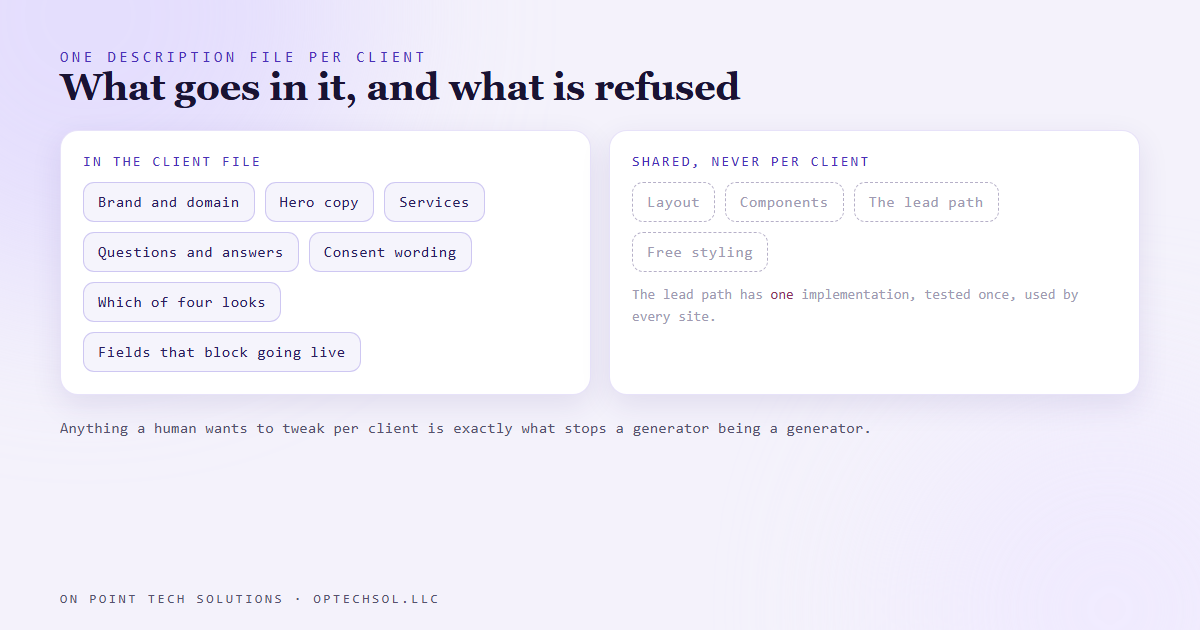
There is also a list of fields that block a page from going live when empty. Not a fixed rule in the code, a list in the client's own file. For most clients it is empty and nothing blocks. For a licensed profession it holds the licence number with the reason written beside it, so six months later nobody has to guess why that field is mandatory. Compliance differs by industry and belongs in the client's config, not buried in a component.
What deliberately stayed out
No layout. No components. None of the lead handling. Not one line of the code that takes a form submission and writes it into the CRM.
That last one is the whole point. The lead path has to be right on every site, so it has exactly one implementation, tested once, shared by all of them. If a client's file could change how leads are captured, every client would have a slightly different lead path and we would be back to owning several sites instead of one system.
The looks are the clearest example of the discipline. There are four, and they are colour and type token swaps on the same layout. There is no free style field. That was tempting to add, because sooner or later a client wants their headline a bit bigger.
Here is what happens if you add it. The first client uses it a little. The third uses it a lot. By the tenth, every client has custom styling, nothing shares a fix, and the generator is a folder of ten hand-maintained sites with extra steps. The escape hatch does not get used once. It gets used every time, because it is easier than saying no.
So the answer to a client who wants something outside the four looks is either a fifth look that everyone can use, or a different product. Not a special case in their file.
The field that is not like the others
One value in that file is the client id, and it is load bearing in a way nothing else is. It has to match the folder name, and the hosting project name, and it becomes the tag written onto every lead that site produces, and the identifier on their rows in the database.
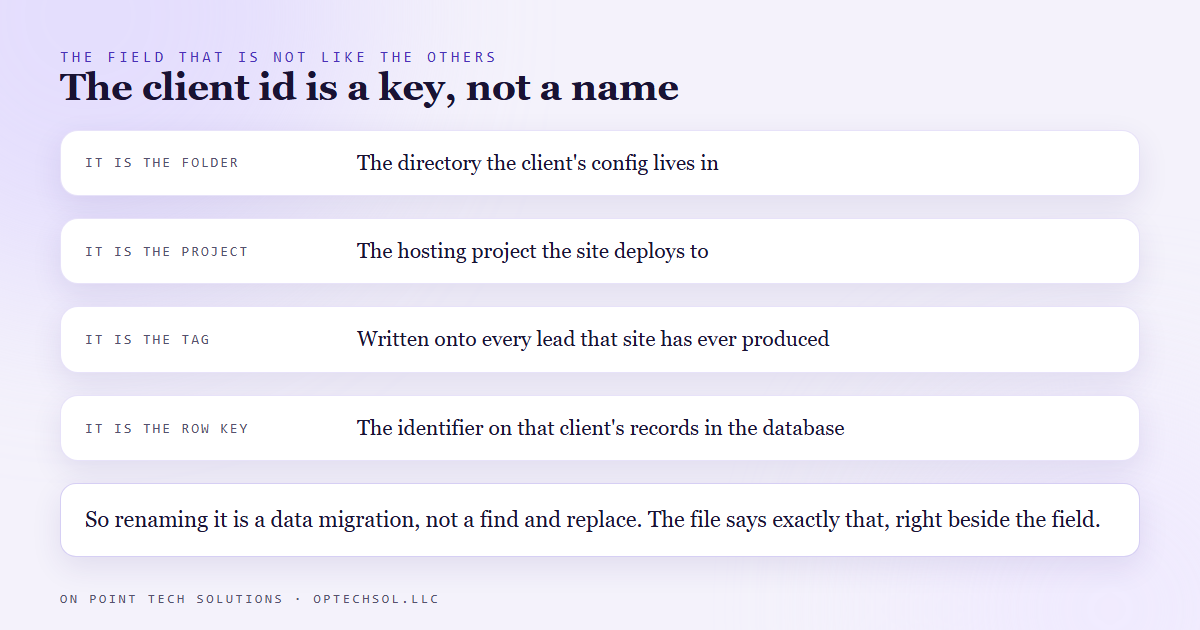
So it is not a name. It is a key, and changing it later is a data migration. Every historical lead carries the old one. The file says so in plain language right beside the field, because the person who eventually wants to tidy it up will not be the person who built it.
That habit is worth stealing. When a value quietly holds several systems together, write that down where somebody will be standing when they try to change it. A note in a document nobody opens is not a warning.
The honest part is the checklist
The command is safe to run again. It creates what is missing, skips what exists, and finishes by pushing a fake lead through the real form path to prove the wiring works without creating anything in the CRM.
Then it prints a list of the things it cannot do. Point the domain. Lock the admin area. Send one real lead through by hand, check it landed on the right record with the right attribution, then delete it.
Printing that list makes the tool look less finished, and it stays anyway. Every automation has a human remainder. Not naming it does not make it disappear, it makes it unowned, and unowned steps are how a site sits live for a week quietly routing leads nowhere.
What this means for your business
Most small businesses do not need a website generator. Almost every one has something it does repeatedly with small variations, and the same logic applies.
Separate the parts that change per customer from the parts that must never change, and be strict about it. Put the changing parts in one place a non-technical person can read. Refuse the escape hatch, because the exception you allow once becomes the rule you maintain forever. And write down what a human still has to do instead of pretending the system is further along than it is.
Want one built for you
We build websites, funnels and the automation behind them, and we hand over systems you own rather than rentals. Want to build this yourself? Join the On Point Tech Academy. It's free, and we build live every Tuesday and Thursday.
The On Point Tech Academy costs nothing and never asks for a card. We build live every Tuesday and Thursday, 12:30 to 1:30 PT.
Join the Academy free ← Back to all Field Notes