
Key takeaways
- On October 5 every page on our domain started landing on a registrar parking page. So did the shop, the booking page, the project board and inbound email.
- The website was fine. The hosting answered on its own address, the domain was paid up until the following spring, and our DNS zone still held all 56 records.
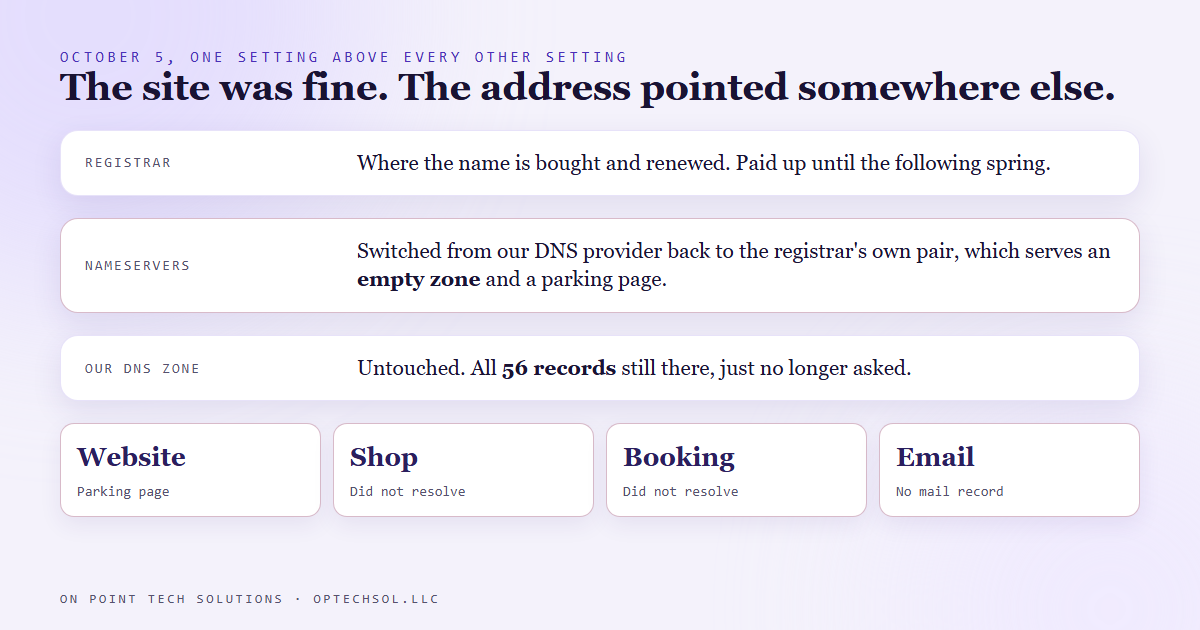
- One setting had changed: the domain's nameservers at the registrar. They had been switched from our DNS provider back to the registrar's own, which serves an empty zone and a parking page.
- Our daily blog job caught it, because its live check got back a 114 byte page instead of a blog post.
- The fix is one edit at the registrar and a wait for caches to expire. The lesson is the three checks that tell a real outage from a hosting hiccup: does the domain resolve, to whom, and who answers.
Ask a business owner in San Jose where their website lives and you will get the name of a hosting company or a website builder. Almost nobody names the setting that tells the internet where to look in the first place. We do marketing automation in San Jose for a living, and on October 5 that setting took our whole site offline for about a day while nothing in the site had changed at all.
How we found out
Every morning a scheduled job writes three blog posts for this site, and first it checks that yesterday's posts are live. It loads each page, counts the images, and loads a deliberately wrong address that should come back as not found.
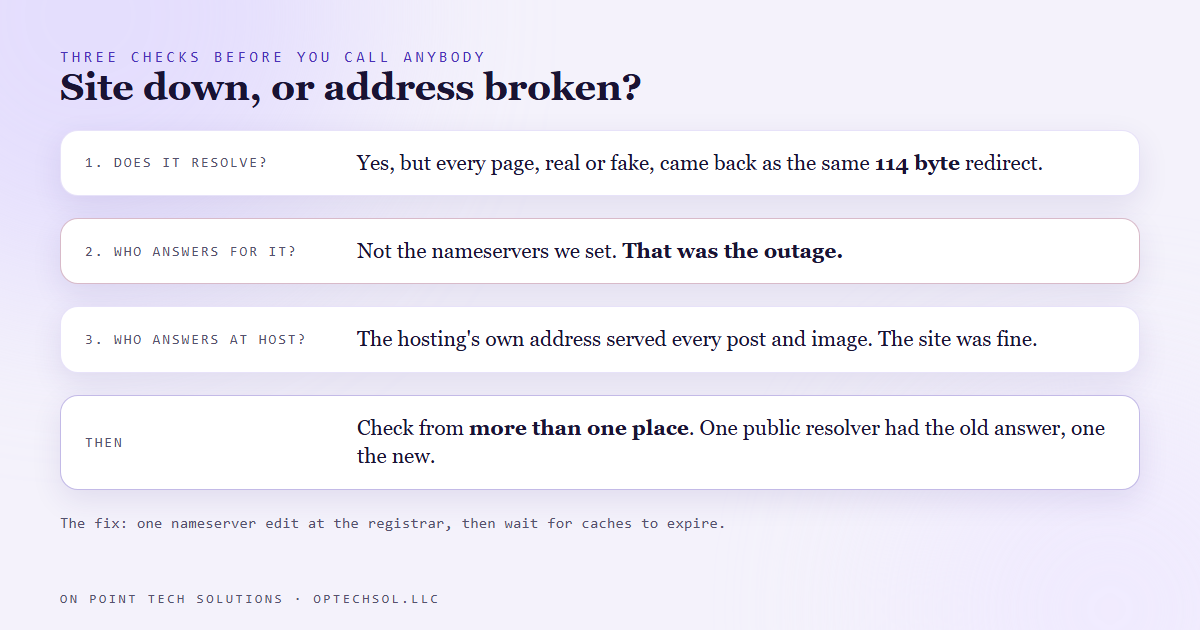
On October 5 every one of those checks came back the same: a tiny page, 114 bytes, that redirected to a parking page. The real posts and the wrong address got the identical answer. When a page that should exist and a page that should not exist look the same, you are not looking at a broken page anymore. You are looking at a broken address.
What was actually broken
A domain has three moving parts, and most owners only ever think about one of them.
- The registrar is where you bought the name and where you renew it.
- The nameservers are a setting at the registrar that says which company answers questions about your domain.
- The DNS zone is the list of answers at that company: the website is here, email goes there, the shop lives at this address.
Our zone was untouched, all 56 records right where we left them, and the hosting still answered on its own address. What had changed was the nameserver setting at the registrar. It had been switched from our DNS provider back to the registrar's default pair, and the registrar's default zone for our domain was empty apart from a parking page. No record for the shop, none for the booking page, none for the project board, and no mail record, so inbound email had nowhere to go either.
Why it looked different depending on where you stood
Answers about a domain are cached all over the internet. When we checked from two of the big public lookup services, one still had the old answer and handed back our real site, and the other had the new answer and handed back the parking page. So for a while the site was up for some people and down for others, which is exactly the kind of outage that gets dismissed as "works on my phone."
That is the honest lesson for me. If I had only checked from one place, I could have walked away with either answer and been wrong.
The fix, and what it costs
The fix is one edit at the registrar: point the nameservers back at the DNS provider that holds the real zone. Then you wait while the caches around the internet expire and pick up the new answer. Nothing in the website needed touching or restoring.
The finding went out by text the same morning, with the exact setting to change. By the next morning both public lookup services had the right answer again, and every page loaded, including the three posts that had been published while the address was dark.
The cost was about a day where anyone who typed our address or clicked a link in an email landed on a parking page. For a local business that could be a day of booked jobs, and the owner might never know, because their own laptop could still be showing the old cached answer.
The three checks, for any business in San Jose
When someone tells you your site is down, run three checks before you call anybody.
- Does the domain still resolve? If the name does not turn into an address at all, it is the domain, not the site. Check that it is paid up.
- Who answers for it? Look up the nameservers. If they are not the ones you set, that is your outage, right there.
- Who answers at the address? Load the site on the host's own address. If it works there, your site is fine and only the pointer is broken.
Then check from more than one place. One network only tells you what that network remembers.
What I would do this week if I owned a local business
Most marketing automation in San Jose hangs off one domain: the site, the booking link, the email. Ten minutes this week covers it.
- Log in to wherever you bought your domain. Find the nameserver setting and write down what it says today.
- Check the renewal date and turn on auto renew. Make sure the card on file is one that still works.
- Find out who else has a login there. A past web person, an old agency, a partner. Anyone with access can change that one setting.
- Keep a short note with your registrar, your nameservers and where your DNS zone lives, somewhere other than your email, because email may be down too.
We spend a lot of time making marketing automation for San Jose businesses reliable. This one had nothing to do with any of it, and it still took everything offline for a day. Go look at that one setting.
Want to build this yourself?
Join the On Point Tech Academy at optechsol.llc/academy. It's free, and we build live every Tuesday and Thursday.
The On Point Tech Academy costs nothing and never asks for a card. We build live every Tuesday and Thursday, 12:30 to 1:30 PT.
Join the Academy free ← Back to all Field Notes