
Key takeaways
- Our prospecting sweep loads each local business's website in a headless browser and checks for five basics: a page description, a main heading, a tappable phone number, a form and a tracking pixel.
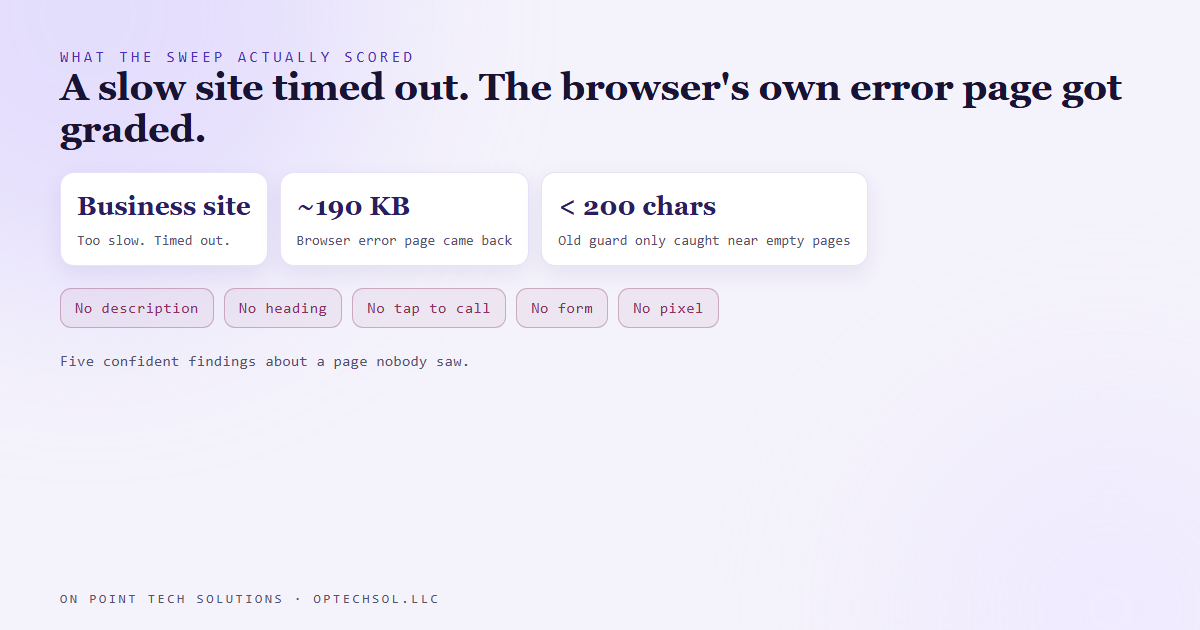
- One site was slow and timed out. The browser didn't hand back nothing. It handed back its own error page, roughly 190 kilobytes of it.
- Our guard only threw out near empty pages, so the error page sailed through and scored as a website missing all five basics.
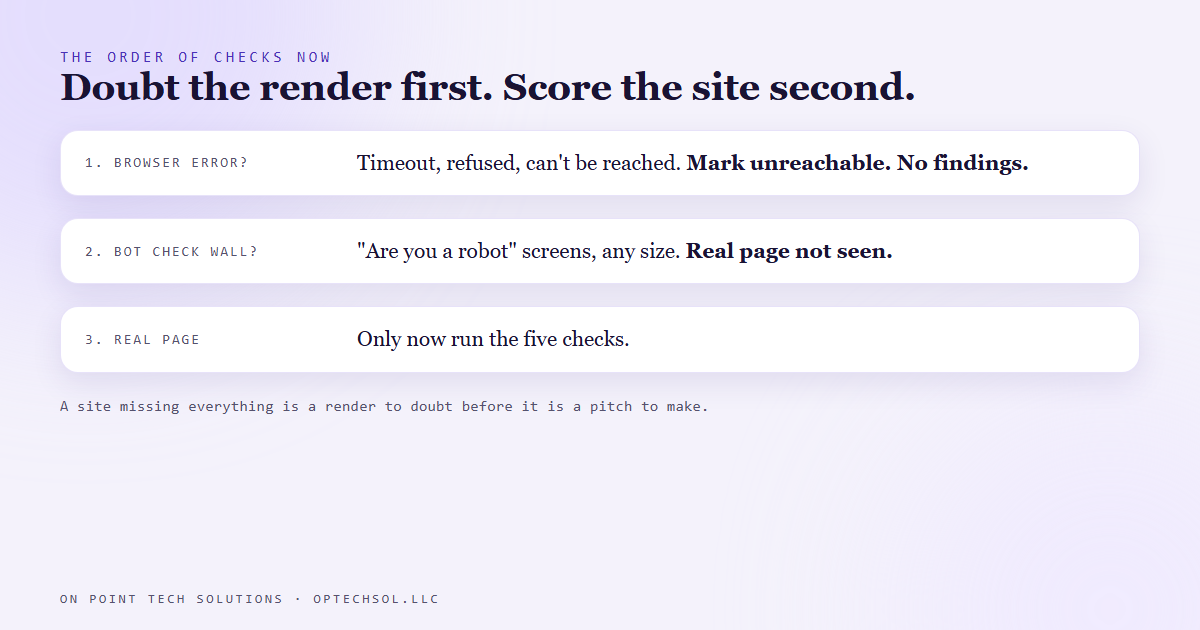
- The fix rejects any page carrying the browser's own error codes and marks the row as an error instead of scoring it.
- A site that seems to be missing everything is a render to doubt before it is a pitch to make.
Part of what we do as a GHL consultant Bay Area businesses call is find the ones whose website is quietly costing them calls. So we built a sweep. It takes a list of local businesses, opens each website in a browser with no screen, reads the page, and checks for the basics a customer needs.
Five of them. Does the page have a description Google can show? A main heading that says what the business does? A phone number you can tap on a phone? A form to ask for a quote? A tracking pixel, so the owner can tell whether ads are working?
Each missing one becomes a finding. A finding becomes a line in a pitch. "Your site has no tap to call button, so mobile visitors have to copy your number by hand." Specific, true, and fixable. That's the whole point.
Five findings about a site nobody saw
In mid August one row came back perfect. Perfect in the bad way. No description, no heading, no phone link, no form, no pixel. A full house.
That should have felt wrong right away, and it did once we looked. A real business website almost never lacks all five at once. Even a ten year old template usually has a heading and a phone number somewhere.
So we opened what the browser had actually saved. It wasn't the business's website. It was the browser's own "this site took too long to respond" page. The site was slow, the browser gave up, and it showed its standard error screen, same as it would for you.
That error page is big. Around 190 kilobytes of markup. And none of that markup is a business. It has no phone number, no quote form, no pixel. Score it like a website and it fails every check.
Why the guard missed it
We did have a guard for failed loads. It threw out anything shorter than a couple hundred characters, on the theory that a failed load comes back empty. Most of the time it does.
This one didn't. It came back huge. The guard was checking the size of the answer, and a size check can't tell a business from an error message that happens to be long.
We'd already hit a cousin of this. A security check screen, the kind that asks if you're a robot, came back at about 12 kilobytes on another site and scored findings against a page nobody had actually seen. We fixed that one by looking for the wording those screens use, whatever their size. The timeout was the same mistake in a different outfit.
The fix
Now, before anything gets scored, the sweep looks for the fingerprints of the browser's own error pages. The error codes browsers print, like the ones for a timeout, a refused connection or a name that doesn't resolve. And the plain wording, like "this site can't be reached" or "took too long to respond."
If any of that is on the page, the row doesn't get findings. It gets marked as an error: unreachable, try again later. No score, no pitch line.
That's a small change with a big effect on what we'd say to someone. Telling a business owner their site is missing everything, when it was really just slow that afternoon, is the fastest way to lose them. They'd open their site, see it working fine, and never read the rest of the email.
The lesson we are keeping
Absence of evidence was dressed up as evidence of absence. "We didn't find a phone number" turned into "they don't have a phone number," and the only thing that had actually happened was that we never saw the page.
So the rule is simple now. When a check says something is missing, ask first whether we looked at the right thing. And when a site seems to be missing everything, that's not a great prospect. It's a render to doubt.
What this means when you hire a GHL consultant in the Bay Area
You'll get audits. Free ones, paid ones, automated ones that show up in your inbox. Some of them run the same kind of sweep we do. Before you act on one, or get rattled by one, it's worth checking whether it saw your real site.
Three things worth doing this week:
- Open your own website on your phone, on cellular data, not wifi. Time how long it takes to show something useful. If it's slow for you, it's timing out for somebody.
- If an audit says your site is missing basic things, open the site and look for each one yourself. A phone number you can tap. A form. A heading that says what you do. If they're there, the audit didn't see your site.
- Ask anyone who audits your site how they handle a page that fails to load. If the answer is "it just scores low," their report can't tell you the difference between a bad site and a slow afternoon.
A good GHL consultant Bay Area owners can trust should be able to show you what they actually looked at. A pitch built on a page nobody saw is worse than no pitch at all.
Want this built for you
We build websites with the basics customers need, and we check them against the real page before we say a word about them. Start at optechsol.llc.