
Key takeaways
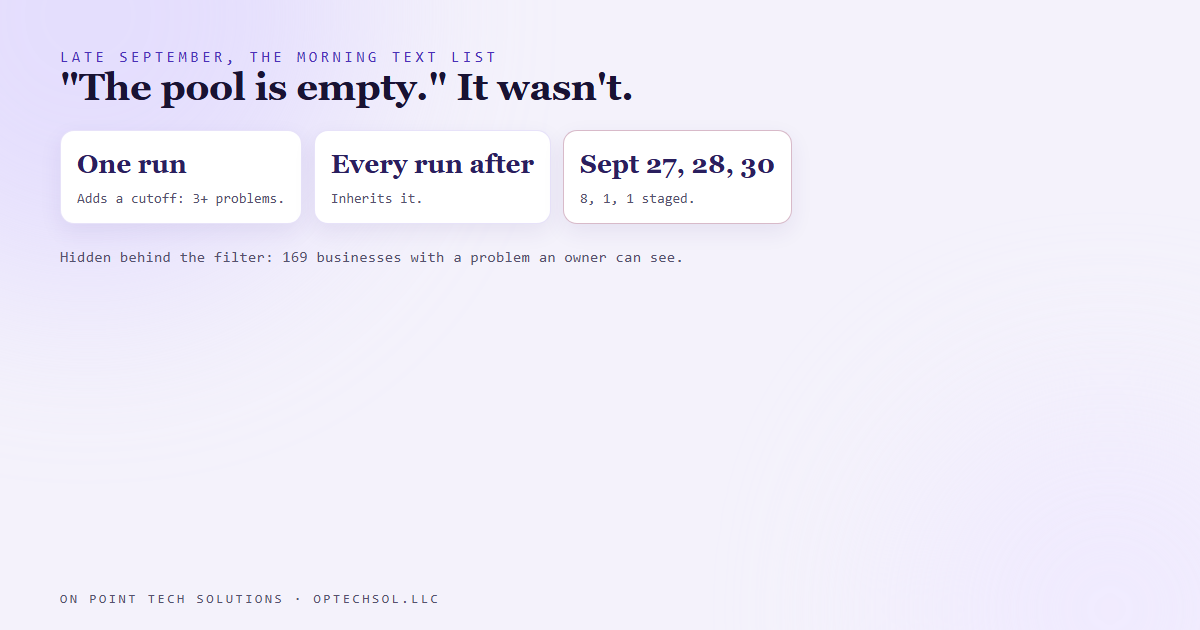
- Our morning outreach job is built to line up 30 texts a day. On September 27, 28 and 30 it staged 8, then 1, then 1, and each time reported that the pool of prospects was used up.
- It wasn't. One earlier run had added a shortcut that threw out every business with fewer than three website problems before any other check.
- The written instructions said to prefer three or more. Not to require them. Each run reuses the last run's working scripts, so that shortcut quietly became a rule.
- It hid 169 businesses with a problem the owner could see for themselves. On October 1, a run that went back to the full list staged all 30.
- "We're out" deserves a recount from the source before anyone believes it.
The marketing automation San Jose businesses ask us for is usually about follow up. Leads come in, and the system makes sure every one of them hears back. We run the same kind of machine for our own outreach, and one morning it told us we'd run out of people to talk to.
Three mornings, actually. And it was wrong every time.
How the morning list gets made
We keep a pool of local businesses we've already researched. For each one, a script has visited their website and written down the problems a customer would notice. A footer showing a year from long ago. A security warning when the page loads. A homepage that doesn't load at all.
Every morning a job picks up to 30 of those businesses, double checks each one, writes a short personal text that opens with the problem we found, and stages the whole batch for approval. Nothing sends until it's approved.
To save time, each morning's run starts from the working scripts the previous run left behind. That's normally a good thing. Yesterday's run already solved yesterday's problems.
Three mornings of "empty"
In late September the list started coming back thin. September 27: 8 texts, and a note saying the pool was empty. September 28: 1 text. September 30: 1 text. Same explanation each time.
It sounded believable. We hadn't run a fresh search for new businesses since mid August, so a shrinking pool made sense. Nobody went looking.
Back around September 21, one run added a shortcut to its shortlist step: drop any business with fewer than three website problems before doing anything else. The instructions for this job say to give priority to businesses with three or more. That's a preference, not a cutoff.
And because every run reuses the previous run's scripts, that shortcut got copied forward. Every morning after that inherited it, and a rule nobody ever chose ended up deciding who we talked to.
The recount
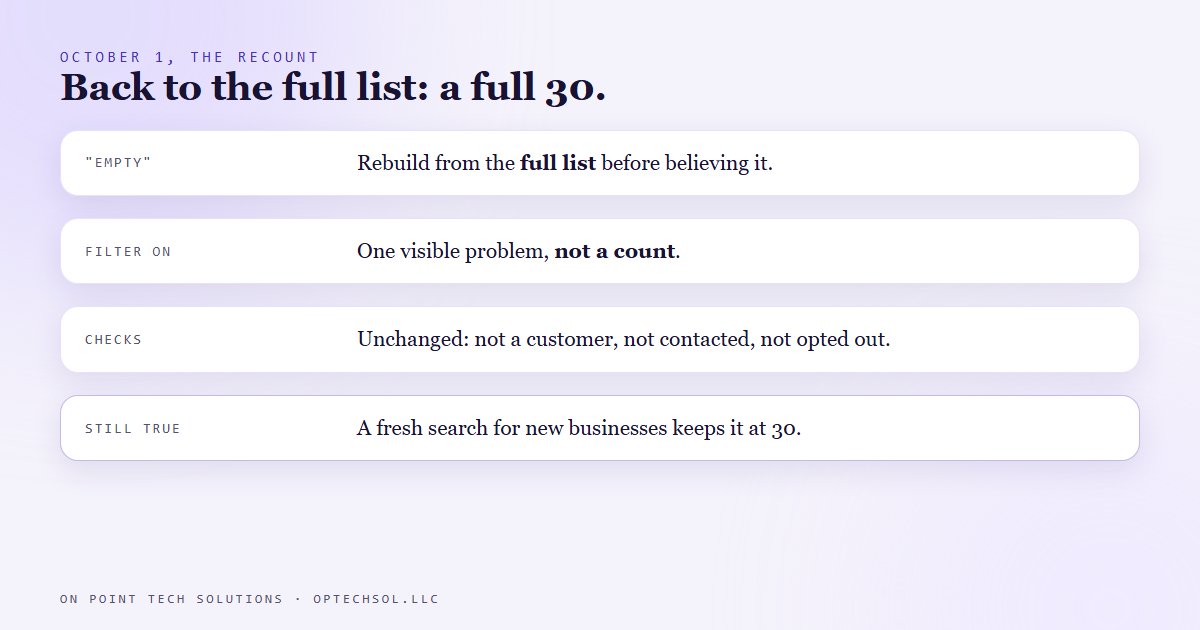
On October 1 the run went back to the full pool instead of the filtered one, and asked a simpler question. Does this business have at least one problem the owner could see with their own eyes?
169 businesses did. All 169 got the same checks as always: not a customer, not already contacted, not opted out, and every claim about their site confirmed more than one way before it could go in a message. That morning staged a full 30.
We'd seen the same shape a couple of days earlier, too. Twelve businesses from an old batch had been handed back to the pool, and every run since kept them on a local "skip these" list anyway. Different shortcut, same pattern. Something one run did for its own convenience, carried forward as if somebody had chosen it.
What we keep from it
The rule we wrote down: when a run says the pool is empty, rebuild from the full list before believing it, and filter on "has one visible problem," not on how many. And the honest part is still true: a pool that hasn't had new businesses added since August will run low, and a fresh search is what keeps it at 30 a day. The recount just tells you whether "low" means low or means hidden.
The bigger lesson is about absence. "There's nothing here" is the hardest kind of result to check, because it looks identical whether the thing is truly missing or you just looked in too small a place.
What this means for marketing automation San Jose businesses
You've almost certainly got a version of this in your CRM. A saved filter. A smart list. A "hot leads" view somebody narrowed six months ago to deal with one busy week. It still looks official, it still has a sensible name, and it might be quietly hiding half your follow ups.
The same goes for anybody on your team who says the list is done. Done according to which view?
Three things worth doing this week:
- Open the saved lists and smart filters you use most, and read their actual conditions. Ask whether you'd still choose each one today.
- Next time someone says there's nobody left to call, count the full contact list yourself and compare.
- Write down the "prefer" rules in your business as preferences, not requirements, so nobody turns them into a wall by accident.
Good marketing automation San Jose owners can trust is the kind that tells you why it stopped, so you can check if it's right.
Want this built for you
We build follow up and outreach systems you can see inside, with every list and rule written where you can read it, and you own all of it. Want to build this yourself? Join the On Point Tech Academy. It's free, and we build live every Tuesday and Thursday.
The On Point Tech Academy costs nothing and never asks for a card. We build live every Tuesday and Thursday, 12:30 to 1:30 PT.
Join the Academy free ← Back to all Field Notes