
Key takeaways
- On September 22 we deployed our website from a clean copy of its code, not from the working folder, to keep another unfinished project off the live site.
- Our images, videos and audio were never stored with the code, on purpose, because they're large. They only ever lived in the working folder.
- A deploy replaces the whole site. So every image that had been live only because earlier deploys came from that folder vanished, including the icon about 40 pages use.
- For about twenty minutes every image on the site returned not found. The pages themselves loaded fine.
- The fix: layer the media folders into any clean copy before it ships, refuse to ship if the icon is missing, and after every deploy check one image address, not just a page.
We build and host websites for local businesses, and as a Go High Level Bay Area shop we run our own site the same way we run theirs. The pages are code. The code lives in a record that tracks every change, so we can always see what changed and roll it back.
On September 22 we shipped a new page for one of our own products. We were careful about how we did it, and that's what took every image off the site.
The careful move
The folder we work in day to day is busy. More than one project is usually in progress there. That day it held some half finished pages for a different product, not approved and not ready for anyone to see.
Our host publishes every file in the folder you hand it. We learned that one the hard way earlier, and wrote about it. So deploying from the working folder would have pushed those unfinished pages live along with the one we meant to ship.
The clean way around that is to deploy from a fresh copy of the code as it was last saved to the record. Only finished, saved work is in there. Nothing half done can sneak out. So that's what we did.
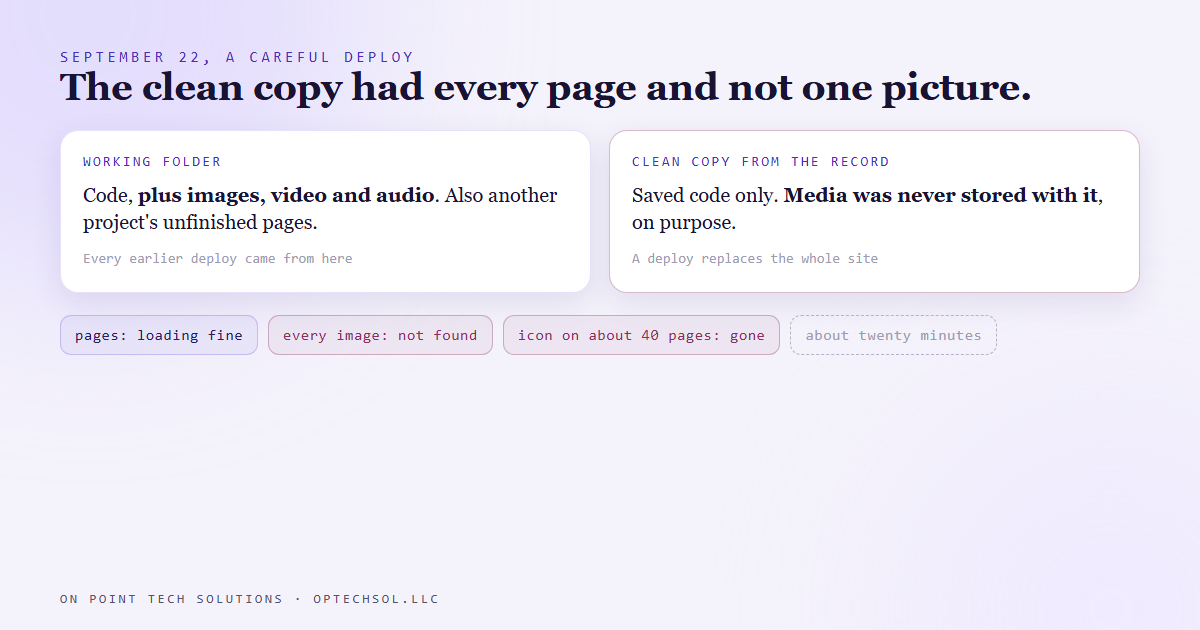
The page went up. It loaded and looked right in the first second. Then we noticed that no picture on it had loaded.
What was never in the record
Every image on the site was gone, not just the ones on the new page. The icon that about 40 pages use, and every other picture on the site, returned not found.
The reason was a decision we'd made on purpose a long time ago. Images, video and audio are big files. A record built for tracking changes to code gets slow and heavy if you stuff it with media, so the standard move is to tell it to ignore those folders. We did. The media sat in the working folder and nowhere else.
That had never mattered, because every deploy before this one came from the working folder. The media rode along every time without anyone thinking about it.
A deploy doesn't add to the live site. It replaces it. The clean copy had every page and not one picture, so the live site became every page and not one picture.
Nobody had ever written down that the working folder was the only place the images lived. It was holding up the site and nobody knew.
Twenty minutes
It lasted about twenty minutes before the media was back.
The usual check would not have caught it. Ask the site for a page and it answers with a healthy success code. The page is there. The text is there. A broken image doesn't make a page fail. It just leaves a hole where the picture should be. A check that only asks "is the site up" stays green the whole time.
What we changed
Deploying from a clean copy is still the right call when the working folder has unfinished work in it. So we kept that and fixed the gap.
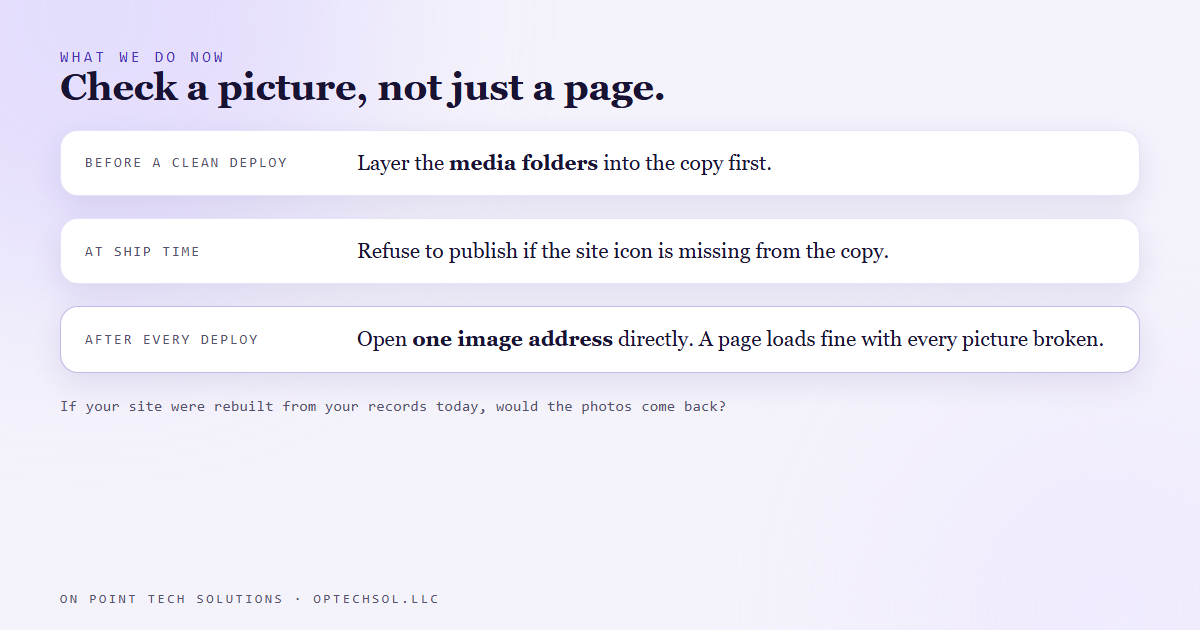
Before a clean copy ships, the media folders get layered into it from the working folder. And the ship step refuses to go if a known file, the site icon, is missing from what it's about to publish. That one check would have stopped the whole thing.
After any deploy, we check one image address directly, not just a page. If the icon answers, the media made it. If it doesn't, we know in seconds.
The lesson we are keeping
A safety step can remove something nobody knew was load bearing. We added the step to keep the wrong thing off the site, and it kept the right things off too, because nobody had listed what was only there by habit.
And "the page loads" is not the check. You have to check what a customer would actually see.
What this means for Go High Level Bay Area businesses
The useful question in this for you is about ownership. If your website had to be rebuilt today from whatever records exist, would the photos come back?
For a lot of local businesses the honest answer is nobody knows. The job photos, the team pictures, the before and afters, the logo file. They were uploaded once, years ago, by an agency or a cousin, and the only copy is on the live site. If the host goes away or the relationship ends badly, they go with it.
Three things worth doing this week:
- Ask whoever hosts your site: where do the original images live, and do I have a copy? If the answer is "on the site," that's one copy, and you don't hold it.
- Get your logo files, your best job photos and your team photos into a folder you own. A shared drive is fine. It takes an hour and it means you never start over from nothing.
- Next time anything changes on your site, open it on your phone and look at the pictures. A green "site is up" light won't tell you they're broken.
Go High Level Bay Area owners should be able to walk away from any vendor with their whole site in hand, pictures included. If you can't, you're renting it.
Want this built for you
We build websites you own outright, files and photos included, and we check them the way your customers see them. Start at optechsol.llc.