Key takeaways
- On August 27 we read a work item on our internal project board through its API. The plain text version of the description came back empty, so the obvious report was "no description," and the obvious next step was to write one.
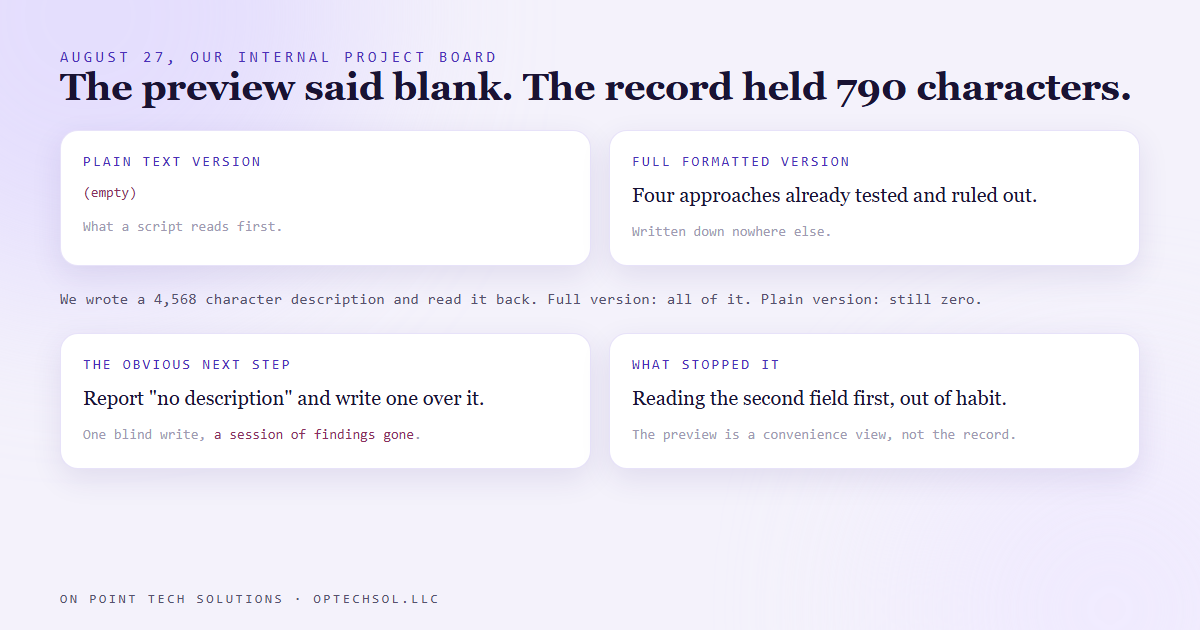
- The full formatted version held 790 characters: the results of four approaches we had already tested and ruled out, written down nowhere else.
- Any description written through the API reads back that way. We wrote a 4,568 character one and the plain version still read zero.
- Overwriting it because it looked empty would have deleted work that cost a live session to produce.
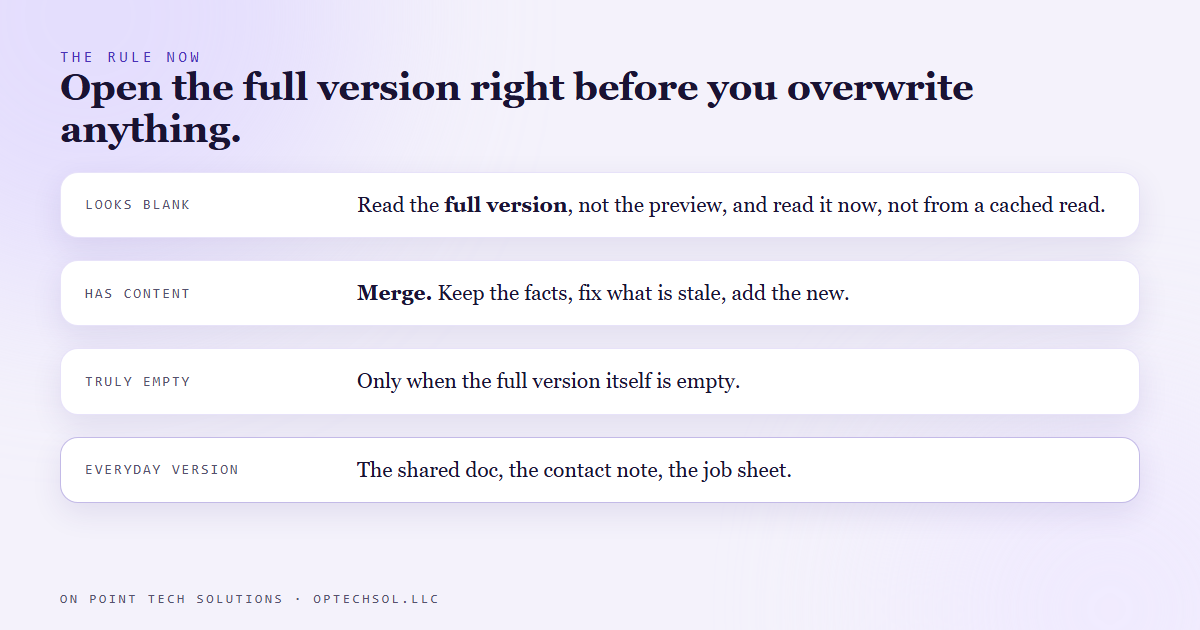
- The rule now: read the full version immediately before overwriting anything, and if there is content, merge rather than replace.
Most of the Go High Level work we do in the Bay Area comes down to one habit: look at what is actually there before you change it. That sounds too obvious to write a post about. On August 27 I nearly broke it, and the only reason I did not is that I got curious about a second field.
The item that looked blank
We run our internal work on a project board, separate from the CRM. Client facing tasks live in the CRM where the team sees them. Internal build work, the stuff only I and the AI agents touch, lives on the board. A lot of it gets written and read by scripts rather than by a person clicking around.
One of those scripts was reading a work item to see what it said. The board returns a description two ways: a plain text version, stripped of formatting, and the full formatted version. The script read the plain one, because that is the one a person would want to skim. It came back empty.
So the report said "no description." And the next step in that session was obvious: write one. The item was about a CRM feature I was mid way through probing, and I had fresh findings to put in it.
What was actually there
Before writing, I read the full formatted version, mostly out of habit. It held 790 characters.
Those 790 characters were the results of four approaches we had already tested and ruled out. Four different ways of pushing an update into a copied CRM account, each one tried against the live system, each one a dead end. A session's worth of work, reduced to four lines that said "do not try this, we already did." Written down nowhere else in the whole company.
If I had typed over the item because it looked blank, those four findings would have been gone, and the next session would have spent an afternoon rediscovering them.
Why the preview lies
I wanted to know whether this was a one off, so I tested it. I wrote a new 4,568 character description to the same item through the API and read it straight back. The full version held every character. The plain version read zero.
So it is not a quirk of that one item. Any description written through the API reads back with an empty preview. Which means every work item our scripts have ever written looks blank to any script that reads the preview, and all of them have content.
Nothing is broken here. The preview was never the record. It is a convenience view, and a convenience view can be empty while the thing it summarizes is full.
The rule now
Our scripts read the full version when they want to know whether an item has a description. Not the preview. And they read it immediately before overwriting anything, not from a cached read ten minutes earlier.
If the full version has content, the write is a merge. Keep the measured facts, correct whatever is now stale, add the new structure. Only when the full version itself is empty does the item count as blank.
The same caution now sits on any field that has a stripped or rendered twin. Wherever a system shows you a summary of a thing instead of the thing, the summary is not evidence.
What this means for Bay Area businesses on Go High Level
You have this exact situation in your own business, and it has nothing to do with APIs.
The contact that looks like it has no notes in the list view, until you open it and find the last three conversations. The shared doc that shows a blank first page because someone put the real content on page two. The job sheet in the truck that looks unfilled from across the cab. Blank is what things look like from across the room.
The expensive version is always the same. Someone sees empty, types over it, and a record that cost real time to make is gone. Nobody notices until the next person needs it.
Three things worth doing this week:
- Find one place in your CRM where you decide "this is empty" from a list or a preview. Open three of those records fully. Count how many were not empty.
- If you have any automation that writes into a note, a description or a field, check whether it replaces or adds. Replacing is how records disappear.
- Tell your team the rule in one line: open it before you overwrite it. If something is there, add to it.
A Go High Level setup in the Bay Area only holds what your people do not accidentally delete. Open the record, not the preview.
Want to build this yourself?
Join the On Point Tech Academy at optechsol.llc/academy. It's free, and we build live every Tuesday and Thursday.
The On Point Tech Academy costs nothing and never asks for a card. We build live every Tuesday and Thursday, 12:30 to 1:30 PT.
Join the Academy free ← Back to all Field Notes