
Key takeaways
- On September 12 we checked three new blog drafts and all three read back with an empty body. On a platform with no delete button for blog posts, that looks like an emergency.
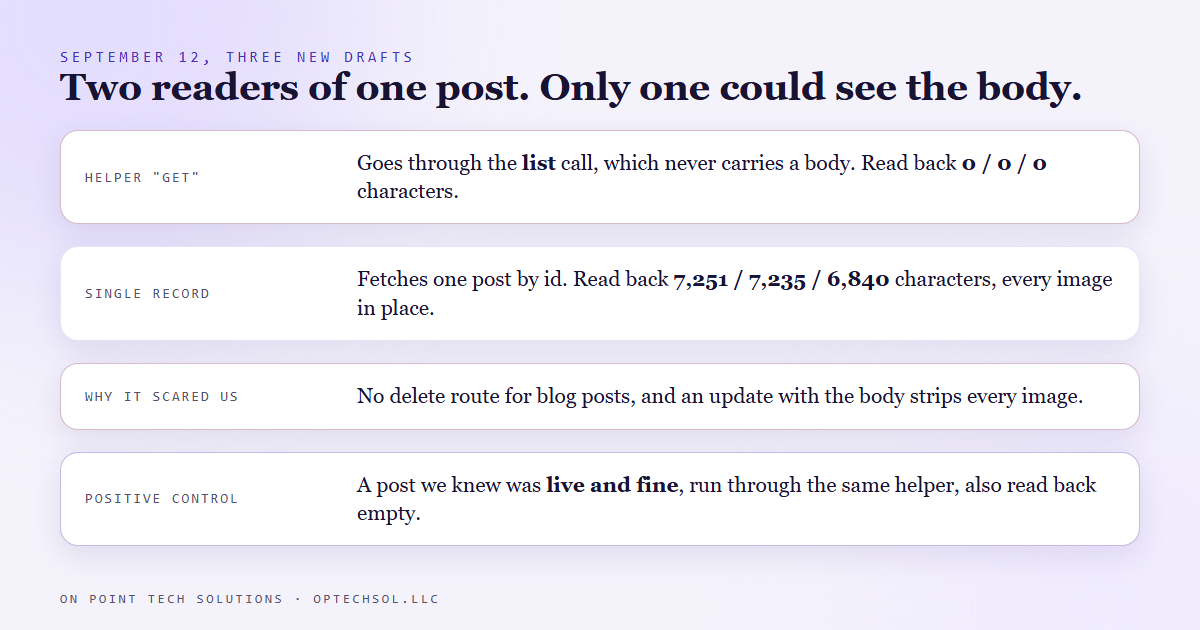
- Nothing was wrong with the posts. The helper script we used to read them goes through a list call, and that list never carries the body of any post, published or draft.
- The raw single record call returned all three bodies in full, with their images: 7,251, 7,235 and 6,840 characters.
- What turned the emergency into a one line explanation was a positive control: we ran a post we knew was live and fine through the same helper, and it came back empty too.
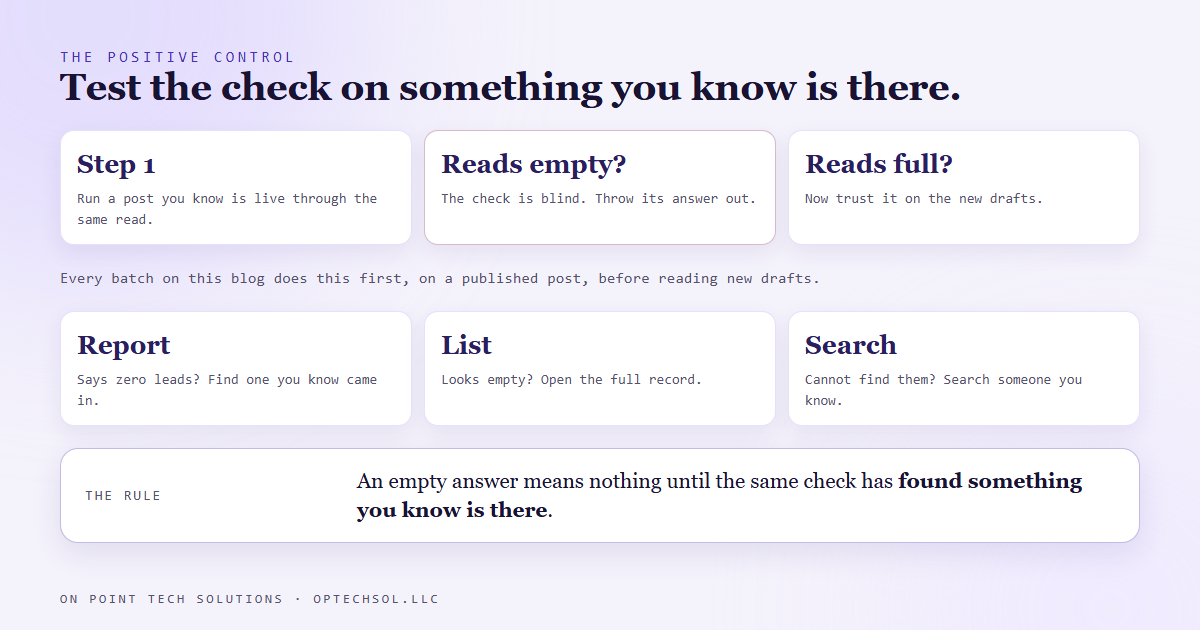
- The rule now: before trusting any check that says something is missing, run it on something you know is there.
Most GHL consultants in the Bay Area have a favorite report or a favorite script they lean on to see what is in an account. So do we. On September 12 ours told us three brand new blog posts had lost everything in them, and I believed it. The posts were fine. The tool had never been able to see what I was asking it about.
What we were checking
This blog is written by a daily pipeline. Each post is created as a draft, with its images baked into the body, and then it waits for approval. Creating it right matters more than usual here, because on this platform there is no route to delete a blog post, and an update that carries the body strips every image out of it. A post that goes in wrong mostly stays wrong.
So after every batch we read each draft back and check that the body is there with its images. On September 12 we read three drafts back through a small helper script we use for blog work. All three came back with a body of zero characters.
Why it looked like a disaster
Zero characters on all three is exactly what a total write failure looks like. Three posts created with titles and no content, sitting in an account where they cannot be deleted, about to be offered up for approval. Every instinct says stop everything and start cleaning up.
The honest part is that cleaning up would have been the real damage. Rewriting a post that is actually fine, through an update that strips images, would have turned a phantom problem into a real one.
What was actually going on
The helper's "get one post" command does not fetch one post. It fetches the whole list and picks the matching entry out of it. The list call is built to be light, so it leaves out the body, the author and the tags for every post, by design. Asking the helper for a body was asking a list that never carries one.
The single record call, which fetches one post by its id, returns the full body. All three drafts were there, 7,251, 7,235 and 6,840 characters, every image in place. The helper's own update command even re-fetches the real post first for exactly this reason. Its read command just never got the same treatment, and it still reads that way today. So we stopped asking it that question.
The check that saved us
What settled it was a post we already knew was live and fine. We ran it through the same helper, and it also came back empty. A check that says empty for a post that is obviously full is not telling you anything about the posts you are worried about. It is telling you about the check.
That is a positive control: before you trust a tool's answer of "nothing there," point it at something you know is there and confirm it can see it. If it cannot, ignore whatever it told you about the rest.
The rule we run every day now
Every batch on this blog now reads its new drafts back through the single record call, and it runs a published post through the same read first as the control. If the control comes back short, the result on the new drafts is thrown out, not acted on. It is a few seconds per batch.
What this means for Bay Area businesses hiring a GHL consultant
You will meet this in your own CRM, and probably already have. A report that says no new leads this week. A filtered list that shows zero contacts with a tag you know you applied. A search that cannot find a customer you spoke to yesterday. Sometimes the answer is true. Often the report, the filter or the search just cannot see what you asked about.
- When a report says zero, find one record you know should be in it, and look for that one first.
- When a list looks empty, open the full record the long way, not the summary view.
- Before you "fix" anything based on a missing result, confirm the tool can see a case where the thing is definitely present.
A good GHL consultant in the Bay Area should be able to tell you which of your reports you can trust when they say zero, and how they know. If nobody has ever tested that, start with the report you check most.
Want to build this yourself?
Join the On Point Tech Academy at optechsol.llc/academy. It's free, and we build live every Tuesday and Thursday.
The On Point Tech Academy costs nothing and never asks for a card. We build live every Tuesday and Thursday, 12:30 to 1:30 PT.
Join the Academy free ← Back to all Field Notes