Key takeaways
- On August 5 we connected our AI calling agent to the prospects our research pipeline had loaded into the CRM. Her opening line was built on their Google reviews and whether they had a website.
- She could see neither. The pipeline had written the rating, the review count and the site check into a note, and recorded website or no website as a tag. The agent can read contact fields only.
- The fix, the same day: three proper fields (review count, rating, website status), written on every new contact, and a backfill that read the old notes and filled the fields wherever a rating line existed, about 44 percent of them.
- Two more lessons came with it. A blank field can be read aloud as stray symbols unless the agent is told what to say instead. And real data can still make a bad opener, so the agent stays quiet about a review count under five.
- The question for any owner adding AI to their CRM: is what you know about a customer in a field, or in a note only a person will ever open?
A GHL consultant in the Bay Area will tell you the CRM is only as good as what you put in it. True, and incomplete. It also matters where you put it. On August 5 we learned that a note full of useful facts is worth nothing to a tool that can only read fields.
What the agent was supposed to say
Our research pipeline scrapes local businesses, scores their Google presence and their website, and loads the promising ones into the CRM as prospects. Then a calling agent dials them. Her opener is specific on purpose: I was looking at your Google profile and you have got this many reviews, then a branch depending on whether they have a website at all. It is a cold call that sounds like someone did their homework, because someone did.
What the agent could actually see
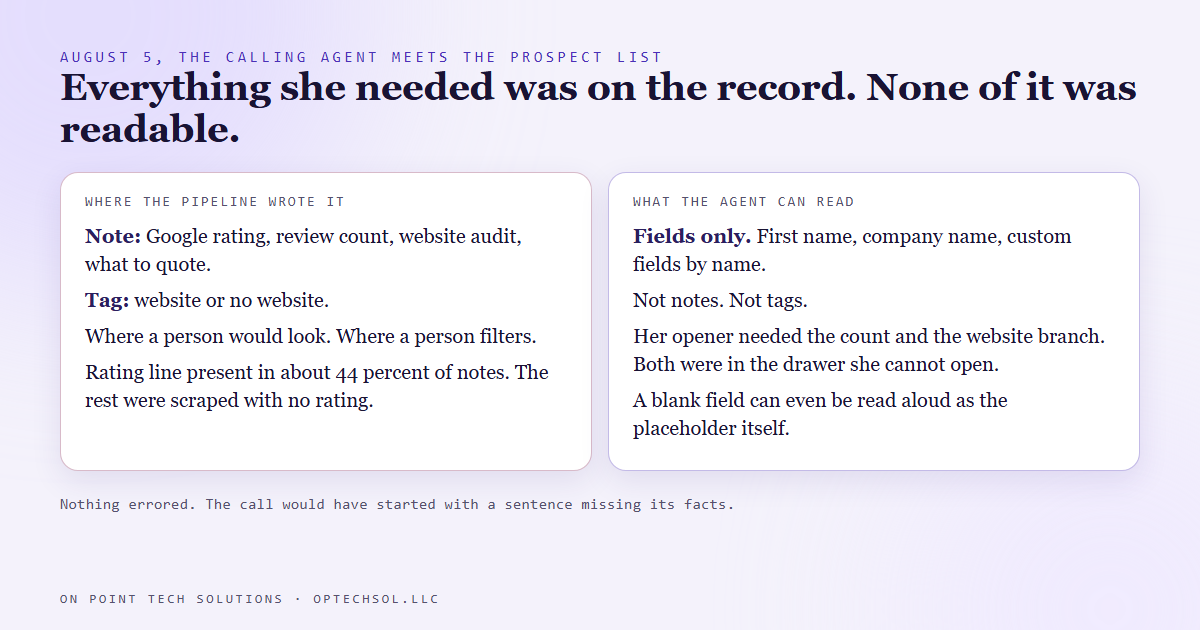
The pipeline had done that homework and written it where a person would read it: in a note on the contact. The rating, the review count, the website audit, what to quote. Website or no website went on as a tag, because that is how a person filters a list.
The calling agent reads contact fields. First name, company name, any custom field by its name. She cannot read notes. She cannot read tags. Everything her opener needed was sitting on the record, and none of it was visible to the one thing that had to say it out loud. The homework was in a drawer she could not open.
Nothing errored. The call would simply have started with a sentence missing its facts.
The fix, the same day
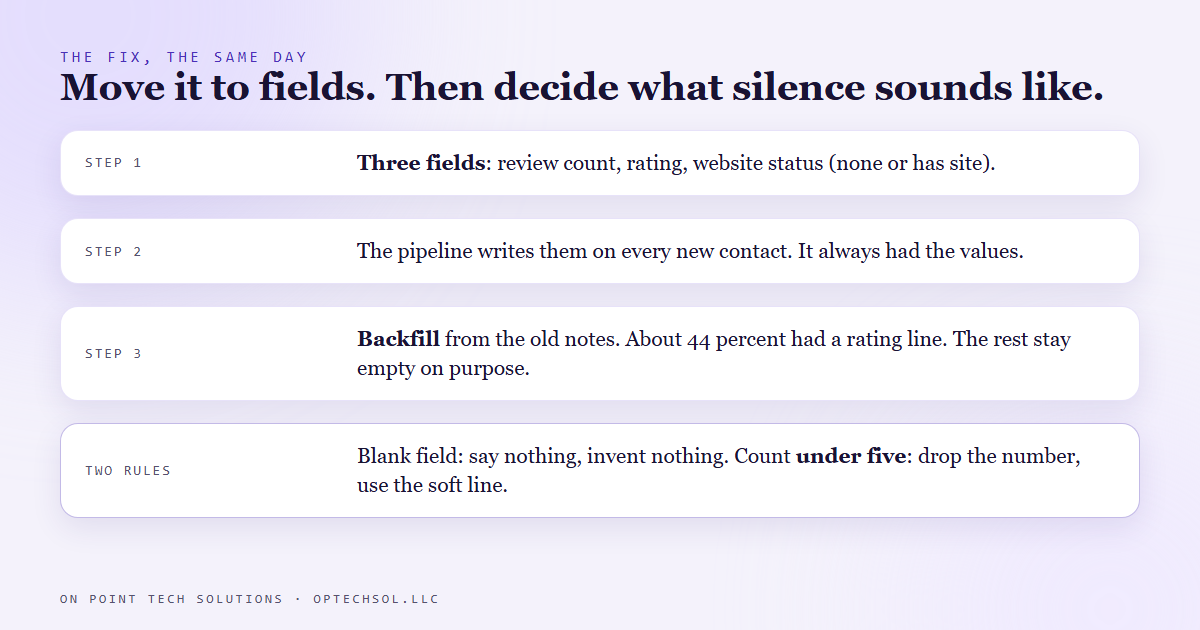
- Three custom fields: Google review count, Google rating, and website status, the last one holding either none or has site.
- The pipeline script now writes those three fields on every contact it creates. It always had the values in hand. It had just been putting them in a note.
- A backfill script walked every prospect already in the CRM, parsed the note, and wrote the fields. Only about 44 percent of the notes carried a rating line. The rest were scraped from listings with no rating, and those fields were left empty on purpose.
By the end of the day the agent could say the number. Then two more problems showed up, and both are worth more than the original fix.
Two lessons that came with it
The first is about blanks. The agent's script drops a field into a sentence, and when the field is empty the sentence can come out with the placeholder read aloud as literal symbols, or worse, with a number the agent made up to fill the gap. So her instructions now say it in plain words: if any of these comes through blank, or as anything that is not a real value, we do not have it. Do not say it. Do not read a placeholder. Do not invent a number. Every field has its own fallback line for when it is empty.
The second is about real data that makes a bad opener. Most of these prospects have one to three reviews. "You have got two reviews on there" is a worse way to start a call than saying nothing at all. So under five, she drops the count and uses a softer line about their rating instead. The field was accurate, and saying it was still the wrong move.
What this means for Bay Area businesses hiring a GHL consultant
Every CRM has fields and notes, and most businesses live in the notes. The notes are where the real knowledge goes: she prefers texts, he is remodeling in the spring, do not call before ten. That is fine for as long as a person is the only reader.
The moment you add an AI to the CRM, a receptionist, a follow up agent, a calling agent, the reader changes. Fields are what the tools read. Notes are what people read. Anything you want the tool to act on has to move, and nothing will warn you that it has not. The agent just talks around the gap.
Three things worth doing this week:
- Write down the three facts you most want any automated conversation to know about a customer. Then check where each one lives right now.
- For each one sitting in a note or a tag, make a field and move it. Backfill the records you already have, and accept that some will stay empty.
- For each field, decide what the tool says when it is empty. Silence is a valid answer, and more often than you would think it is the right one.
A GHL consultant in the Bay Area who sets up an AI agent for you should be able to show you exactly which fields it reads. If the answer is "it reads the notes," it does not.
Want to build this yourself?
Join the On Point Tech Academy at optechsol.llc/academy. It's free, and we build live every Tuesday and Thursday.
The On Point Tech Academy costs nothing and never asks for a card. We build live every Tuesday and Thursday, 12:30 to 1:30 PT.
Join the Academy free ← Back to all Field Notes