
Key takeaways
- On August 28 we tried to save a dollar amount into a money field on a custom record in a demo CRM account. Every format we tried was refused with the same message: the field was missing a currency code.
- We tried a bare number, a number with a currency code attached, and text with the currency written in. Same refusal every time.
- Sending deliberately broken input changed the error. That proved the format was never the problem.
- The real cause was one level up. The account itself had never had a business currency set, and no setting on the field could fix that.
- When an error names a symptom, ask where the thing it wants actually lives. Account level setup quietly gates features further down.
A lot of the work we do for Go High Level San Jose businesses happens below the screens people click on. We build custom records, custom fields and automations through the platform's API, so a whole account can be set up the same way every time instead of by hand.
That's how we were working on August 28. We were building out a demo account, the kind we use for training and testing so no real client ever shows up on screen. Part of it was a custom record type with a money field on it, a yearly dollar amount.
Simple enough. Save a number into a money field. It turned out we couldn't, and the reason was nowhere near the field.
Every format, one answer
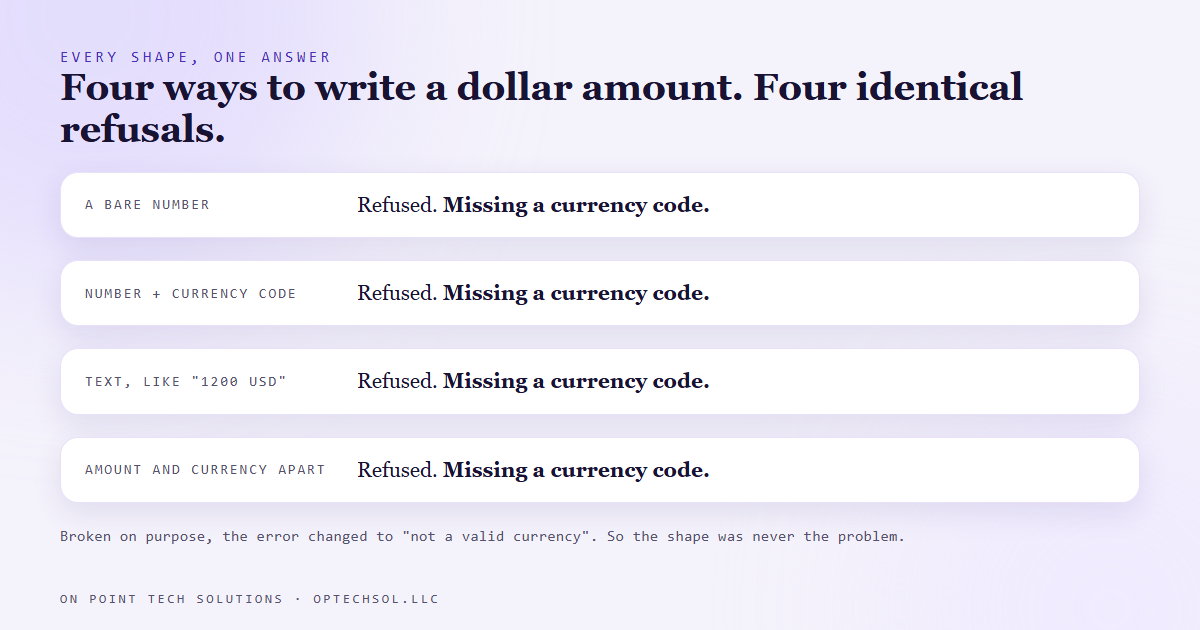
The first try was a plain number. Refused. The message said the field was missing a currency code.
Fair. A money field wants to know which money. So we sent the number with a currency code attached, the way a lot of systems want it. Refused, same message.
Then text with the currency written right in, like "1200 USD." Refused. Then one more shape, amount and currency as separate pieces. Refused. Every time, word for word: missing a currency code.
That's the moment most people start guessing. Maybe it wants lowercase. Maybe it wants a symbol. Maybe the docs are out of date. You can burn a whole day trying shapes, and every refusal feels like it's one tweak away from working.
Breaking it on purpose
So instead of trying to get it right, we tried to get it wrong.
We sent shapes that were broken on purpose, values put together in a way no money field should accept. And the error changed. Now it said the value wasn't a valid currency for that field.
That one change told us more than every try before it. The field was reading what we sent and judging it. So our good shapes had been getting past that part the whole time. The check that kept refusing them was checking something else.
That's a trick worth keeping. When every correct input gets the same refusal, send a deliberately wrong one. If the error changes, the part you changed isn't the problem. You've just ruled out a whole category of guessing in one try.
The setting was on the account
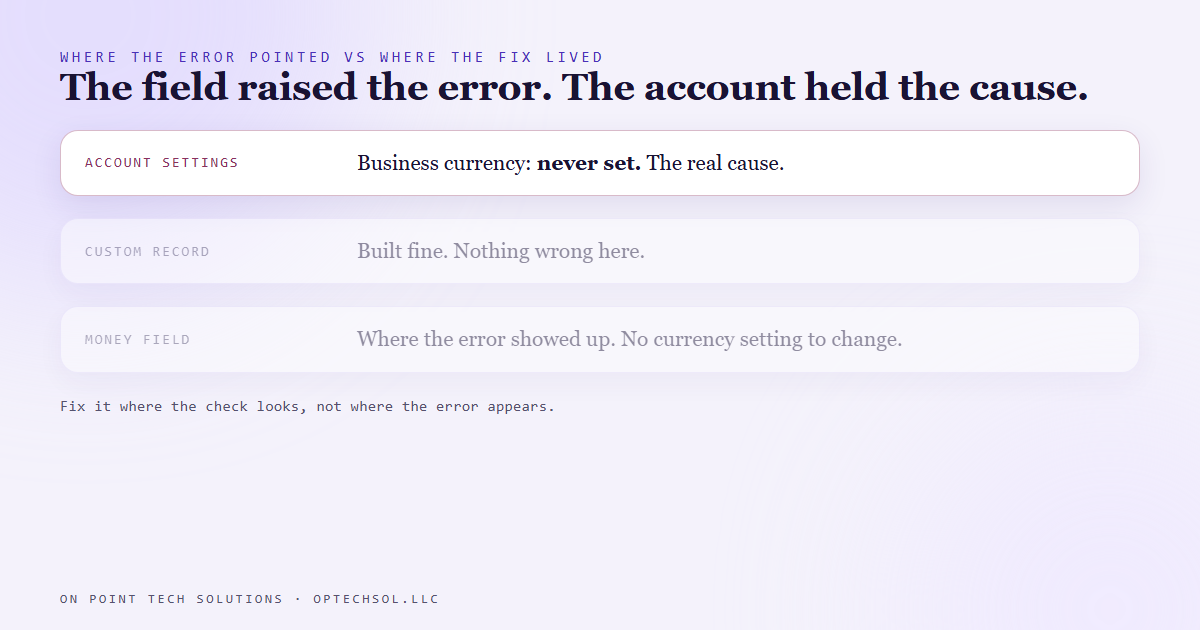
We pulled up the account's own settings. The business currency was blank. It had never been set.
That was the whole thing. A money field on a custom record checks the account's business currency before it saves anything. With nothing set, it refuses every value and blames the field. And there's no currency setting on the field itself that we could reach. You can't fix it where the error points.
The fix lives in the account's business profile, one level up from where the error shows. Until that's filled in, no format works. Not ours, not anyone's.
Two smaller finds came out of the same session. A yes or no checkbox field whose name started with a number, like "100% Paid," got its internal key spelled out in words instead of keeping the digits. And a checkbox value isn't true or false. It's a list of the option keys you picked. Send a plain true and it gets refused too. Small things, but each one would cost somebody an hour.
The lesson we are keeping
An error message names the symptom. It doesn't always name the place. "Missing a currency code" was completely true, and it sent us to the wrong door.
So now, when every reasonable input gets the same no, we stop tweaking and ask two questions. What happens if I send something obviously wrong? And what setting above this one could be the thing it's actually checking?
What this means for Go High Level San Jose businesses
You probably won't be sending values through an API. But you'll hit the same shape of problem in the screens. A feature that won't turn on. A form field that won't save. An invoice that shows the wrong currency. A reminder that goes out at the wrong hour.
A lot of the time the cause isn't the feature. It's the account setup underneath it that nobody finished. Time zone, business address, currency, business name. The stuff you fill in on day one, or skip because you're in a hurry to get to the good part.
Three things worth doing this week:
- Open your CRM's business profile or company settings and check every field. Time zone, address, currency, phone, legal name. Fill in anything blank.
- If a feature keeps refusing no matter what you try, stop retrying it. Look one level up, at the account or location settings, before you touch the feature again.
- If you hire someone to build your system, ask them to confirm the account level settings in writing before they build anything on top.
For Go High Level San Jose businesses, the foundation is the boring part. It's also the part everything else quietly checks before it works.
Want this built for you
We set up the account foundation first, then build the features on top, so nothing refuses for a reason nobody can see. Start at optechsol.llc.