Key takeaways
- On October 4 a teammate got an email from us with a link to a preview video, and wrote back that it would not load. The link pointed at a file served from our own command center dashboard.
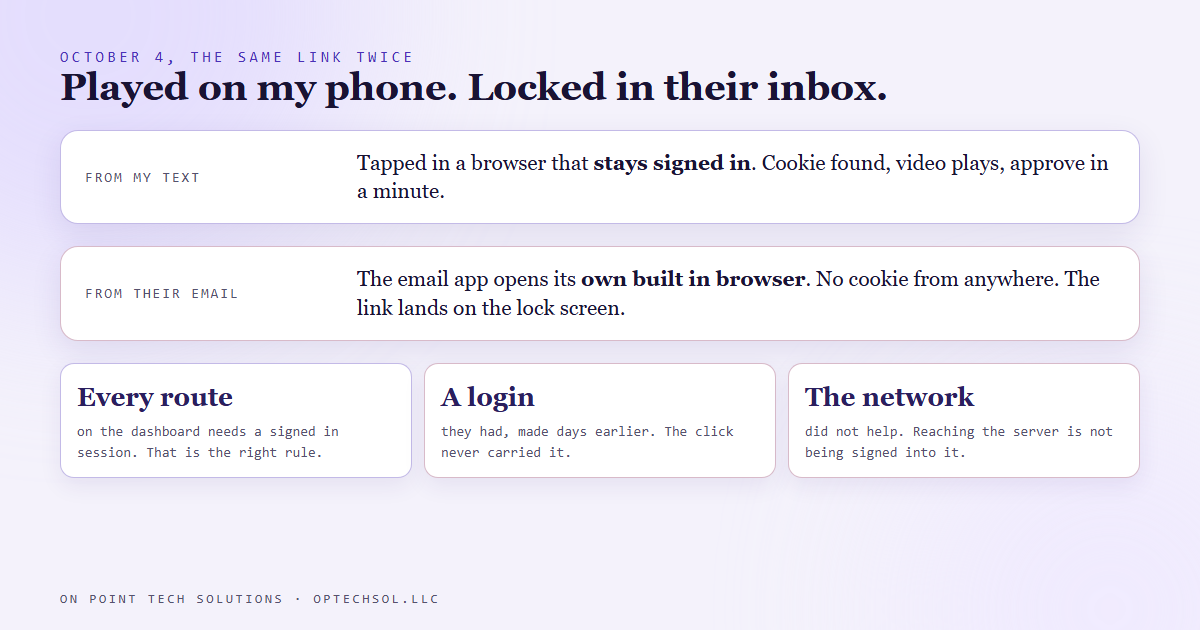
- Every file route on that dashboard sits behind its login. A click from an email client opens a browser with no session, often the email app's own built in browser, so the link lands on a lock screen instead of the video.
- It had always worked for me, because my phone stays signed in. That is exactly why nobody had noticed.
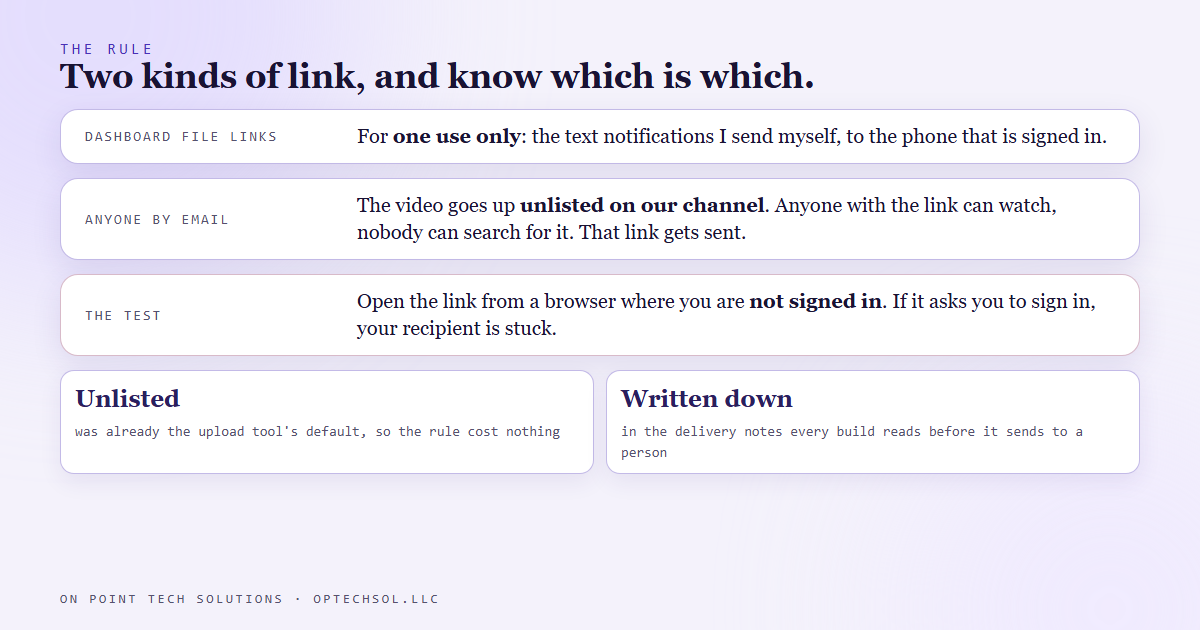
- The rule now: a video or file that goes to anyone by email, or to anyone not already signed into the dashboard, goes up as an unlisted video on our channel, and that is the link that gets sent.
- The dashboard links stay for one use only, the text notifications I send to myself.
Everyone has clicked a shared drive link from a colleague and hit a page asking them to request access. The person who sent it had access, so it worked for them, and they never saw the wall. We run our marketing automation in San Jose through a dashboard we built ourselves, and on October 4 we sent a teammate that wall with a video behind it.
The link that worked for one person
Our command center is where every automation reports in and where finished work waits for approval. When a build produces a video, a preview is served from the dashboard's own file route, and the notification carries a link straight to it. I get those notifications as texts, tap the link, and approve or reject in a minute. It has worked that way for months.
On October 4 a build finished a hero video for a client project, and the handoff went to a teammate by email, with the same kind of link. The reply came back within the hour: the video is not loading. What they were looking at was our lock screen.
Why it died in their inbox
The dashboard has one rule for its routes: everything except the login itself requires a signed in session. Anyone who reaches the dashboard's chat has the whole machine and every connection on it, so there are no public routes, and the file route is no exception. A request with no session cookie gets a lock screen or a 401, and that is the right answer.
The link in the email was correct. What was missing was the session. When you tap a link in an email client, it does not open your signed in browser. On a phone it usually opens the email app's own built in browser, a fresh context with no cookies from anywhere, and on a desktop it may open a browser you have never signed into the dashboard with. The teammate had a dashboard login of their own, created days earlier. It made no difference, because the click never carried it.
The private network the dashboard sits on did not help either. Being allowed to reach the server is not the same as being signed into it. The cookie is the gate, and the cookie lives in one browser on one device.
Why I never saw it
My phone's browser stays signed into the dashboard. Every link I have ever tapped from my own text notifications opened in that browser, found the cookie, and played. So the link pattern had months of evidence that it worked, all of it from the one device in the world where it could not fail.
It fails for me too if I tap the same link from inside an email app, whose built in browser has no cookie either. I had just never done that, because the links came to me as texts.
The fix, and the rule
The video went up as an unlisted video on our channel, which anyone with the link can watch and nobody can find by searching, and the email was resent with that link. It played.
The rule that came out of it draws one line. If a video or file is going to anyone by email, or to anyone who is not already signed into the dashboard, it goes up unlisted and that link is what gets sent. The dashboard's file links are for exactly one thing: the text notifications I send myself, to the phone that is signed in. The upload tool already defaulted to unlisted, so the rule cost nothing to adopt. It is written into the delivery notes every build reads before it sends anything to a person.
The honest lesson
The file was correctly locked and therefore useless to the person it was sent to. Both halves of that sentence are true, and the first half is what made the second one invisible. Nothing errored on our side. The server did its job and the link was right. The only failure was at the recipient's end, and it looked to them like a broken video.
The test is one step: open the link from a browser where you are not signed in. We had every other kind of test and not that one, because the person building the thing is the person least likely to be signed out of it.
What this means for San Jose businesses running marketing automation
Any time you send a customer a link to something, you are betting that the link works the way it did for you. It usually does not, for a reason you cannot see from your own seat.
- Open every link you send from a private window, or from a phone that has never signed into anything of yours. If it asks you to sign in, your customer is stuck.
- Keep two kinds of links and know which is which: ones for people inside your systems, and ones for everyone else.
- For anything a customer or partner needs to watch or download, use a link that needs no account at all. If the goal is for them to see it, an unlisted link beats a locked one.
- When somebody says a link does not work, believe them first and check the session second. The link was probably fine.
A marketing automation in San Jose that sends links is only as good as the link on the other person's phone. Test it from their phone before you send it.
Want to build this yourself?
Join the On Point Tech Academy at optechsol.llc/academy. It's free, and we build live every Tuesday and Thursday.
The On Point Tech Academy costs nothing and never asks for a card. We build live every Tuesday and Thursday, 12:30 to 1:30 PT.
Join the Academy free ← Back to all Field Notes