
Key takeaways
- Our content builds use real phone footage, and they keep asking one question: when was this actually shot?
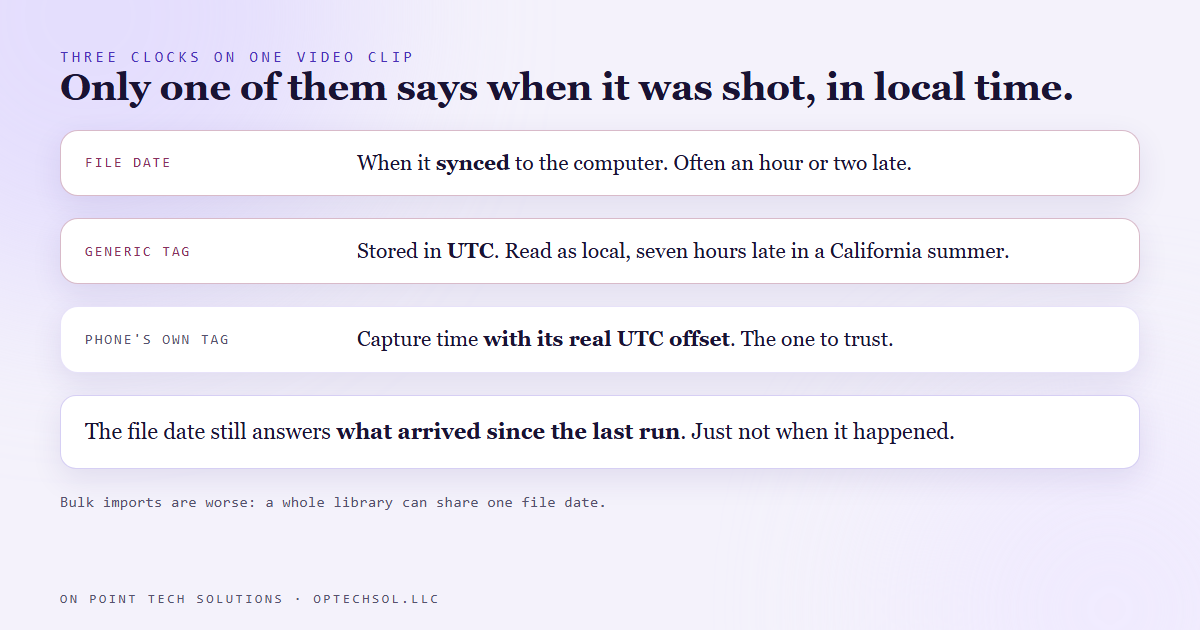
- The date on the file answers a different question. On our machine it is when the clip synced from the phone, and it usually lands within an hour or two of the truth, which is exactly what makes it dangerous.
- The honest answer is inside the file. For video, the phone's own tag carries a real time zone. The generic tag is in UTC and reads hours late if you take it as local time.
- Even that can lie. Six clips stamped five seconds apart, each longer than five seconds, cannot have been filmed at those times. That stamp was the import.
- The habit that came out of it: before building a conclusion on a date, check which clock it came from, and whether the spread of times is even physically possible.
Most of our short videos are built around real footage now, for our own channels and for member spotlights in our networking chapter. The phone films it, it syncs to the desktop, and a nightly build goes looking for the right clip.
"The right clip" nearly always means the right day. Footage from this morning's meeting. The clip from Monday's office visit. Anything filmed today. So the question the build keeps asking a folder of video files is simple: when was this shot?
The obvious place to look is the date on the file. On this machine, that date is wrong in a way that is very hard to notice.
Close enough to trust, and still not evidence
When a clip syncs down from the phone, the file's modified time on the computer is set to when it synced. Not when it was filmed.
If the sync were a day late, you would catch it straight away. It usually is not. It usually lands an hour or two after the real moment, so a clip filmed at 10:40 can show up as 11:30 and looks completely plausible. You would not question it. That is the problem. A date that is obviously wrong gets checked, and a date that is slightly wrong gets believed.
It gets worse with anything imported in bulk. One of our photo libraries was copied onto this machine on a single day in July, and every file in it carries that same day as its date. For one of our lanes, picking the oldest unused clip by file date meant picking between clips with identical timestamps, which means the order was meaningless.
The clock inside the file
The real capture time lives in the metadata the camera writes into the file itself. For a photo it is the date tag the camera records, in local time with no time zone attached.
For video there are two tags, and they are easy to mix up. The generic creation time is stored in UTC. Read it as local time here in California and it is seven hours late in summer, so a morning clip looks like it came from the afternoon. The phone's own creation date tag carries the actual offset from UTC, so it reads correctly. That is the one to trust.
This changed what our builds could find. One evening a check of every video on disk by capture time, rather than file date, turned up eleven clips from a chapter meeting a week earlier that no build had ever used or even mentioned. They had been sitting in the synced folder the whole time. Sorted by file date, they were just part of the pile.
It also changed what a build is allowed to claim. When a spotlight needed a clip filmed at a member's office on a particular Monday, the same check found nothing captured in that window at all. The clip had not synced from the phone yet. So the build cut the spotlight from footage it actually had and noted what to swap in later, instead of taking a clip with a nearby date and hoping.
When the clock inside the file lies too
We would like to say that capture metadata settles it. It does not always.
While hunting for footage of one member, we found six clips whose creation times were five seconds apart from first to last. Each clip ran between six and fourteen seconds. You cannot film six clips of six seconds or more in five seconds. So those times were not capture times. They were stamped when the clips were imported, and the footage turned out to be from a different week than the one we were searching. A search by capture date would never have found it.
The clips from the chapter meeting were the opposite case. Their capture times ran from 7:46 to 8:29, a spread much wider than the clips themselves. That is what real filming looks like: gaps between takes.

So the rule has a second half. When the spread between timestamps is shorter than the clips, the metadata is lying, and the only way to know what the footage is, and when it was shot, is to look at it.
The sync date still has a job, for what it is worth. Our daily media sort asks what arrived since the last run, and for that question the sync time is exactly right. It is the wrong answer to when something happened.
What this means for your business
You may not be sorting video, but you are almost certainly trusting a date that means something other than what you think. The created date on a downloaded invoice is the day you downloaded it. The date on a photo emailed by a customer can be the day it was sent. A lead's created date in a CRM can be the day it was imported, not the day they first asked about you.
Before a date drives a decision, ask where it came from. Most of the time the answer is fine. The times it is not are the times it looks the most believable.
If you are a marketing automation San Jose business building content from your own phone footage, keep this in mind: sort by the camera's capture time, never by file date, and look at any clip whose times do not add up.
Want this built for you
We build content pipelines and automations that check where their facts came from before they act on them. Want to build this yourself? Join the On Point Tech Academy. It's free, and we build live every Thursday.
The On Point Tech Academy costs nothing and never asks for a card. We build live every Thursday, 12:30 to 1:30 PT, with whatever AI you use.
Join the Academy free ← Back to all Field Notes