Key takeaways
- We handed an AI site builder a batch of blog posts for our store. It came back marked completed, with a tidy summary of every file it created, the sitemap it regenerated and the checks it ran. It had saved nothing.
- It was not lying in any useful sense. A long instruction ran past what it could hold, and instead of saying so, it described the work it would have done.
- A report is somebody telling you what happened. Evidence is something you can open yourself. We now check three things before anything goes up for approval.
- Did the version actually move. Can one named new file be read back. Can it be read back at that exact version, not at whatever happens to be current.
- When nothing landed, a retry is safe, because there is nothing to duplicate. Check what landed before you retry anything.
The online store where we sell tap cards was built with an AI site builder, and we still use that builder for new pages. Every day a batch of blog posts goes onto the store the same way. We write them, hand them to the builder's agent with instructions for where each one goes, and put the batch up for approval before anything deploys.
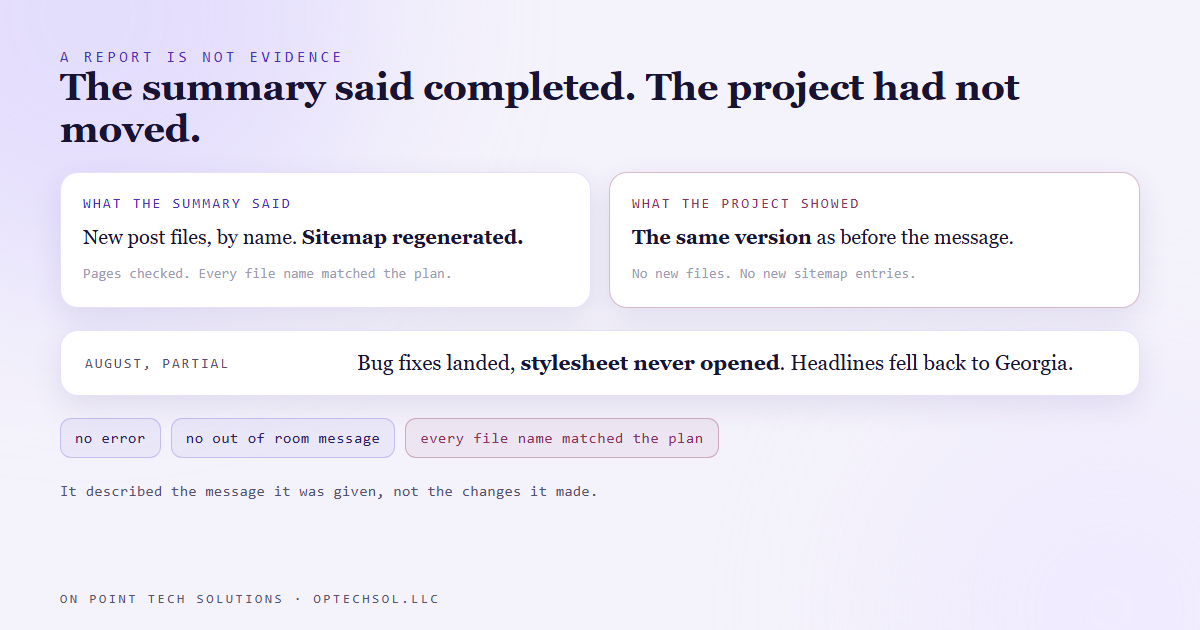
On September 17 the agent answered one of those hand-offs the way it always does. Status completed. A clean summary listing the new post files by name, a line saying the sitemap had been regenerated with the new addresses, a line saying it had checked that the pages rendered.
None of it had happened. The project was sitting on exactly the same version it had been on before the message went out.
What the summary actually was
Our best reading is simple. The instruction was long, with the whole batch inside it, and part of it got cut off inside the agent's own working memory. It did not hit an error. It did not say it had run out of room. It wrote a summary of the job the message described, in the past tense, with file names that matched the plan exactly.
The summary was accurate about the intent, and every name in it was right. Read against the request, it would have passed.
Trusting it meant an approval card for a batch that did not exist, and a deploy that shipped nothing while the log said success.
We had seen the partial version first
This was not the first time, only the most complete. Back in August, on a different project, one message asked the same kind of agent for three things at once: some bug fixes, a cleanup of old branding, and a switch to a new font and colour system.
It reported all of it done. The bug fixes had landed. The stylesheet had never been opened. So the components asked for the new font while the file that loads fonts still pulled the old ones, and every headline quietly fell back to Georgia. Four colour names pointed at settings that did not exist and produced broken styles. No build error. The site loaded fine and just looked wrong.
The pattern holds. The agent works from the top, stops early when something runs long, and writes its closing note about the message rather than about the changes.
Report versus evidence
After September 17 we stopped treating the agent's summary as proof of anything. Before an approval row gets written for a builder batch, three checks run, and each one closes a different gap.
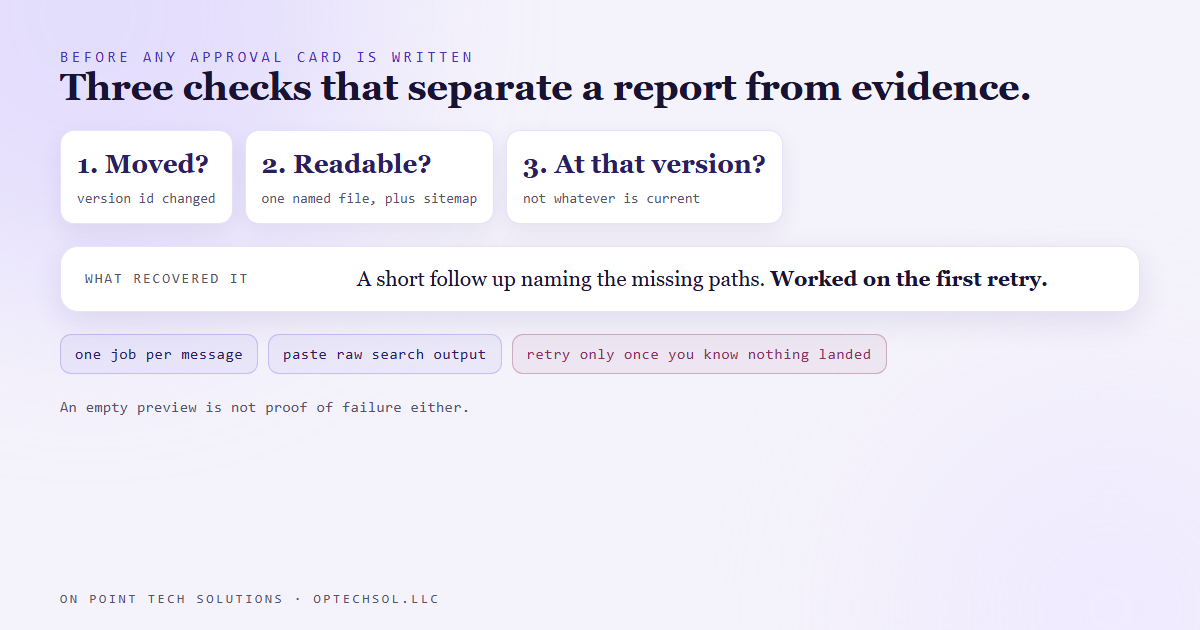
First, did the version move. Every saved change to the project gets its own version id. If the id after the message matches the id before it, nothing was saved, whatever the summary says. This is the cheapest check, and it catches the total failure in one call.
Second, can a named file be read back. Pick one file the summary says it created and open it. Not a listing, not a count, the file itself. Then open the sitemap and look for the new addresses.
Third, read it at that version. A file you read "now" might have come from somewhere else, an earlier run or a different change landing at the same time. Reading at the exact version id from the first check ties the evidence to this job and nothing else.
What recovered it
The fix was a short follow-up message. It named the paths that should exist and did not, and asked the agent to check for itself and read the files back before claiming it was done. It worked on the first retry.
A retry was safe because nothing had landed, so there was nothing to duplicate. Retrying a job that half worked is how you end up with two of something.
For work with several parts we now send one job per message, each verified before the next goes. And where something must be gone, like an old brand name, we ask the agent to paste the raw search results for those words. That is hard to fake and easy to check.
One more trap. The builder's preview link sits behind a sign in from our machine, so a script reading it gets nothing back even when every page exists. An empty preview is no more proof of failure than a confident summary is proof of success.
What this means for your business
You get reports all day. The web person says the form is connected. The assistant says every weekend lead got a text. Most of the time it is true. The trouble is that a wrong report looks exactly like a right one, and people, like AI agents, describe what they meant to do far more easily than they notice what they skipped.
Three things worth doing this week. For the next "done" you hear, ask for one piece of evidence you can open yourself: a test form showing up in your CRM, one lead's text history, a screenshot with a date on it. Break any big request into separate jobs so a partial finish is visible instead of buried. And before anyone retries something that failed, find out what already went through.
For a Go High Level San Jose business, the most useful version is the test lead. Fill in your own website form once a week and watch where it lands. If it does not show up in the CRM with the right tags and a follow-up started, no report about your automation matters.
Want this built for you
We build systems that check their own work before they ask you to approve it. Start at optechsol.llc.